Agents are probabilistic machines, it’s best to give them an escape hatch for low confidence scenarios to ask a human than to make bad decisions.
Last week’s agent returns needs_review when it is unsure. This post shows what happens next, from the notification to the person’s answer and the agent’s second run.
Overview#
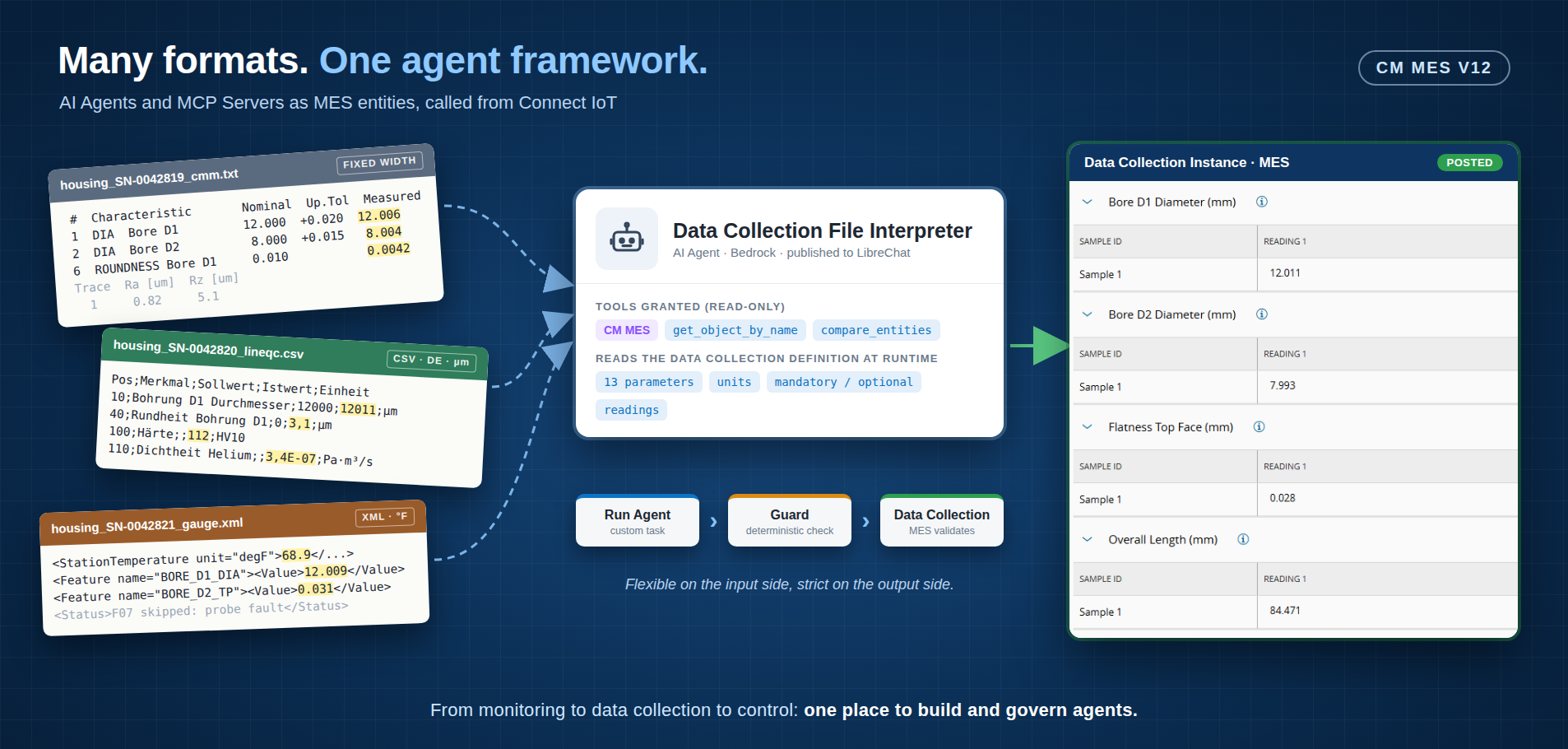
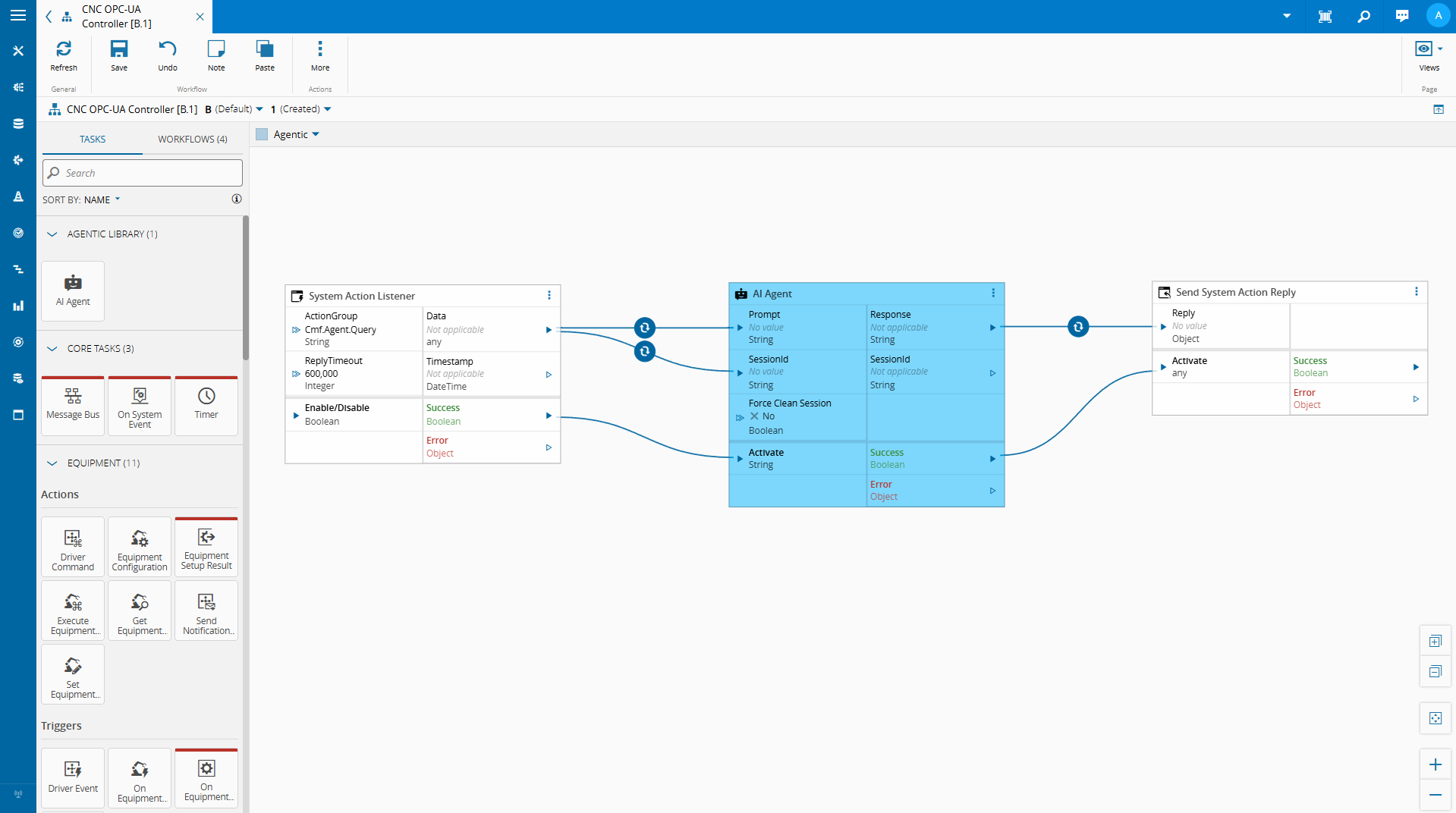
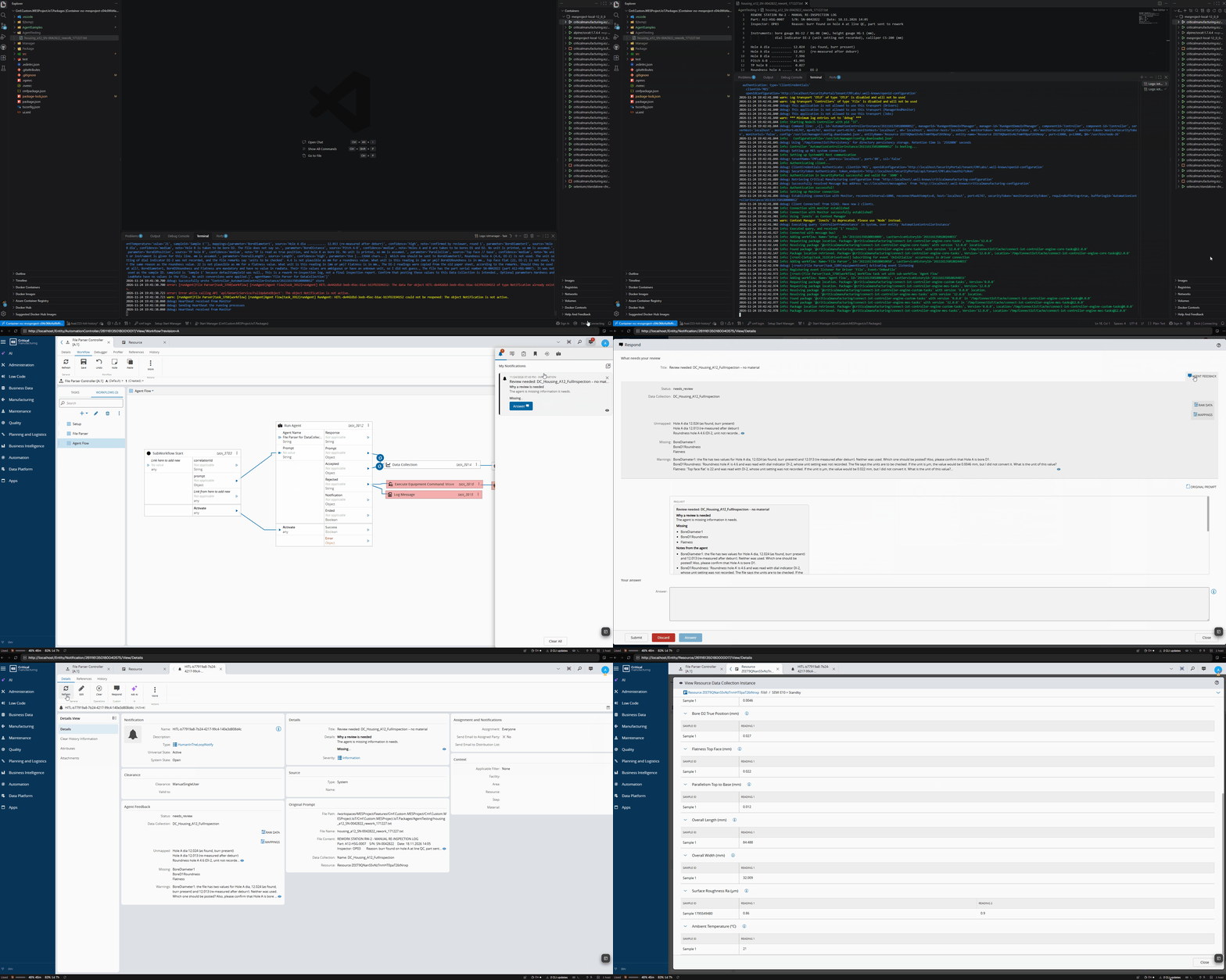
In the previous post a Connect IoT workflow read equipment files, a “File Parser for DataCollection” agent mapped them to a Data Collection, and a guard clause routed the answer to ok, needs_review or rejected. needs_review went “to a human”. In this blog post we will chart that flow, the human-in-the-loop.
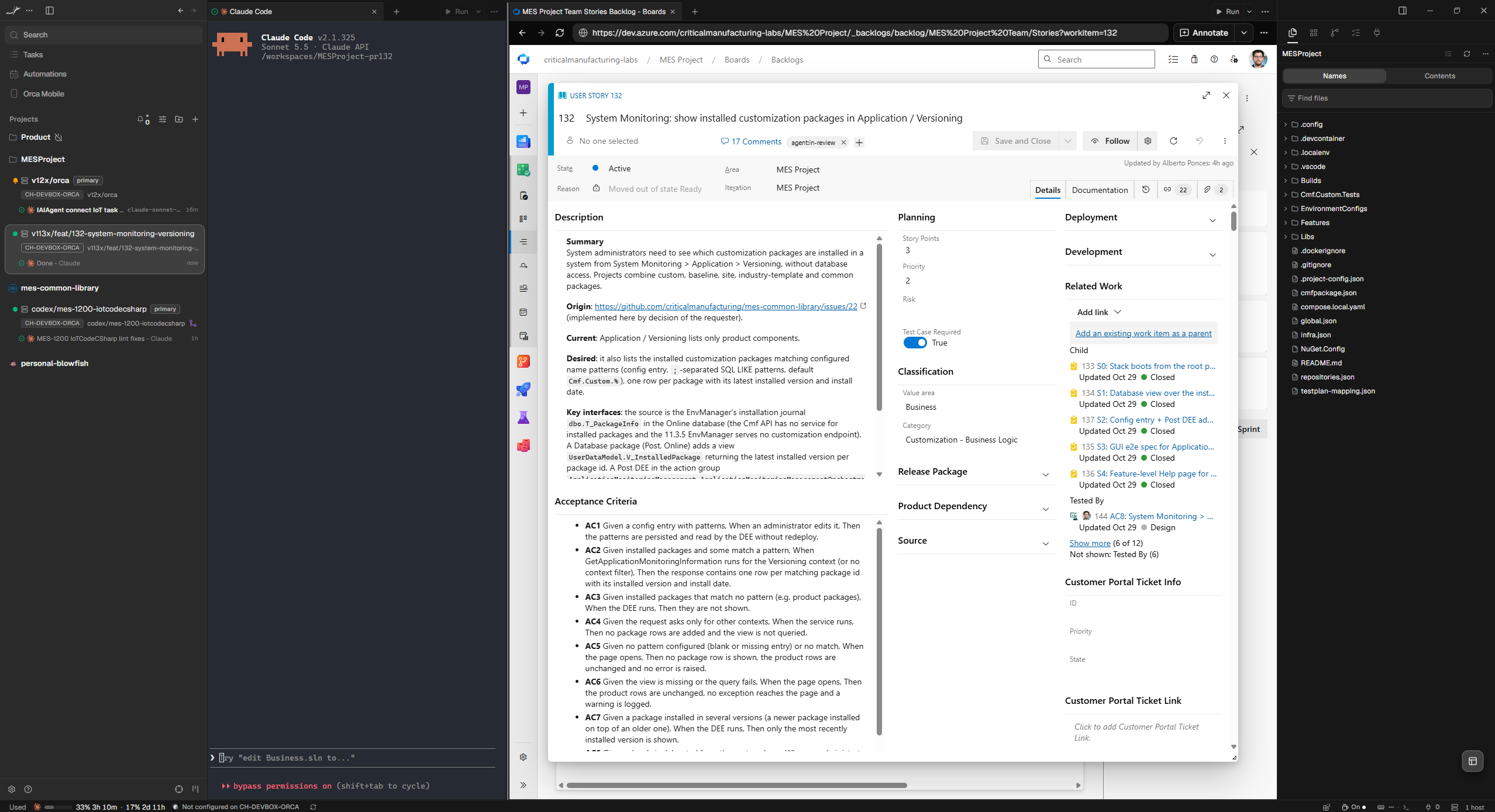
It was built with the agentic process from Orca, Worktrees and the First Iteration of an Agentic MES Project, trust me I can’t code UIs if my life depended on it, and the walkthrough below is one run on a local MES v12 stack: one ambiguous file, the real agent, two rounds of answers.
An Ambiguous File#
The test case is a rework re-inspection of housing A12, serial SN-0042822. The file is ambiguous in two ways:
- Hole A appears twice:
12.024as found with burr, and12.013re-measured after deburring. - Roundness
4.6and flatness22were read with dial indicatorDI-2, and nobody recorded its unit.
A parser would pick one. The agent returns needs_review with open questions instead. Remember, the goal is to be able to extract information and adapt to any kind of file content as long as it contains the needed information.
REWORK STATION RW-2 - MANUAL RE-INSPECTION LOG
Part: A12-HSG-0007    S/N: SN-0042822    Date: 18.11.2026 14:05
Inspector: OP03       Reason: burr found on hole A at line QC, part sent to rework
Instruments: bore gauge BG-12 / BG-08 (mm), height gauge HG-1 (mm),
             dial indicator DI-2 (unit setting not recorded), calliper CS-200 (mm)
Hole A dia ........... 12.024   (as found, burr present)
Hole A dia ........... 12.013   (re-measured after deburr)
Hole B dia ...........  7.996
Pitch A-B ............ 41.995
TP hole B ............  0.027
Roundness hole A .....  4.6     DI-2
Top face flat ........ 22       DI-2
Top face // base .....  0.012
Length ............... 84.488
Width ................ 32.009
Ra sealing face (2 traces): 0.86 / 0.90 um
Hall temp. approx. 21 C
Remarks: DI-2 readings copied from the old paper sheet, units to be checked.
Part released back to the line after rework - OP03
Building on what the MES ships with#
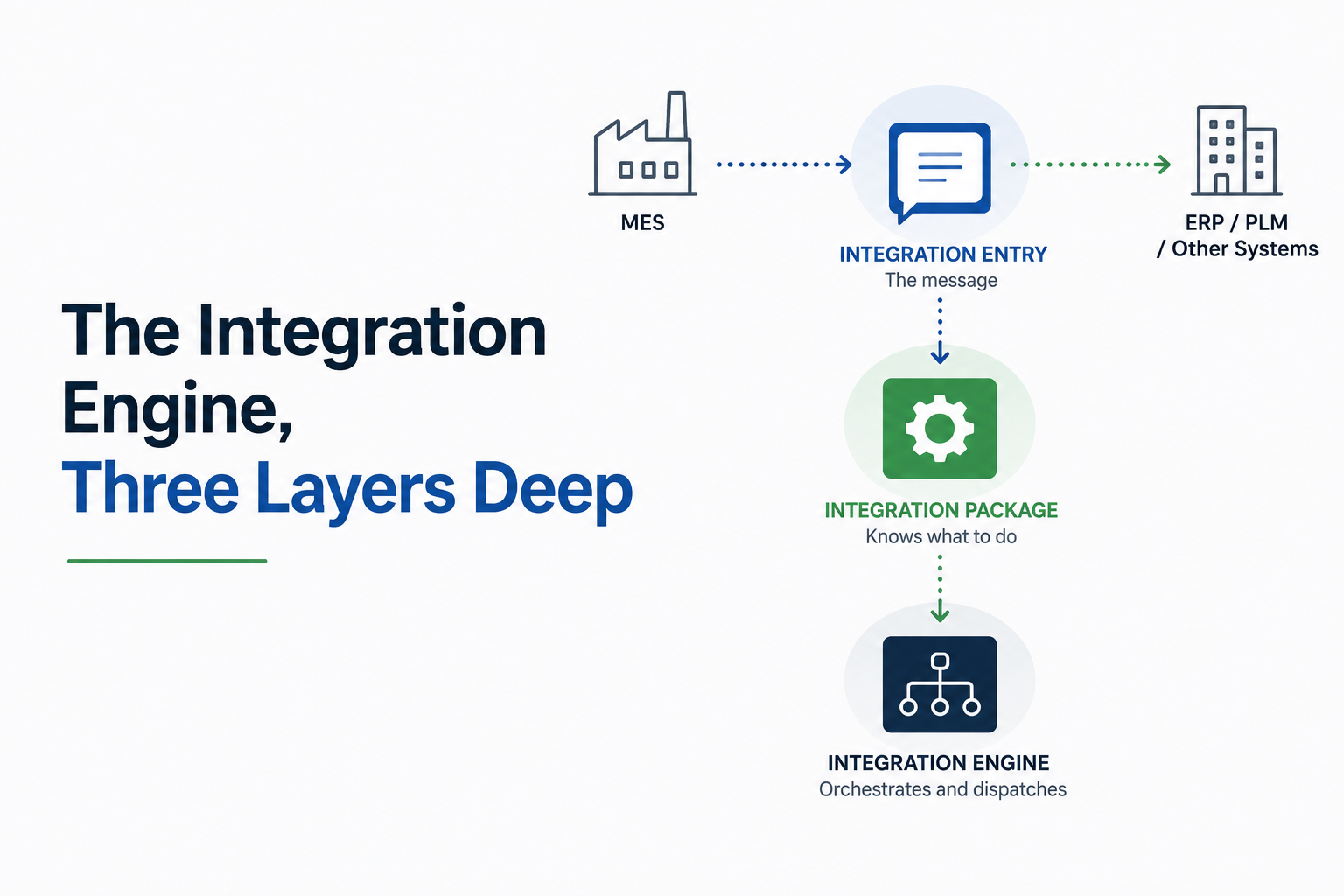
To create the request flow we leverage the standard MES Notification.
We create a new type, HumanInTheLoopNotify, named HITL-<GUID>.
The GUID is the correlation id, as the name implies it allows us to track the same interaction along multiple iterations: in iot the Run Agent task keeps the request under that id in its persistent store until someone answers.
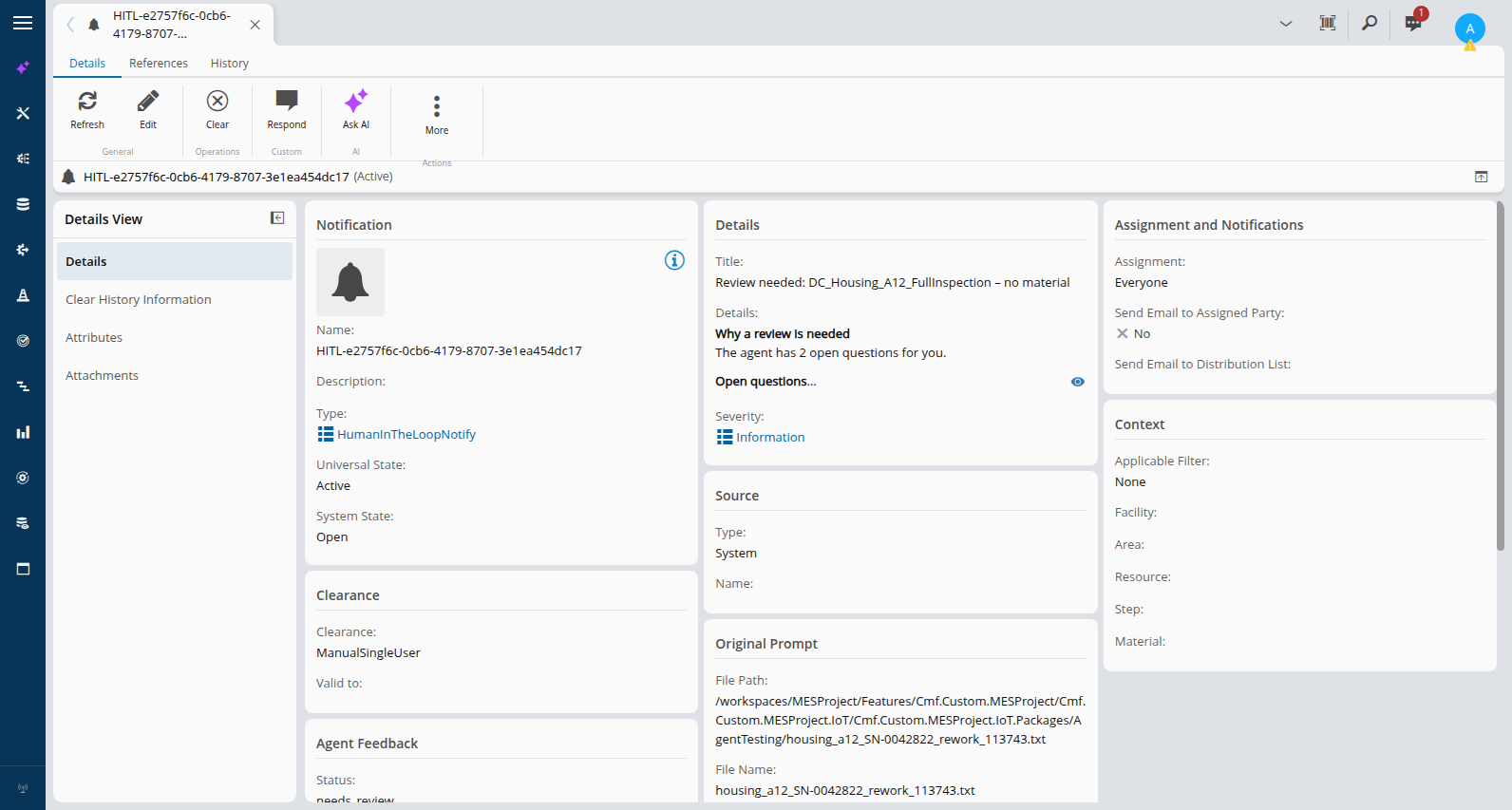
The Title is readable (“Review needed: DC_Housing_A12_FullInspection – no material”), and the Details are a meaningful description: why a review is needed, the open questions, what is missing, the agent’s notes, the Data Collection and what to do.
The full agent response and the original prompt live in a payload attribute. An attribute value holds at most 512 characters, so the payload is chunked and shown as two tiles, Agent Feedback (information from the agent) and Original Prompt (information provided to the agent), among the stock notification Details tiles.
 |
|---|
| The notification page: Respond in the ribbon, the agent’s two open questions, and the Original Prompt and Agent Feedback tiles. |
This needs no new entity or page, because Notifications already have assignment, a side panel, history and clearing. Just leveraging the existing framework.
The Respond Wizard Is a Conversation#
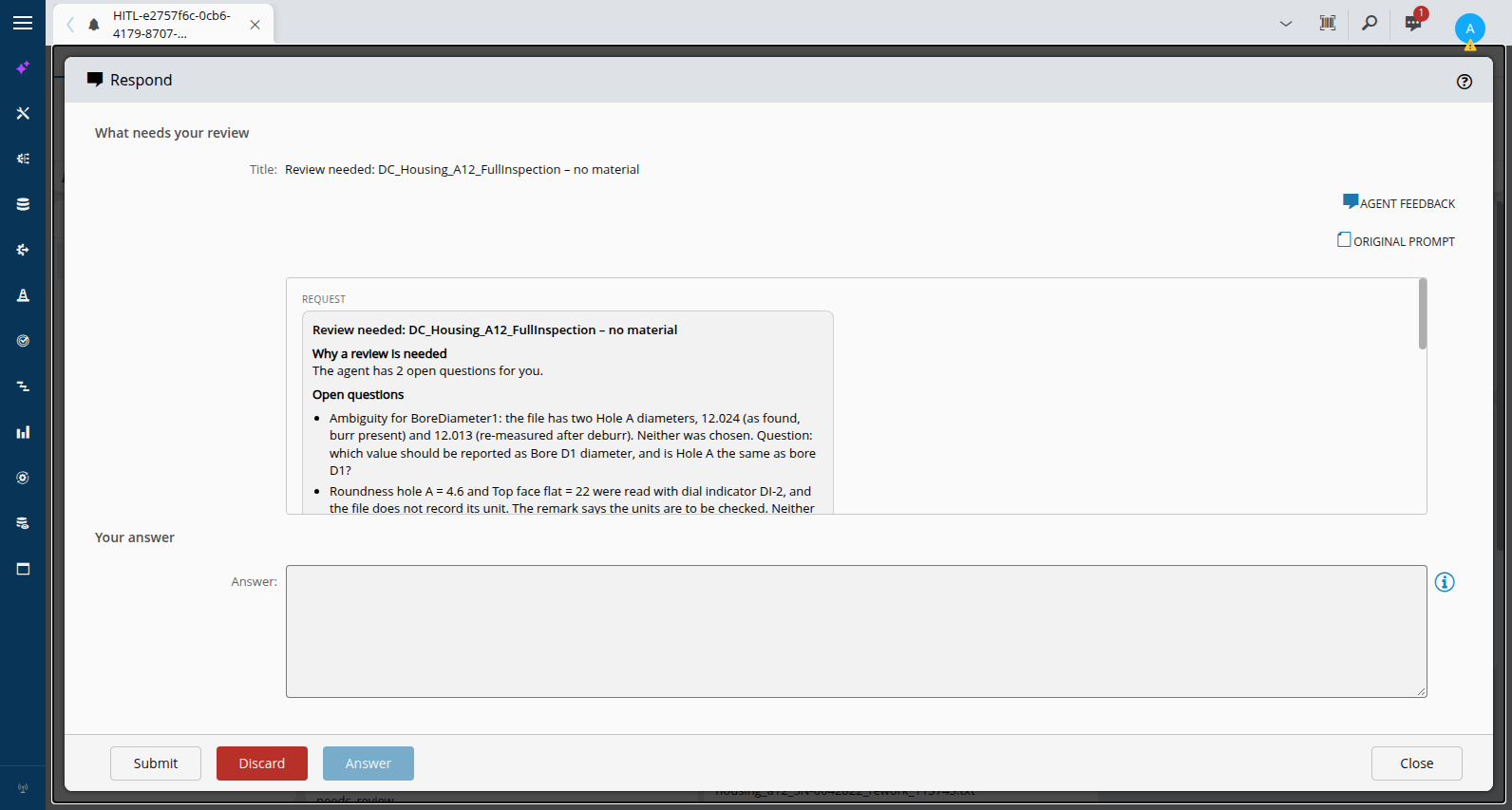
Respond is a custom action on the Notification page and in the notifications side panel. It opens a chat like wizard.
Each agent request is a formatted bubble. Each answer is a blue bubble with who sent it and when. All of it is rebuilt from the notification’s standard MES history, so there is no extra storage.
 |
|---|
| Round 1: the agent’s request as the first bubble, an answer box, and three outcomes. |
The three outcomes:
| Button | What it does |
|---|---|
| Answer | Sends the text, keeps the notification open, the agent runs again |
| Submit | Accepts the agent’s current result as it is |
| Discard | Ends the request, after a confirmation |
The first bubble is the agent output of the analysis of the file. We can now start the conversation loop.
Here is the answer for round 1 before it is sent:
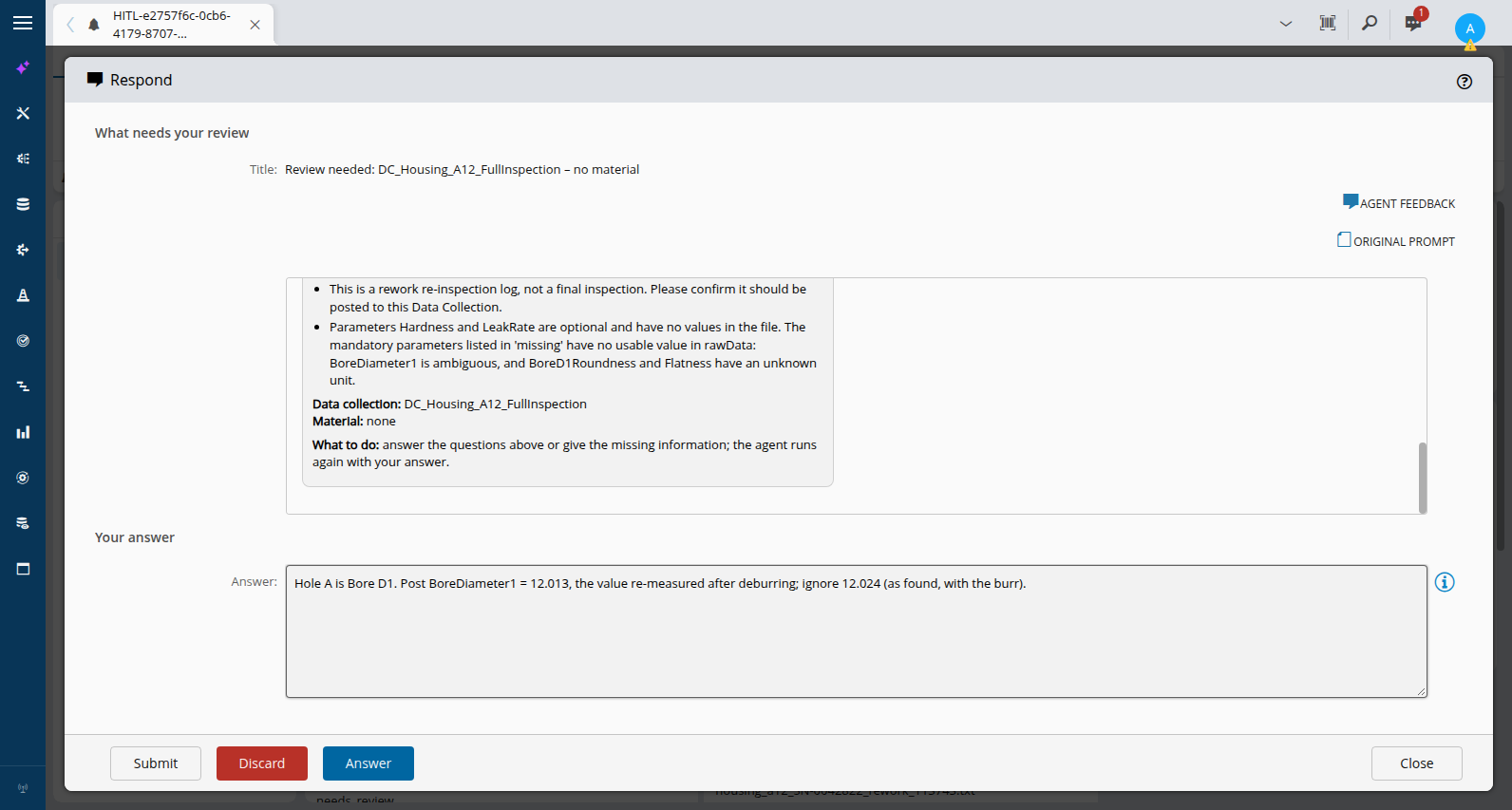 |
|---|
| A person answers the way they would answer a colleague. |
Using the MES Out of the Box Gateway#
Leveraging the send request message bus, we can make sure to only block the buttons if we have an acknowledge that the message is not just sent but received.
A DEE business rule on the notification save sends the outcome over the MES message bus as a request to the subject <base topic>.<GUID>, and saves the answer only when the requester replies {"status":"ack"} within 30 seconds. Without the acknowledgement, the message shows in red with the requester’s error and a Resend button.
After an acknowledged answer the notification stays open. The title gets the prefix “Waiting for agent reply:”, the buttons are disabled, the answer box is hidden and the wizard refreshes itself until the agent answers.
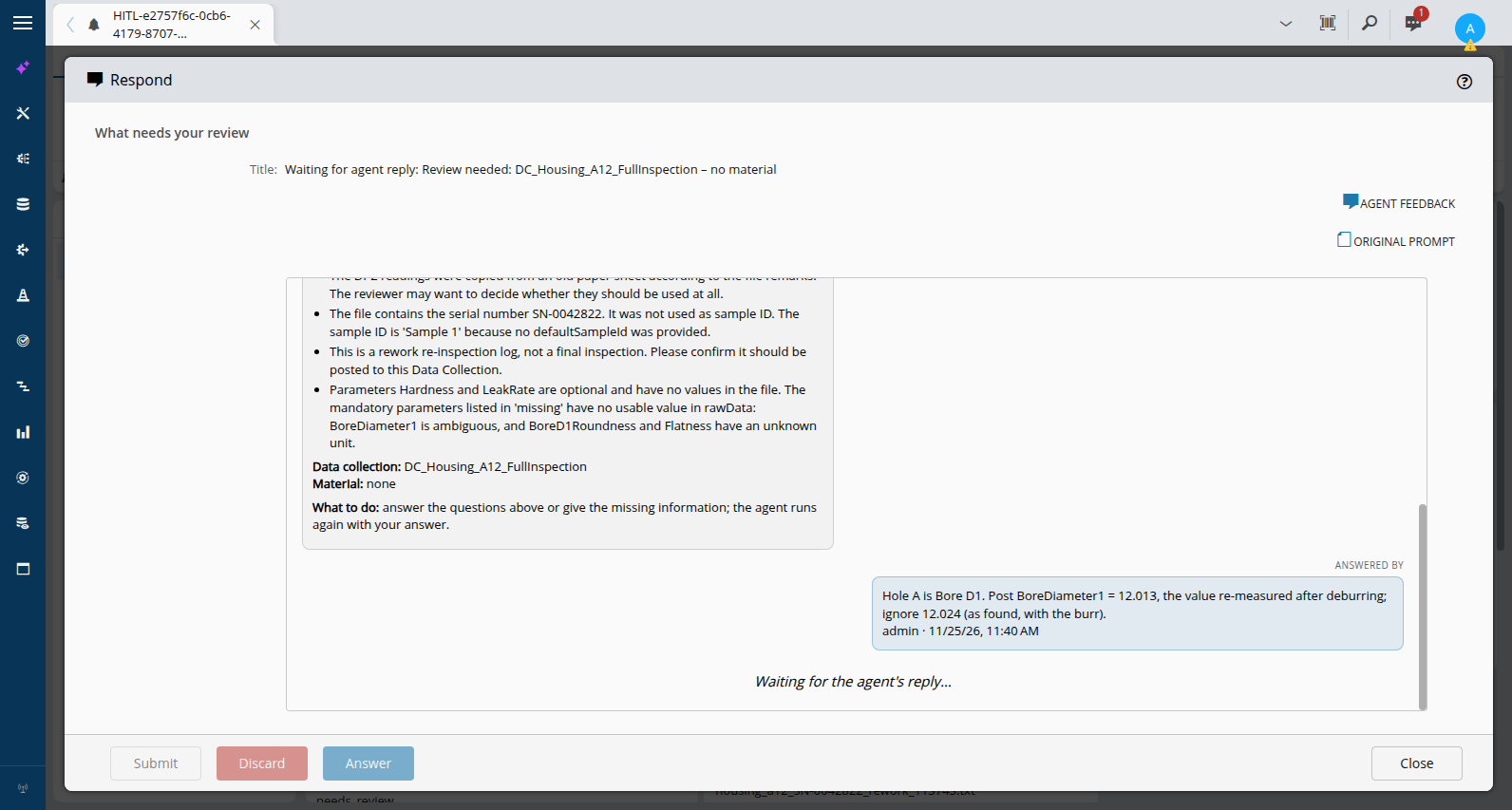 |
|---|
| Answer acknowledged: the blue bubble with the author and time, “Waiting for the agent’s reply…”, buttons disabled. |
The Agent Runs Again with the Whole Conversation#
The agent is stateless, so the task gives it everything: the original prompt plus a review object with the round, the previous result and every answer so far.
If the new result still needs review, the same notification is updated: the title becomes “Review needed (round 2): …”, the outcome resets, and the conversation shows round 1 request, answer, round 2 request.
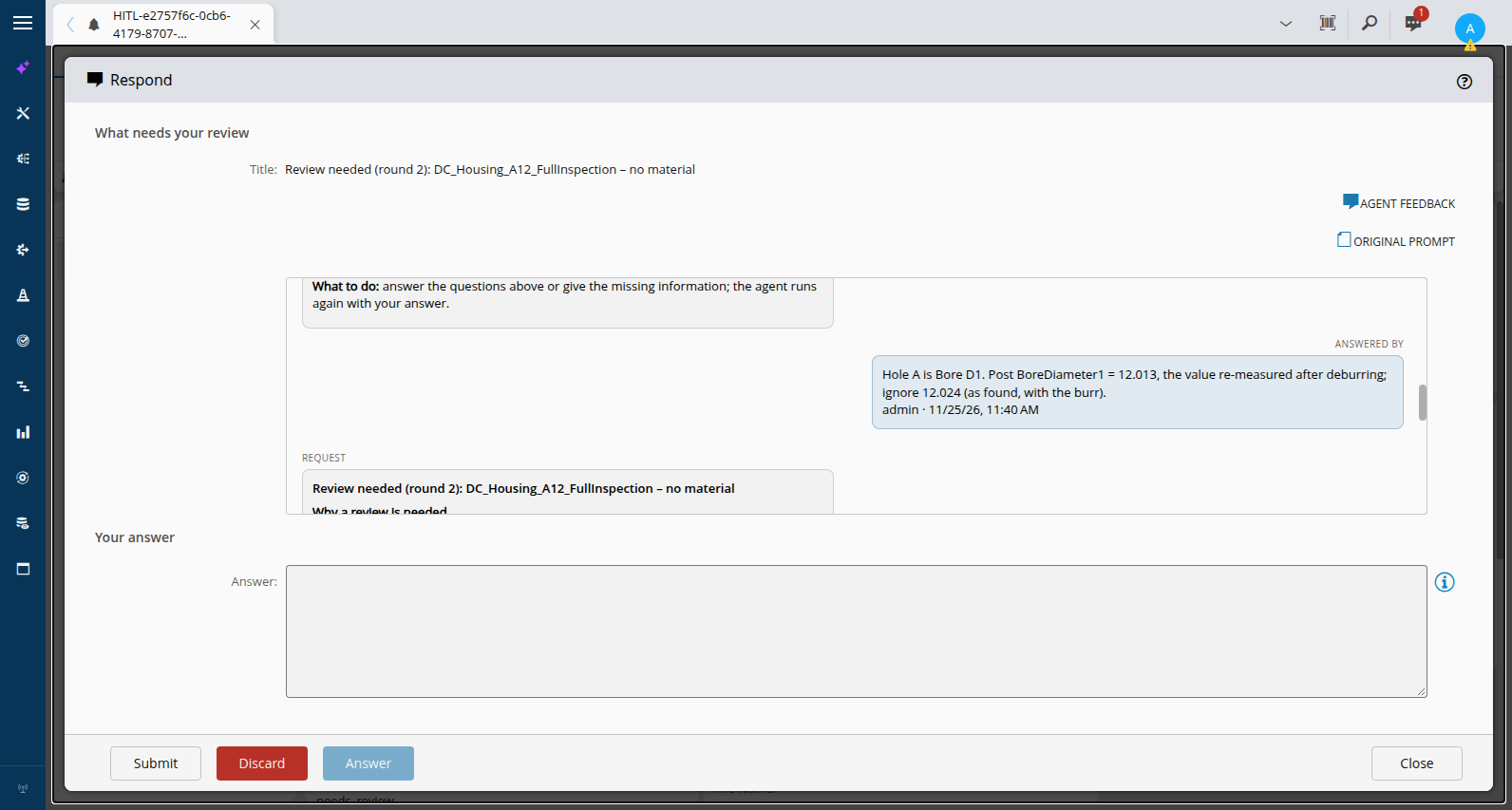 |
|---|
| The end of the round 1 request, the blue answer, and the round 2 request. |
In the live run, the round 1 answer was “Hole A is Bore D1. Post BoreDiameter1 = 12.013, the value re-measured after deburring; ignore 12.024”. The agent took it and asked about the unit of DI-2. The round 2 answer was “DI-2 was set to µm: BoreD1Roundness = 0.0046 mm and Flatness = 0.022 mm”, plus the remaining confirmations.
Then the result was accepted and the notification cleared itself. The Data Collection instance DC_Housing_A12_FullInspection-000000007 was posted with BoreDiameter1 = 12.013 and Bore D1 Roundness = 0.0046. Both values come accurately based on the answer from the human in the loop.
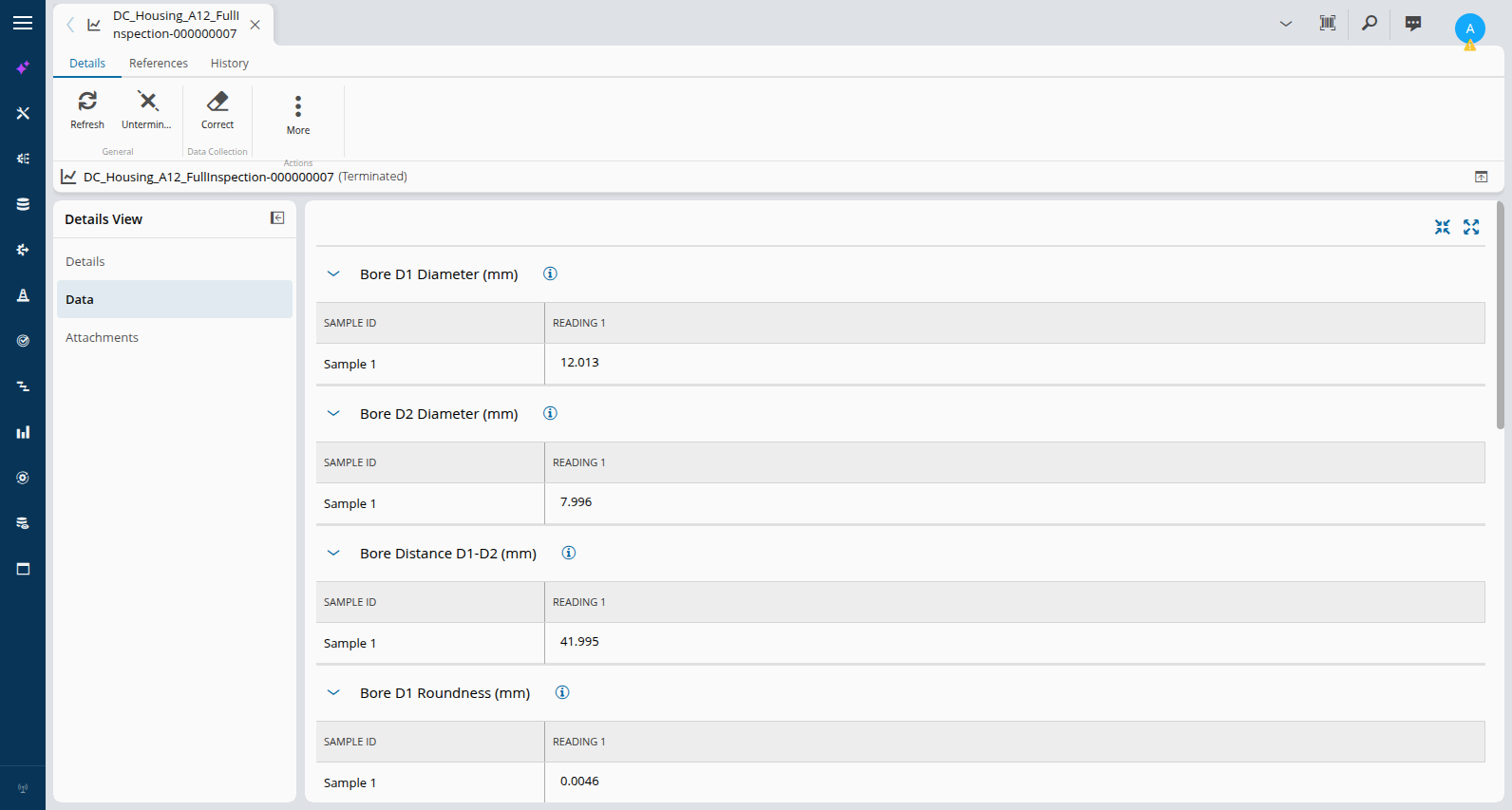 |
|---|
| The posted instance: Bore D1 Diameter 12.013 and Bore D1 Roundness 0.0046. |
Guard Clause tab#
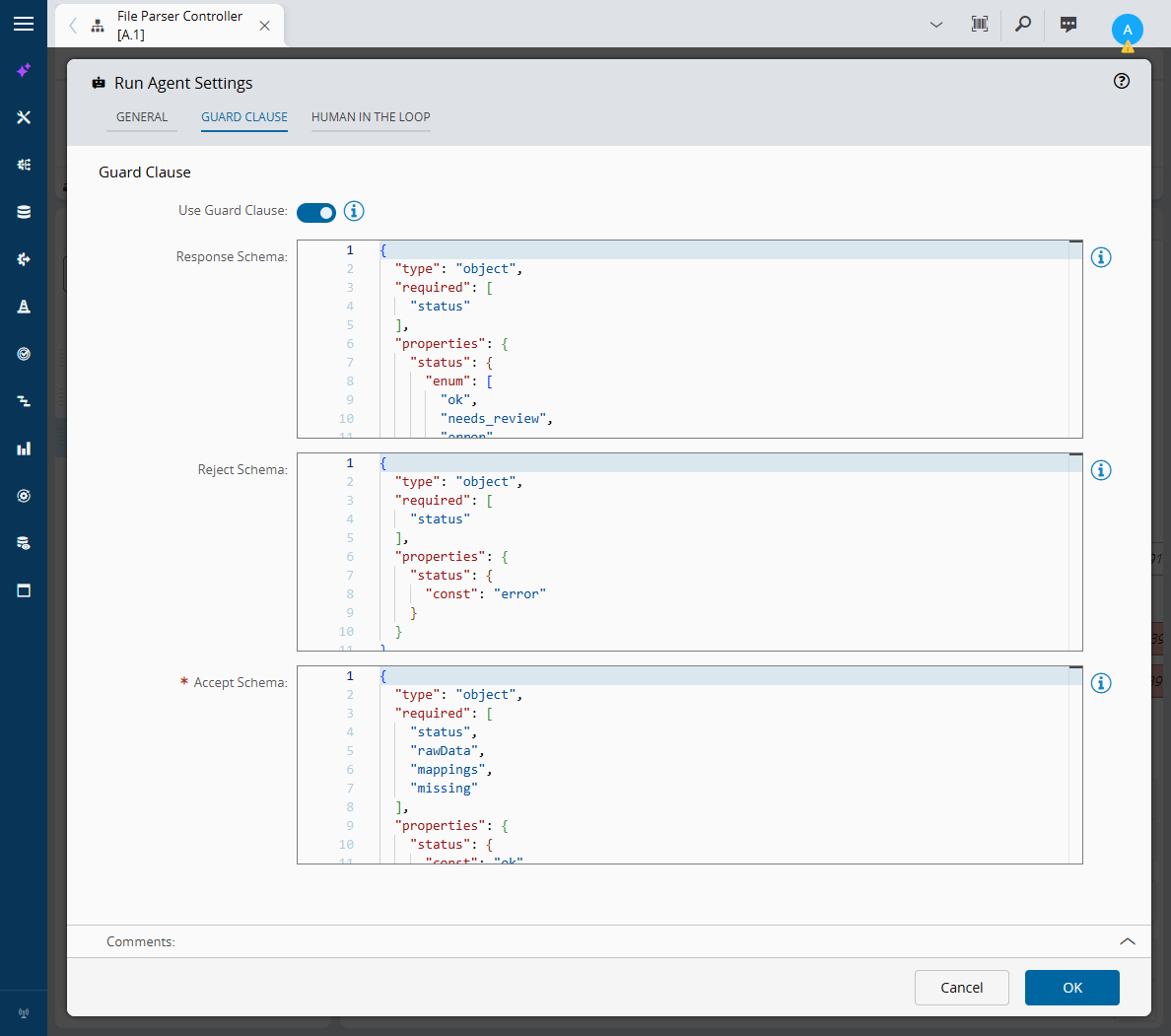
Last week, we showed a code task performing our guard clause. Actually, this such a common scenario that we decided to make that part of our runAgent Connect IoT task. The code-task guard from last week is now three JSON Schemas, validated with ajv:
- Response Schema: the shape every response must have. If it does not match, the result is Rejected with “Invalid agent response: …”.
- Reject Schema: for example
status = error. Rejected, with the agent’s reason. - Accept Schema:
statusisok, nothing is missing, every mapping has high confidence, there is some data. Accepted.
Anything valid that is not accepted needs review. Note that when we declared our agent we also specified a contract of what we would send as prompt and the format we expect as answer.
The Accept Schema holds the old effectiveStatus rules as data:
{
  "type": "object",
  "required": ["status", "rawData", "mappings", "missing"],
  "properties": {
    "status": { "const": "ok" },
    "missing": { "type": "array", "maxItems": 0 },
    "mappings": { "type": "array", "items": { "properties": { "confidence": { "const": "high" } } } },
    "rawData": { "type": "object", "minProperties": 1 }
  }
}
The rules of the guard are now a task setting that a process engineer can read and change without a code deploy.
 |
|---|
| Guard Clause tab: the toggle and the three schema editors. |
Human In The Loop tab#
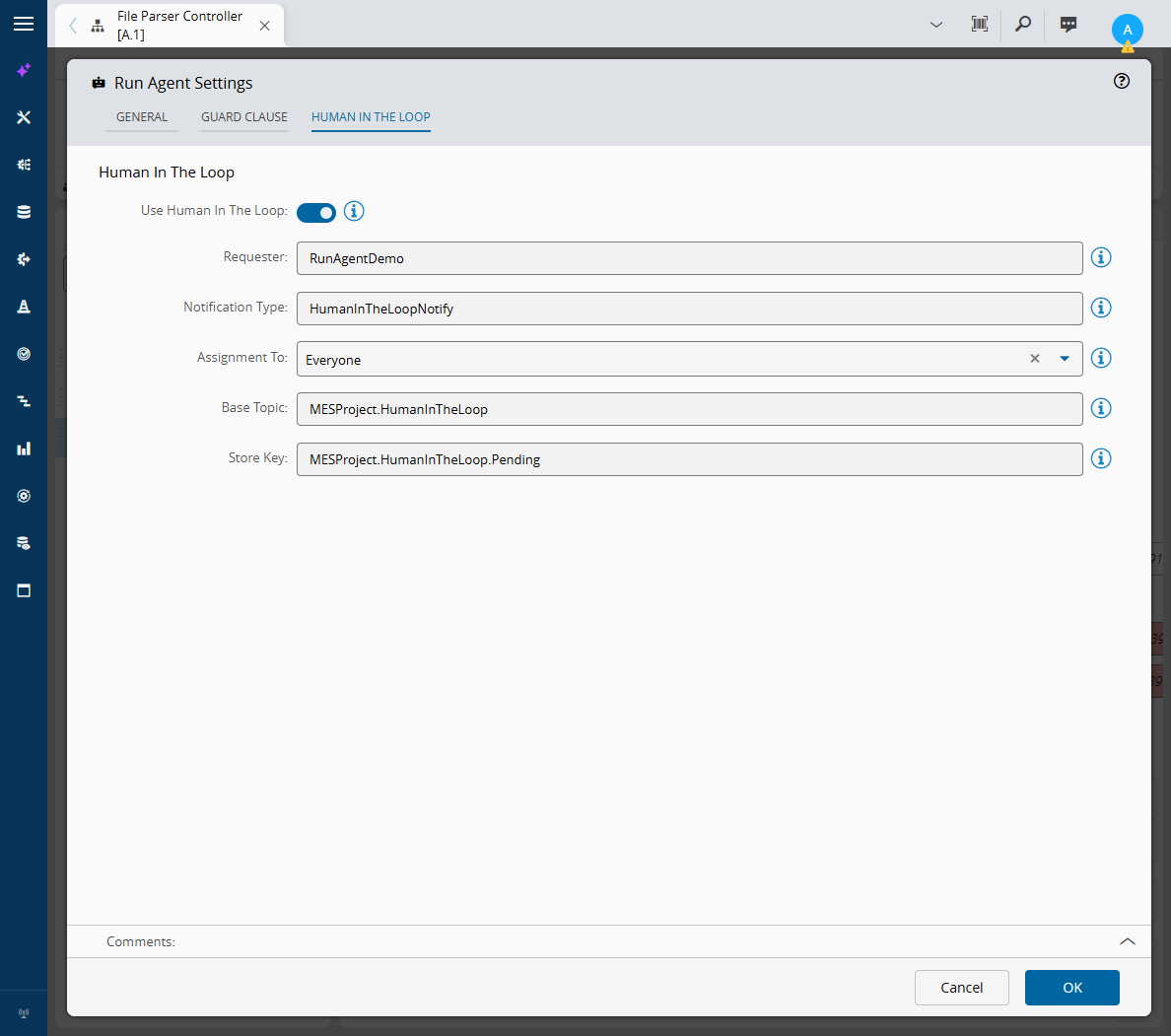
The human in the loop is similar to the guard clause, in the sense that it’s a common scenario that is part of running an agent. So we added it as a setting of the runAgent task.
With it enabled, the task creates and updates the notification itself, subscribes once to <base topic>.>, acknowledges, runs the agent again, clears on accept or reject, and treats Submit as “accept the reviewed result without running again”.
Pending requests live in the controller’s persistent data store, so they survive a restart.
 |
|---|
| Human In The Loop tab: requester, notification type, assignment, base topic and store key. |
A Prompt output emits the prompt the result belongs to. The Data Collection task takes its information and posts the data. This data can have been directly from the first agent reply or have passed cycles of human and agent interaction.
Final Thoughts#
The MES is a toolbox and offers us a lot of pathways. In this blog post we leverage what are the MES guardrails like data collection parameters, with MES standard feature set like notifications and then joined them with the new agent framework.
In the next post I’ll give the agent a memory across requests. With this post we ensure a healing flow, where an incomplete answer can be completed with human feedback, with the introduction of memory we will create a long lasting solution.