You can hide every button an operator shouldn’t touch. You can build a role tree that mirrors your org chart down to the last supervisor. And none of it matters if the API sitting underneath your GUI doesn’t check permissions on its own. A locked front door means nothing when the window next to it is wide open.
That’s the uncomfortable truth about security in Manufacturing Execution System (MES) deployments: there are three independent security levels, and in my experience almost everyone configures exactly one of them, missing out on a whole set of features.
Critical Manufacturing MES ships with three security levels — Feature, Object, and Service — that can each be turned on or off independently. They protect different things: what a user sees, what data a user can touch, and what a user can actually execute at the API level. This post walks through all three, how permissions flow from users to roles to features and data groups, and why skipping the third layer is closer to leaving a vulnerability in production than a configuration choice.
Everything in this system starts with Role Based Access Control (RBAC). A user — human or system — never gets permissions directly. Permissions are assigned to roles, and users (or other roles) become members of those roles.
A role is just a logical grouping: Operator, Supervisor, Quality Engineer, whatever your org needs.
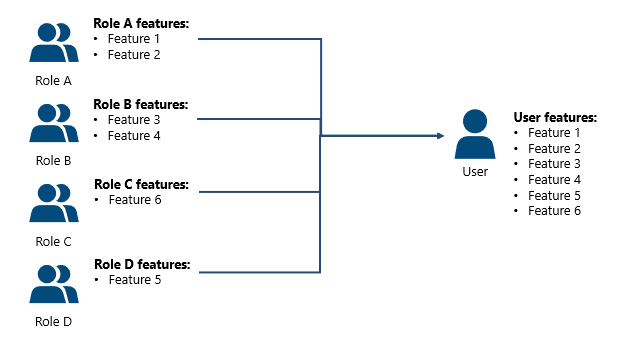
The part that trips people up: when a user belongs to multiple roles, they get the union of all permissions, not the intersection.
If Role R1 has no access to Track-In and Role R2 does, a user in both roles can Track-In. Permissions only ever add up. There’s no “most restrictive role wins” mode — design your role tree with that in mind, because it’s easy to accidentally grant more than you intended by combining roles casually.
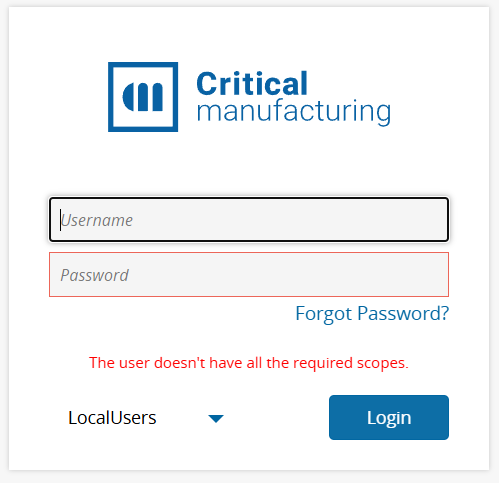
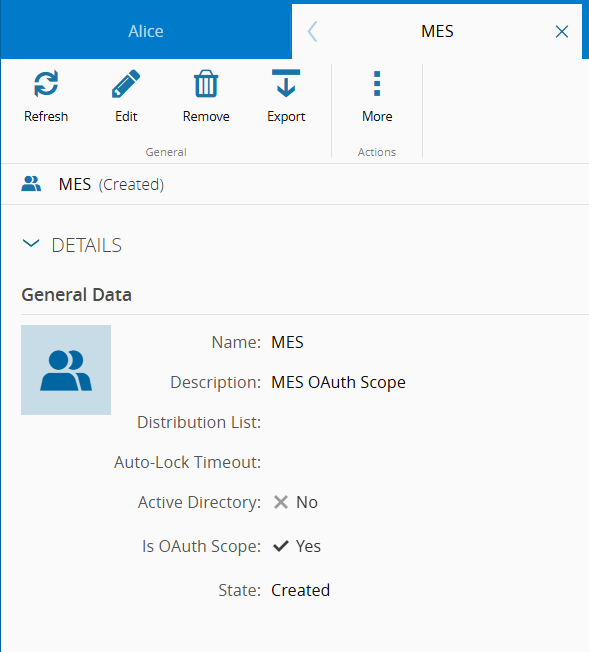
One role deserves special mention: MES. It’s used as an OAuth scope, and if a user isn’t a member of it (or of a role that inherits from it), they cannot log in at all — they’ll hit an error about missing required scopes. This scope is what lets the authorization system tell MES sessions apart from other client types, like companion apps hitting the same backend.
Roles also carry responsibilities beyond access control — ownership of Certifications, approval on Change Sets, release authority on Material Hold Reasons. It’s worth remembering that “role” in this system isn’t purely an access-control primitive; it’s also a business-process concept.
This is the one everybody already knows. It controls which GUI elements a user can see and interact with — a menu, a button, a whole page. It’s enforced at the GUI level and cached on the client for responsiveness, which makes it cheap: negligible performance impact, easiest of the three to maintain.
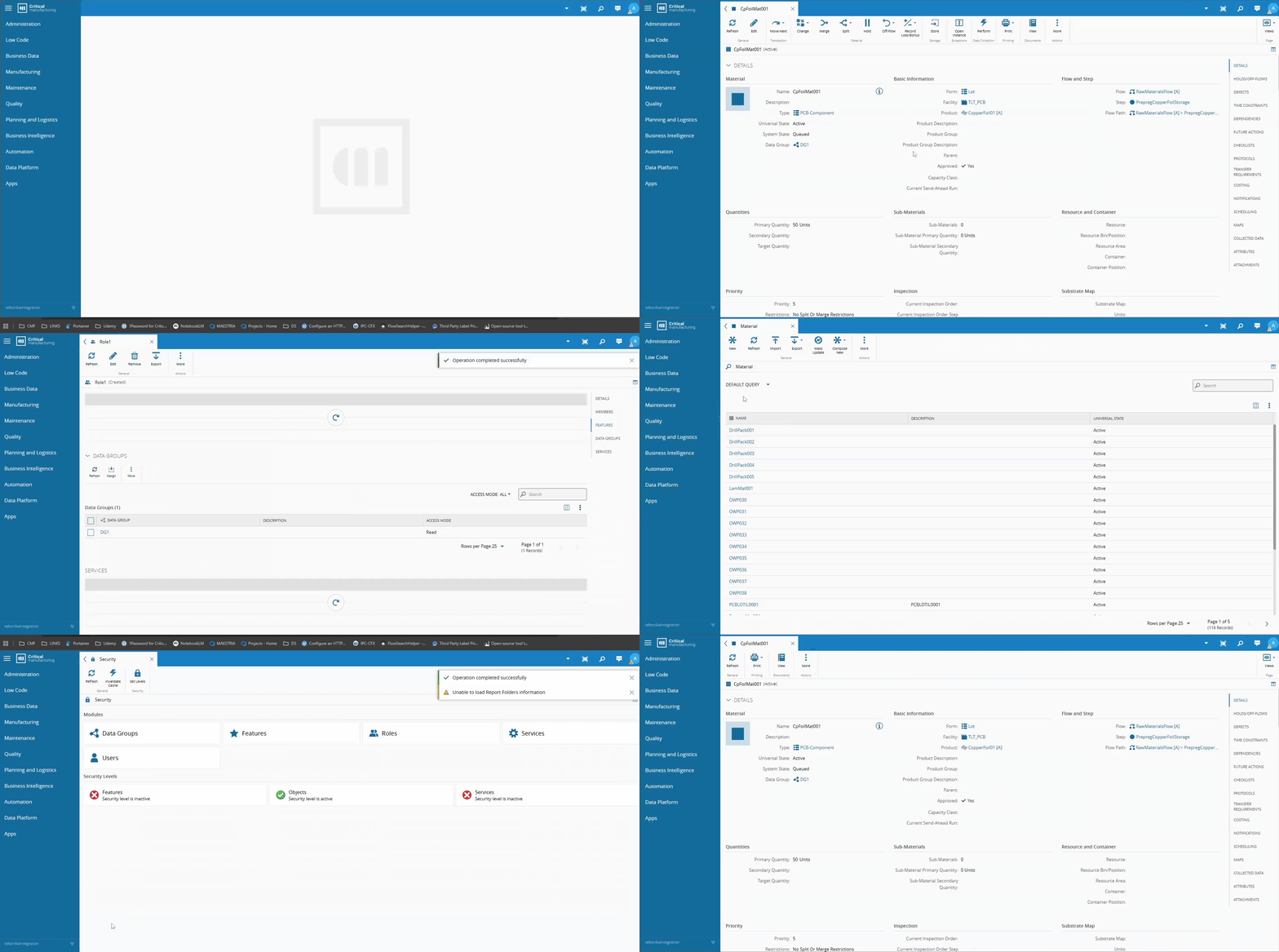
One default worth knowing before you flip the switch: no features are assigned to any role out of the box. Enable Feature Level Security without preparing your roles first, and every non-admin user logs in to a mostly blank interface. You’re not removing access from a permissive baseline, you’re building access up from nothing.
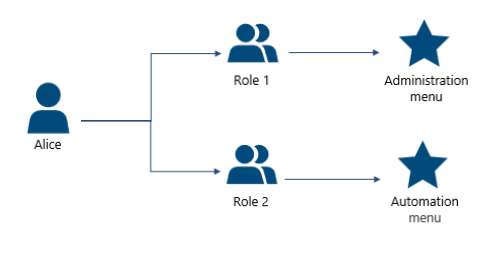
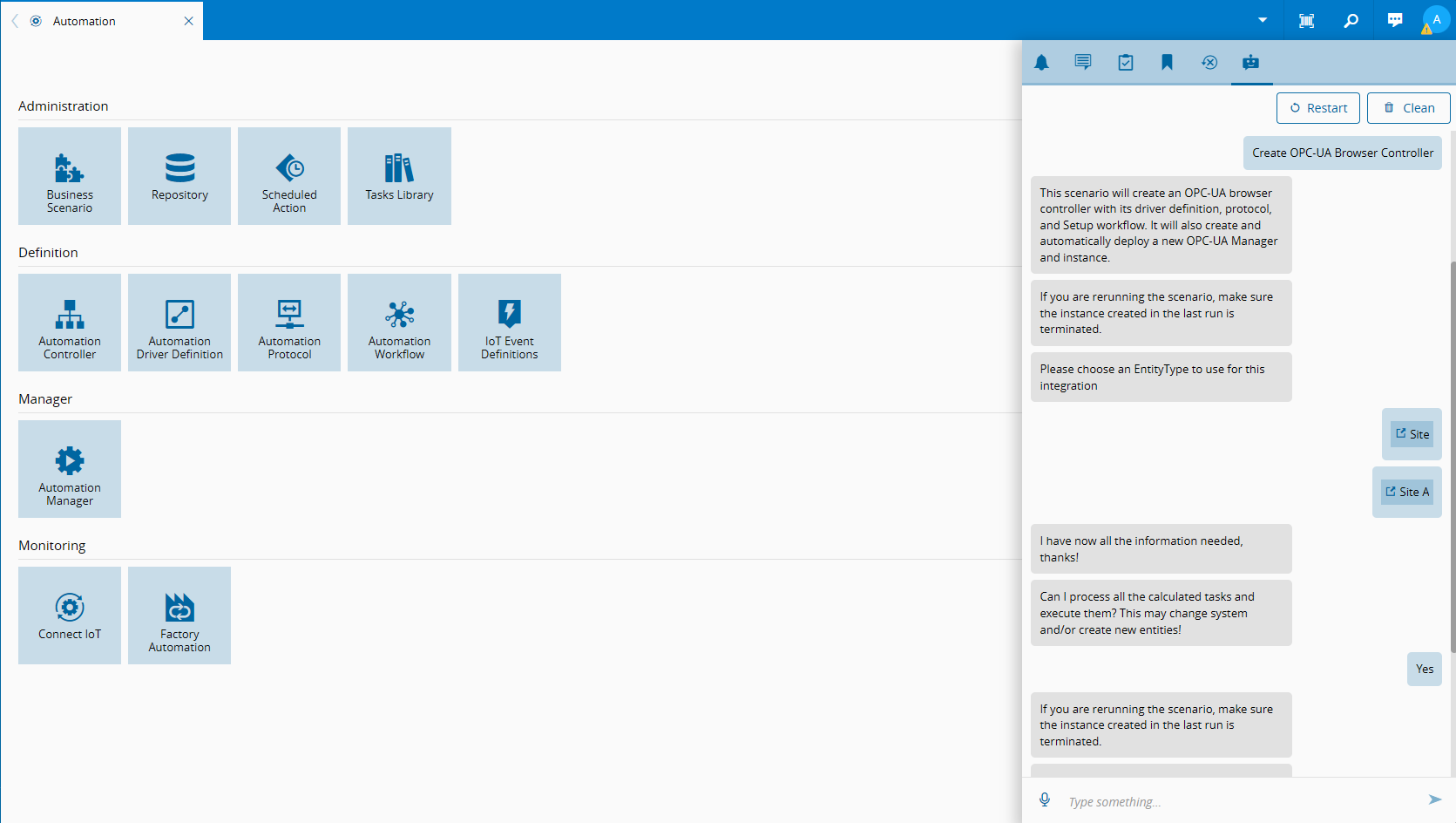
Say Role 1 has access to the Administration menu and Role 2 has access to the Automation menu. If Alice belongs to both roles directly, she sees both menus — that’s aggregation. Permissions from every assigned role get combined.
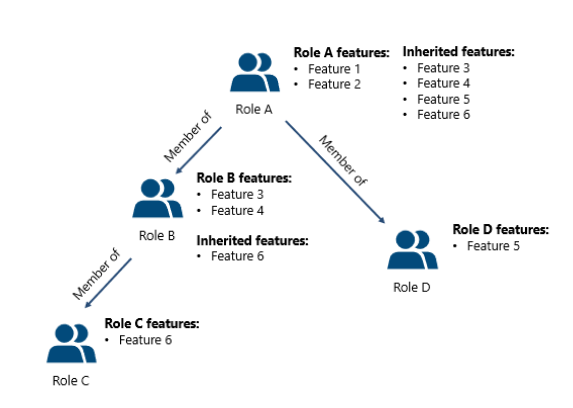
Inheritance is the alternative: instead of putting Alice in both roles, you make Role 2 a member of Role 1. Now anyone in Role 1 inherits everything Role 2 grants, cascading down the tree. A role like Role C with access to just Feature 6 can sit at the bottom of a chain, and every ancestor role picks up that permission automatically.
Both patterns are valid, but they carry different long-term costs:
Pros
Cons
Aggregation
Straightforward, flexible, easy to grasp for small systems
Permission bloat over time, no way to deny/override, requires very granular roles
Inheritance
Mirrors real org structure, permissions defined once, less duplication
Deep trees get hard to visualize, unintended inheritance, hard to troubleshoot “why does this user have this?”
Use inheritance to model your org chart. Use aggregation to combine independent concerns — like a functional role and a data-access role. Don’t use aggregation as a substitute for a role tree you were too lazy to design.
Least privilege, descriptive naming, shallow and well-documented trees — none of this is novel advice, but it’s advice people skip under deadline pressure, and it’s the difference between a permission model you can reason about and one where nobody remembers why Role_Temp_QA_2 has write access to Production Orders.
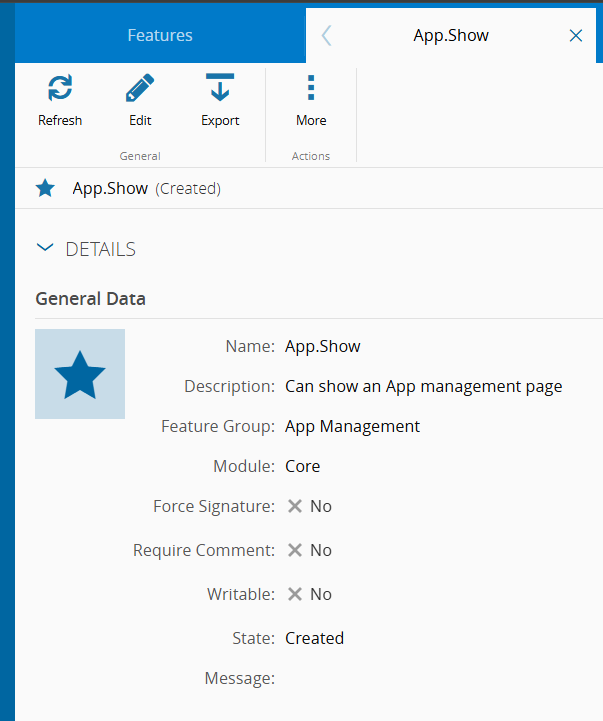
Whenever you add a GUI element or a custom EntityType, you need a matching feature, an <EntityType>.Show feature, for instance or that entity simply won’t be visible, ever, to anyone. This is easy to forget when you’re working under an admin account during development, and it tends to surface only when you deploy to a customer and start setting real permissions. By then it’s an unpleasant discovery.
A few less-obvious feature settings:
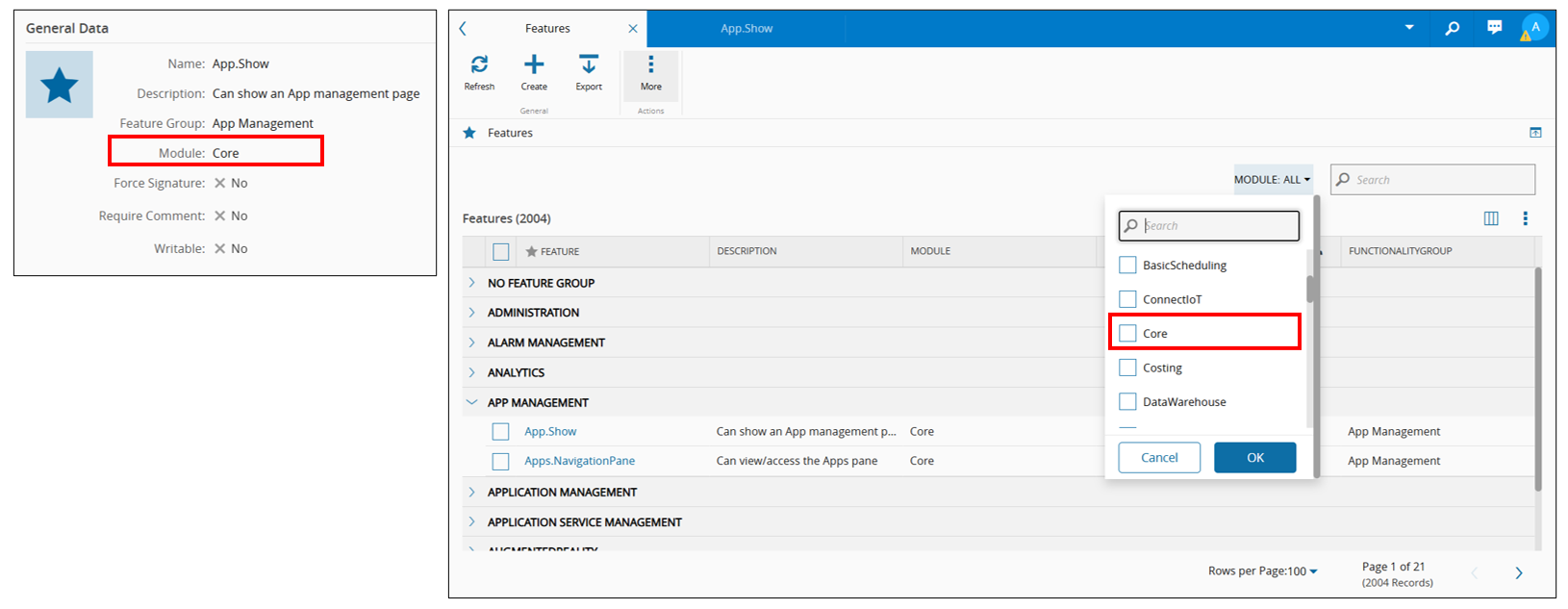
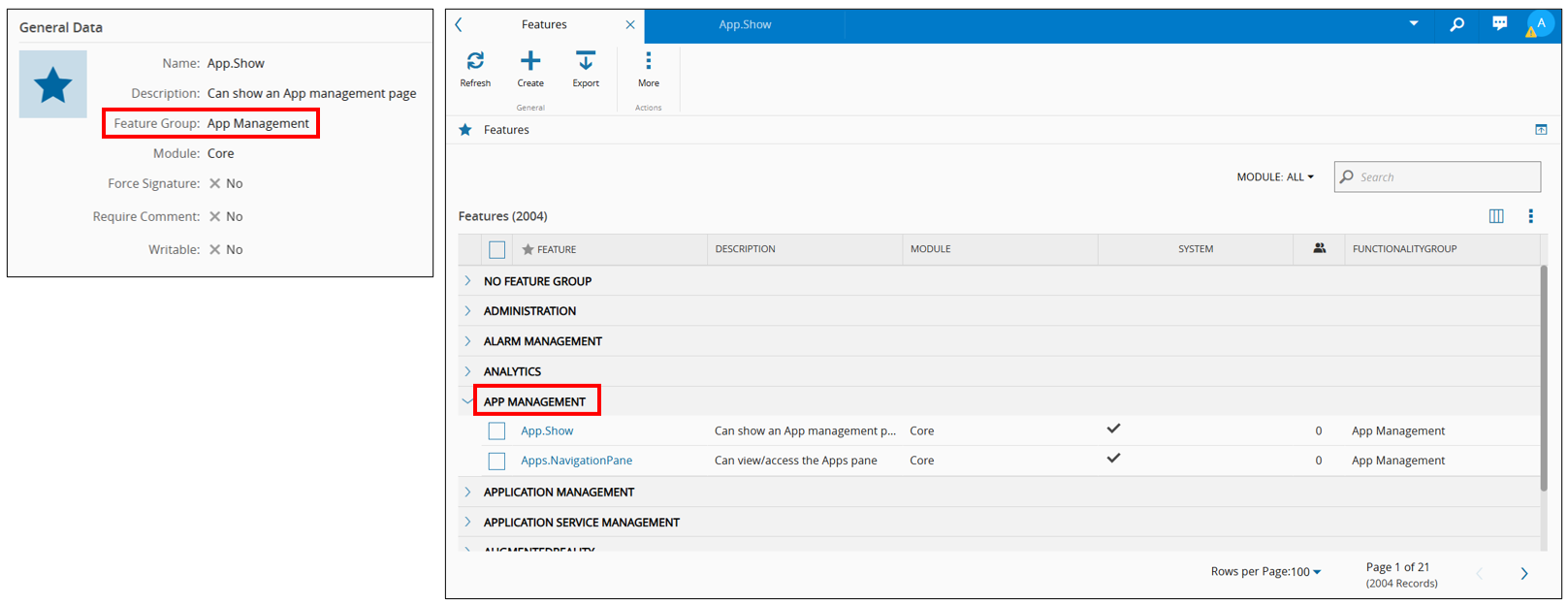
Feature Group / Module — organizational metadata. Neither is mandatory, but with a features list that keeps growing, Module in particular gives you a filterable category when assigning permissions. Use it.
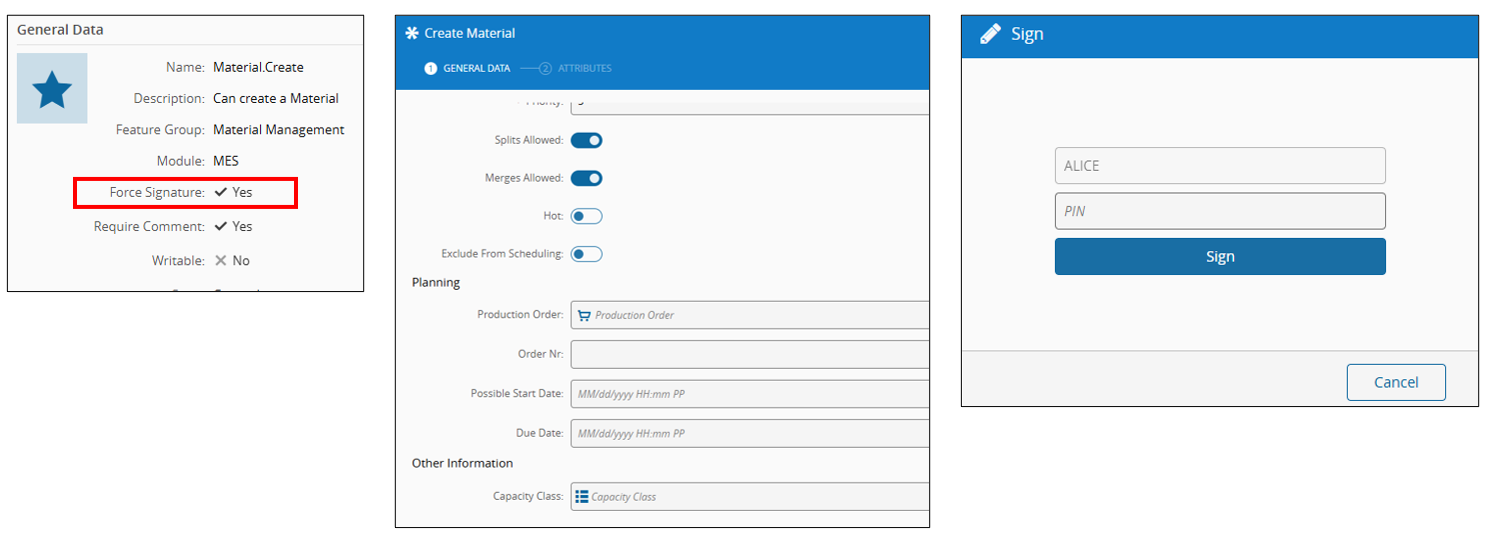
Force Signature — requires an e-signature to complete the transaction. Not applicable everywhere, but relevant for regulated actions.
Require Comment — same idea, for a mandatory comment field.
Writable — this is the interesting one, because it’s Feature and Object Level Security meeting in the middle. With Writable = No (the default), a feature the user has access to stays visible even against an object they can’t modify, they’ll click it and get an error. With Writable = Yes, MES is smarter: it disables the control up front instead of letting the user hit a wall after clicking.
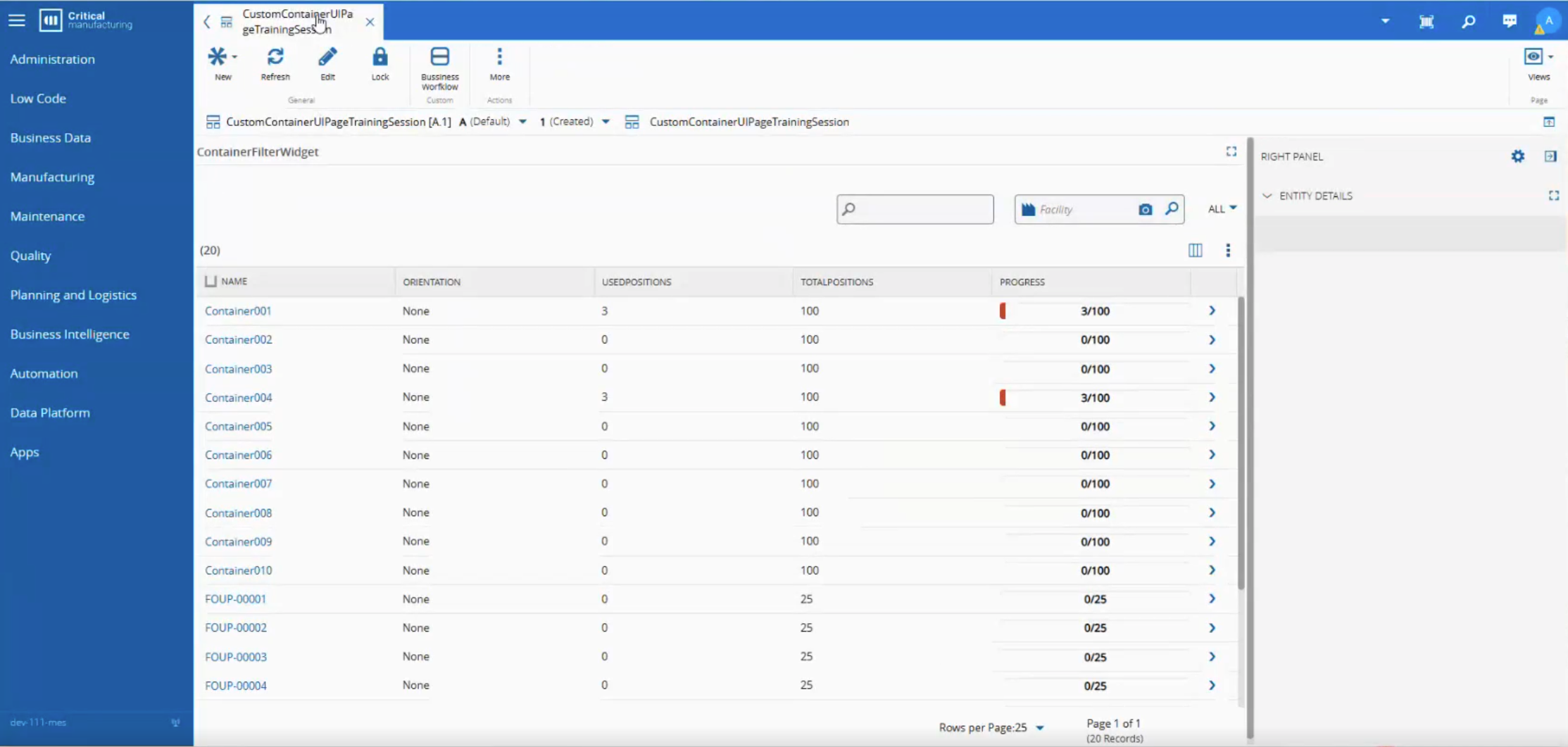
This is where you stop asking “can this user use this feature” and start asking “can this user touch this specific piece of data.” It works through Data Groups, free-text tags you define, then assign to entity instances (Products, Materials, and others).
Two scenarios make the case for this immediately:
Customer segregation: a contract manufacturer running multiple customers through one MES instance tags each customer’s Products, BOMs, and Recipes with a customer-specific Data Group, so the team working Customer X’s orders can’t see Customer Y’s data.
Regulatory restriction: a manufacturer building both commercial and military-grade products tags military materials as Military_Restricted, and only assigns that Data Group to roles held by cleared personnel. This isn’t a nice-to-have — for something like ITAR, it’s the compliance control.
Unlike Feature Level Security’s binary on/off, Object Level Security has three states:
Access Type
See the object
Modify the object
No-Access
No
No
Read-Access
Yes
No
Write-Access
Yes
Yes
Aggregation and inheritance behave the same way they do for features, with one clarifying detail: Write always beats Read. If a user gets Read from one role and Write from another on the same Data Group, they end up with Write. Same principle as before — permissions only ever grow — just more visible here because the levels are ordered.
This is the detail that separates Object Level Security from a cosmetic filter. When it’s active, MES modifies the query itself:
-- Object Level Security: Off
SELECT <...> FROM [V_Material] WHERE <...>
-- Object Level Security: On, no data groups assigned to the user/role
SELECT <...> FROM [V_Material] WHERE <...> AND DataGroupId IS NULL
-- Object Level Security: On, three data groups assigned
SELECT <...> FROM [V_Material]
WHERE <...> AND (DataGroupId IS NULL
  OR DataGroupId IN (2507040316140000002, 2507040316140000003, 2507040316140000004))
A query built by MES automatically restricts to what the user’s Data Groups permit, which means an ad-hoc query built inside MES can’t leak data the GUI wouldn’t show you either. That’s the good news.
The flip side of it: more Data Groups means a longer IN clause, and that has a real, measurable cost on database performance. Not catastrophic, but not free, factor it in before layering on dozens of Data Groups per role.
On the GUI side, write access is enforced through a LockType value returned in the payload:
LockType
Meaning
0
Full access to the object
1
Read-only access
2
No access
And critically, this isn’t only a GUI convenience, it’s backed server-side. If a user without write access to a Material tries to bypass the UI with a direct API call, the request fails with a UserDoesNotHaveSecurityLevelToAccessObjectCmfException. The framework enforces this through utilities like ValidateServiceConditions and ValidateEntityCollectionConditions.
Here’s the part that should worry you: that server-side check only fires if the service calls it. Custom services have to call ValidateServiceConditions (or the collection equivalent) explicitly, nothing natively enforces it. Skip that call in your custom code, and Object Level Security silently stops applying to anything that service touches, regardless of what Data Group is configured.
The practical pattern that keeps this maintainable: don’t build one role per person or per combination. Build a functional role (Operator, Engineer) that grants features, and a separate data access role (BusinessUnitA, BusinessUnitB) that grants Data Groups, then assign both to each user.
Alice as Operator + BusinessUnitA gets Track-In/Track-Out privileges scoped to Business Unit A’s objects. Charlie as Engineer + BusinessUnitA gets Create-Flow/Create-Step privileges on the same data scope. You’re not duplicating a “BusinessUnitA-Operator” and “BusinessUnitA-Engineer” role for every combination, you’re composing two independent, reusable dimensions. It’s more roles up front, and it pays for itself the moment you add a third business unit or a third job function.
This is the layer that restricts which backend services — API calls — a user’s roles can invoke, independent of what they can see in the GUI. It’s also, in my experience, the layer that’s rarely configured.
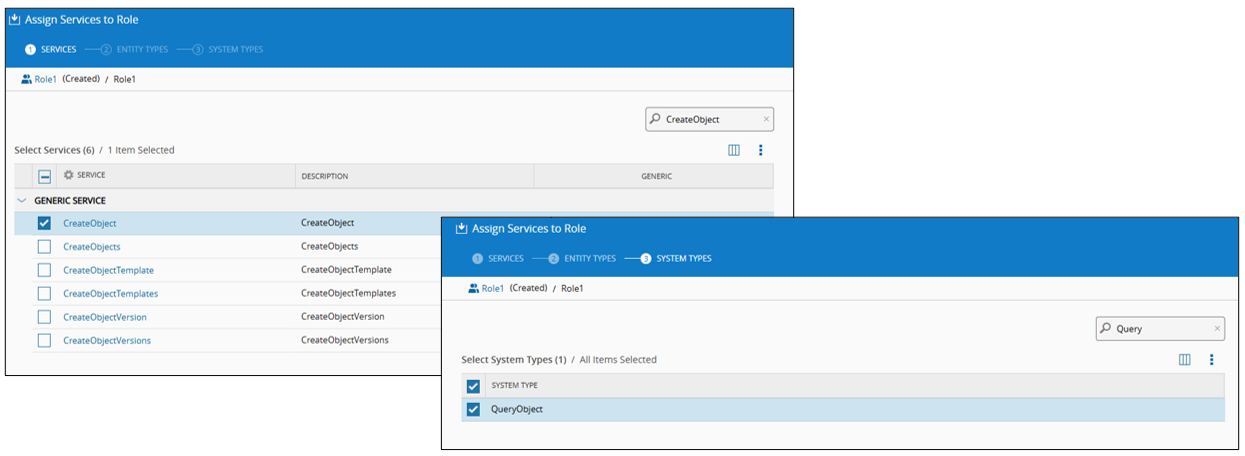
Generic services need extra context to mean anything. Granting access to CreateObject (a generic service to create system objects) alone would let a user create any kind of object. The system enforces you to then also select the EntityType (and/or SystemType) it applies to e.g CreateObject + QueryObject, if you want a role that can only create Query objects and nothing else.
Enabling is more complex, not just a checkbox: like Feature Level Security, no services are assigned to any role by default, and logging in requires several API calls just to bootstrap the session (GetApplicationBootInformation among them). Enable this without prepping roles first, and nobody — save the administrator — logs in.
A feature is unassigned but the service is assigned (or Service Level Security is simply off). A user without the Product.Create feature can’t create a Product through the GUI, but if they call the API CreateObjectVersion service for Product directly, they can create as many Products as they like via API. The GUI restriction was frontend only the whole time.
A feature is assigned but the service isn’t. A user with the Material.ChangeFlowAndStep feature sees the option in the GUI, clicks it, and the action fails because ChangeMaterialFlowAndStep isn’t authorized at the service level. Annoying for the user, but at least it fails safely.
The first case is the one that should keep you up at night. Feature Level Security only ever protects the GUI. It was never designed to be a substitute for actual API authorization, and if Service Level Security is off, there’s nothing standing between “the button isn’t visible” and “the endpoint will do whatever you ask it to.”
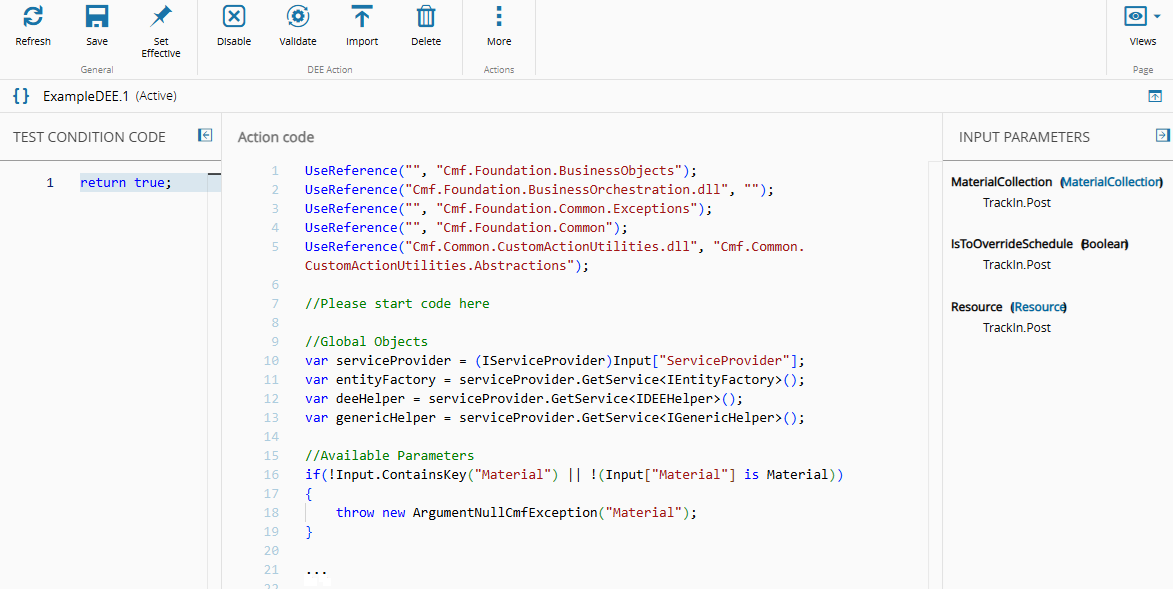
This gets uncomfortable fast once you factor in what MES lets an authenticated caller do. If Service Level Security isn’t enabled anyone hitting the API directly effectively has admin-level API access, GUI restrictions notwithstanding. Combine that with Dynamic Execution Engine (DEEs Actions), which allow C# code execution through endpoints like ExecuteAction, and you’ve got a path from “unauthenticated feature gap” to “arbitrary command execution on the application server.”
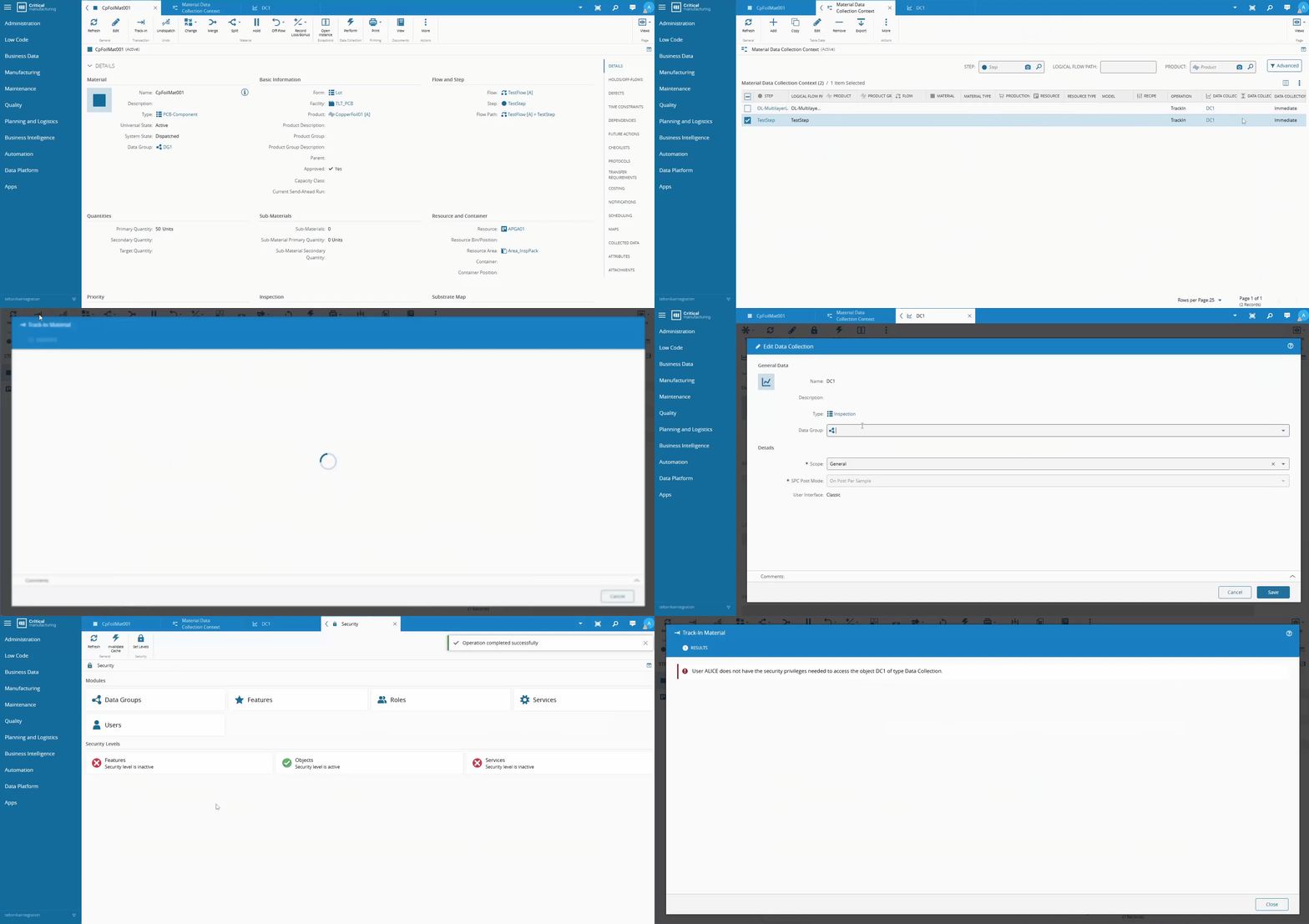
Validation for Service Level Security happens entirely server-side, and only for the specific service being invoked — not transitively. Dispatch-and-Track-In with an attached Data Collection succeeds even without explicit permission on the Data Collection service, because the Data Collection handling happens inside the Dispatch service call, not as a separate invocation. That’s actually good news operationally: you don’t need to permission every service that could theoretically be touched, just the ones directly invoked by the GUI paths you care about.
Worth addressing directly, because it’s the first objection anyone raises: Feature and Service Level Security run against cached, in-memory checks a few extra conditionals per call. Negligible. Object Level Security is the one with a real cost, because it changes the shape of the SQL being executed. Enable it deliberately, not reflexively.
Feature Level Security tells a user what they can see.
Object Level Security tells them what data they can touch.
Service Level Security tells them what they can actually do — and it’s the layer that closes the loop between “hidden in the GUI” and “actually not possible.”
Configuring only the first two is building a system that looks secure in a demo and isn’t secure against anyone who opens the network tab. Of course, the MES is not exposed to the internet and is walled garden, but it should not be an excuse for not using the tools offered to improve your system security.
If you take one thing from this: audit every custom service in your codebase for ValidateServiceConditions or ValidateEntityCollectionConditions calls before you audit anything else. It’s a five-minute grep that tells you whether your Object Level Security is real or decorative and it’s usually the fastest way to find out you have work to do.
This blog post was based on a talk by Hugo Almeida in 2025-09-18 @CM-Portugal