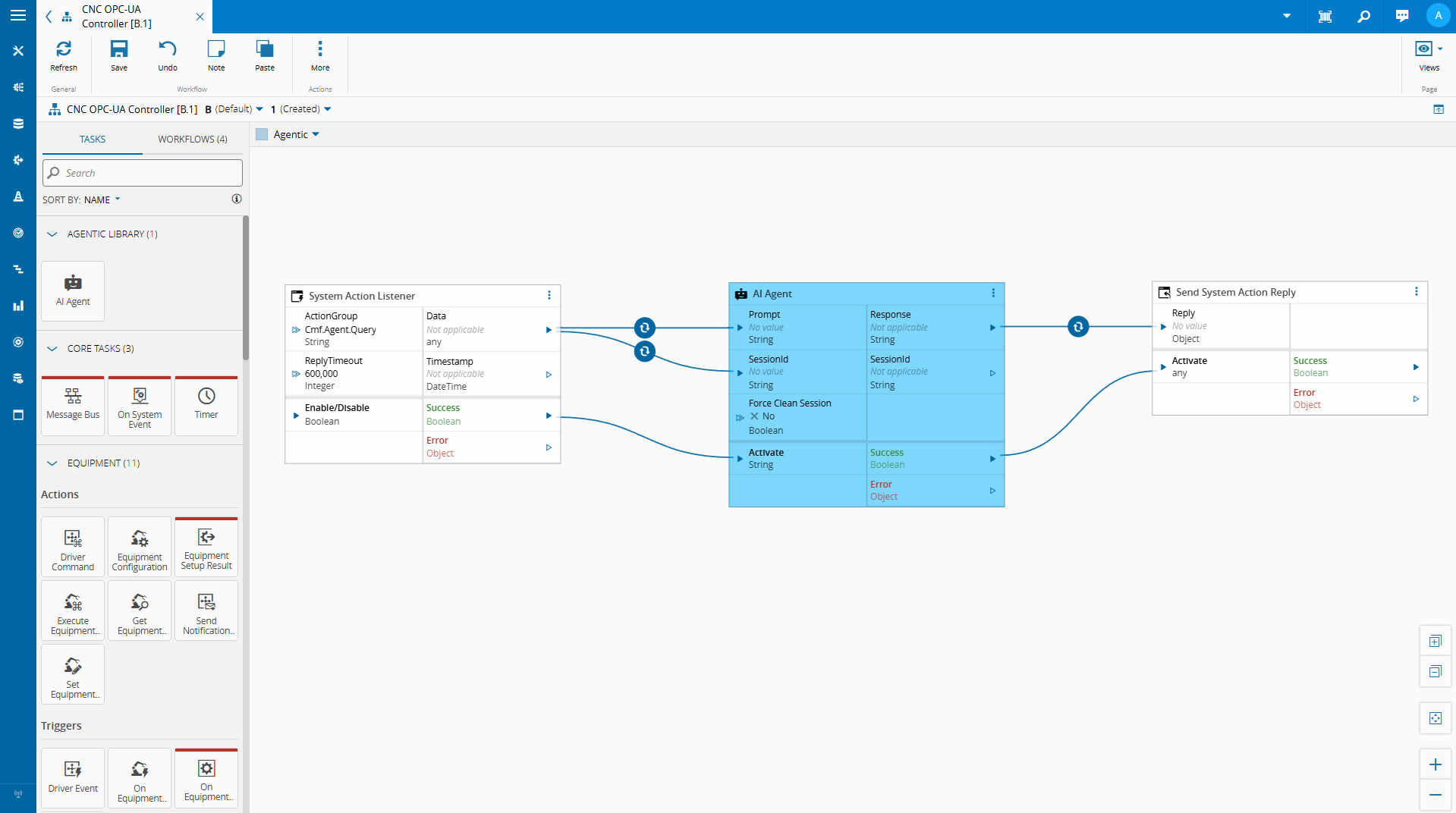
When you need to query a third-party on demand — not maintain a persistent session — Connect IoT’s always-on model becomes the wrong tool. Here’s a pattern for bridging that gap.
Overview#
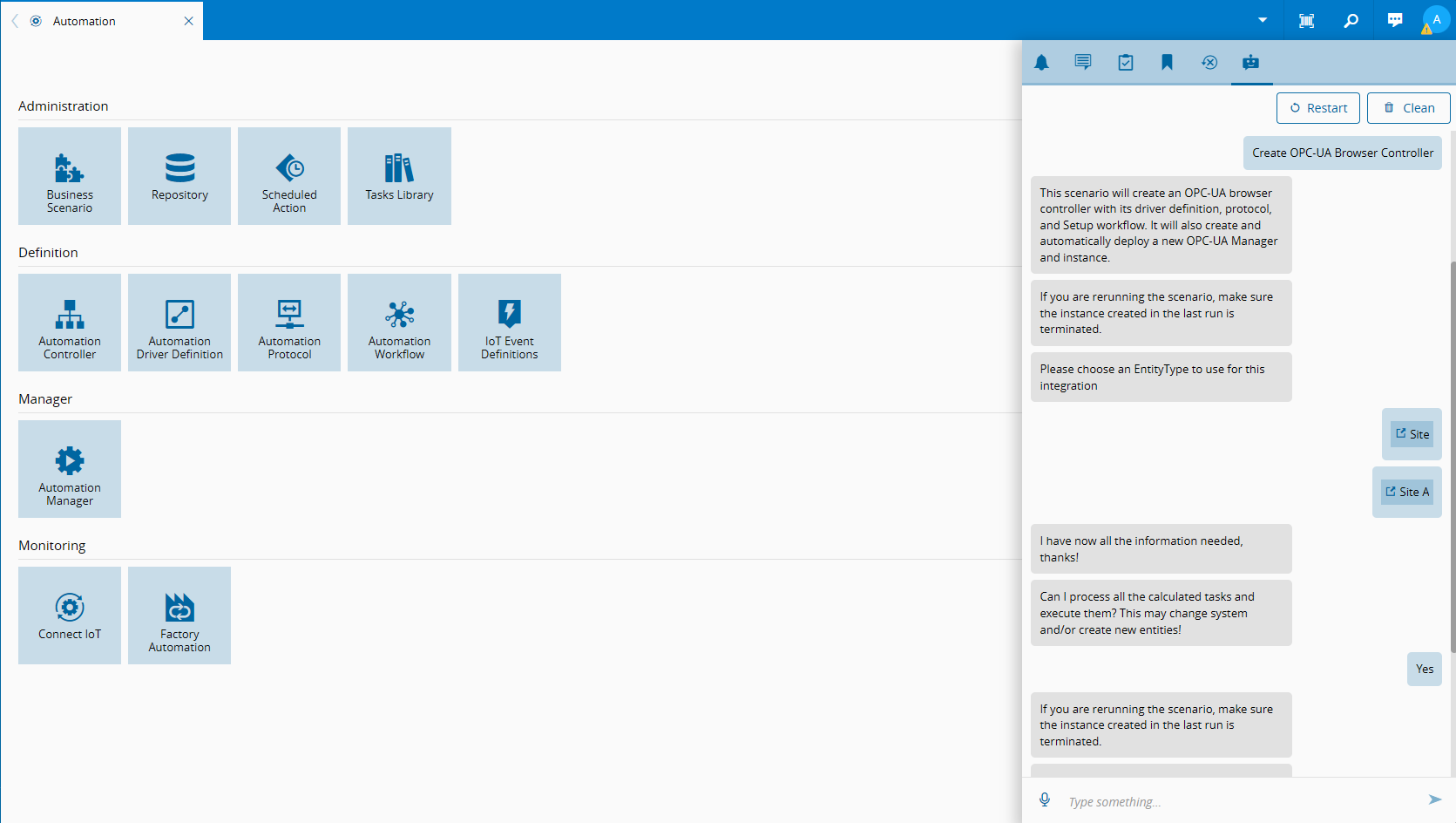
Critical Manufacturing offers four different types of controllers out of the box: Connect IoT, Factory Automation, Data Platform and Enterprise Integration. They are split into two big categories.
- Persistent Communication
- Job Execution
Connect IoT is based on a persistent connection to an external component. It was built to connect to external systems and have a mostly connected existence. It will link a low code controller logic to a driver connection.
It is simple to understand why, if you think about machine integrations with SECS-GEM or IPC-CFX, not being connected means that something wrong has happened and is not a valid state. For example, for the REST driver we already see a shift as the definition of being connected becomes murkier.
Factory Automation, Data Platform and Enterprise Integration are job execution engines. They have a start and end planned execution and they don’t have a persistent connection to any driver, they are runners of low code execution.
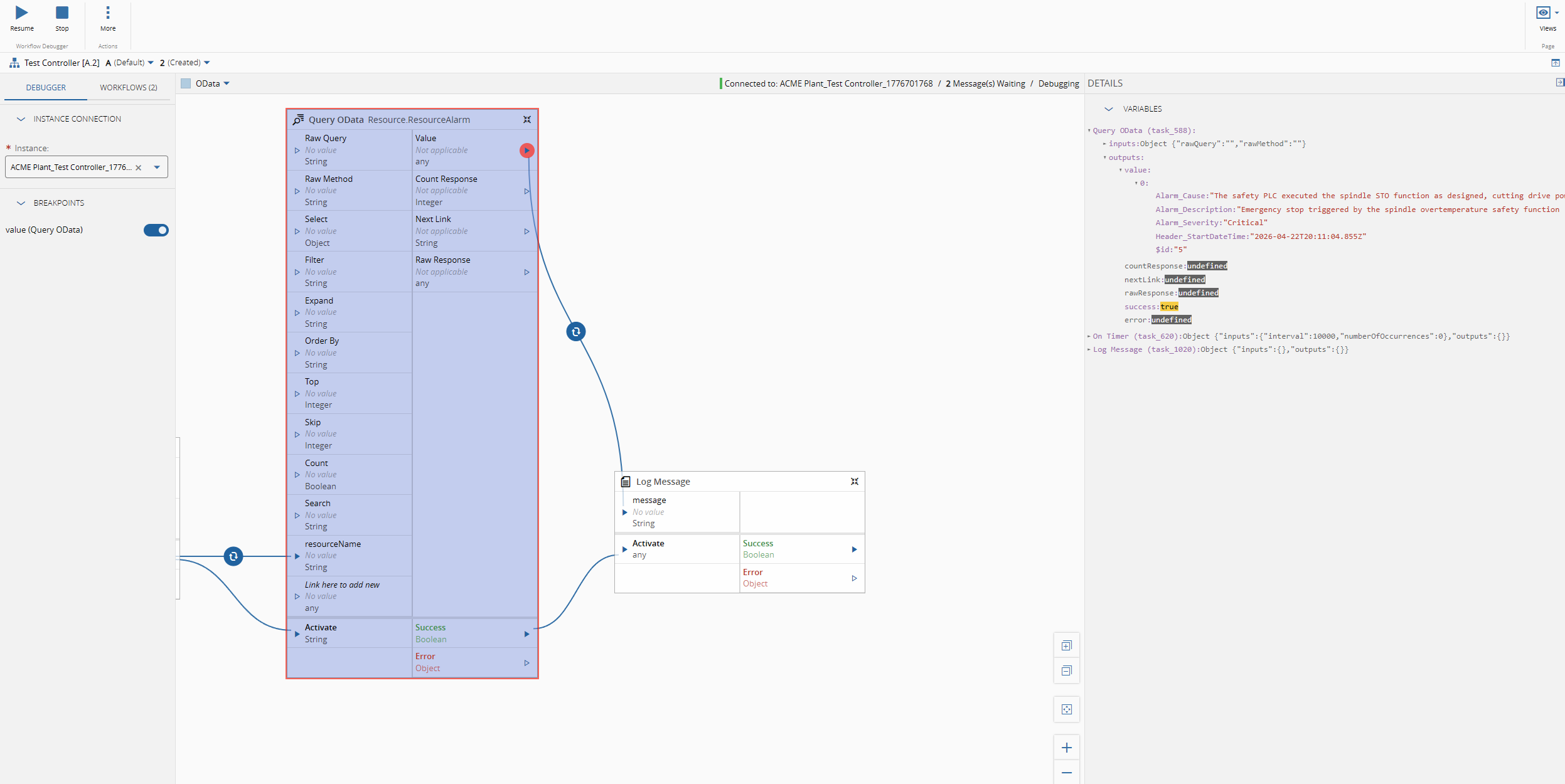
In the Data Platform scope we are able to hook low code workflows to Data Platform IoTEvents, so whenever a new event is triggered we can run a low code workflow, we already addressed that on Data Platform - Agentic Use-Case.
Factory Automation is similar to the Data Platform scope but it uses Factory Automation IoTEvents.
It is designed for high-automation scenarios where the system listens to factory events and orchestrates workflows across different systems in response. Unlike simpler automation, it supports hierarchical and long-running jobs whose state and context are persisted in the database, enabling robust error handling and recovery. A key use case is Fleet Management, where it coordinates automated transport systems (e.g., AMR) based on material needs determined by the MES.
By having persisted jobs it supports long running jobs with multiple checkpoints and stop conditions. It also allows the user the ability to stop and restart jobs.
Full tutorial on factory automation Factory Automation Transport
Ephemeral Connections#
Ephemeral connections (often referred as on-demand connections, lazy connections or transient sessions) are the missing type, they solve the need to communicate with external drivers and also having this job like behavior. It is a pattern built on just being connected long enough to either receive or broadcast a message or small lifecycle.
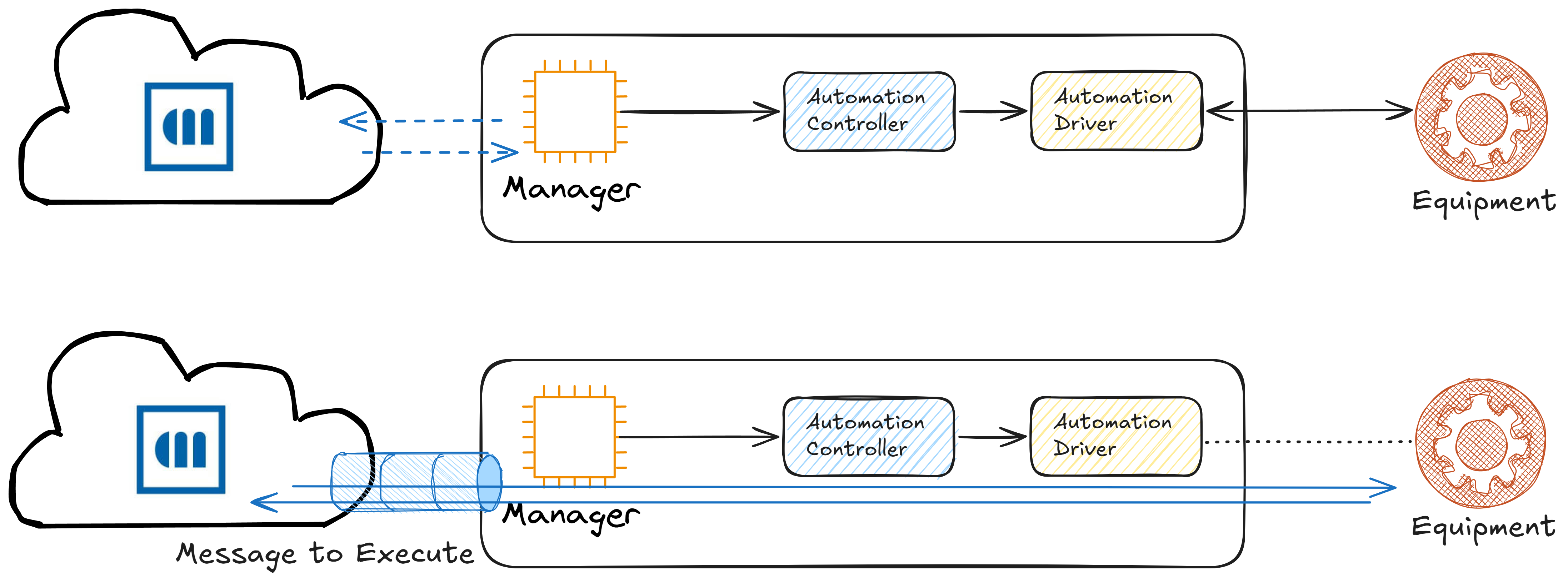
In ephemeral connections the manager is deployed and all of its components are running, but disconnected. They will wait for an external input, like a message bus message to start. They will start, perform their task, reply back if so needed and return to a disconnected state.
OPC-UA Browser Use Case#
Connect IoT supports OPC-UA natively and its client is built in order to guarantee long lived connections with the OPC-UA server.
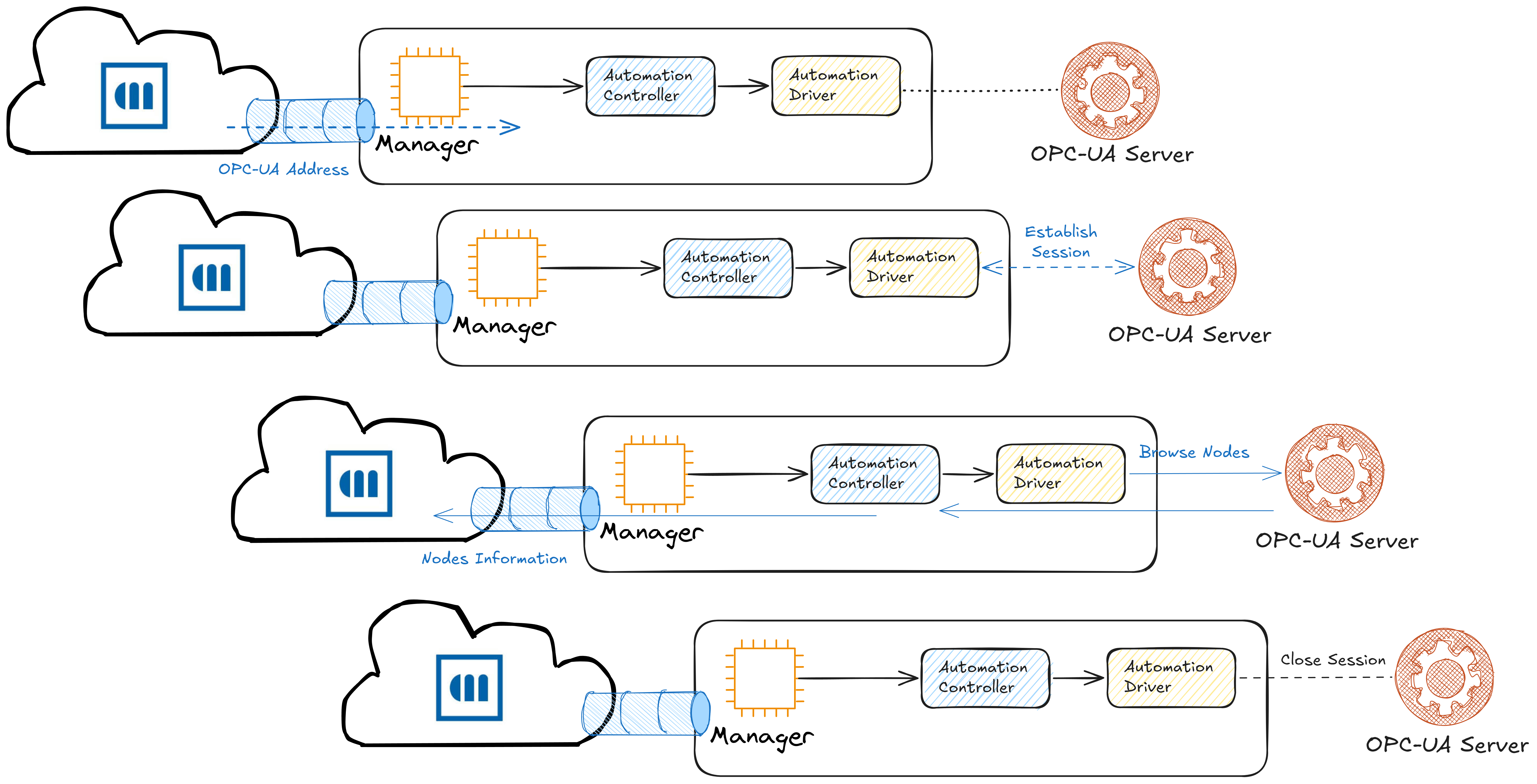
One request that we had was to have the ability to browse the OPC-UA nodes. This follows the ephemeral pattern as our goal is not to maintain a long lived connection to the server but to just be connected long enough to retrieve the browse information.
Managing the lifecycle#
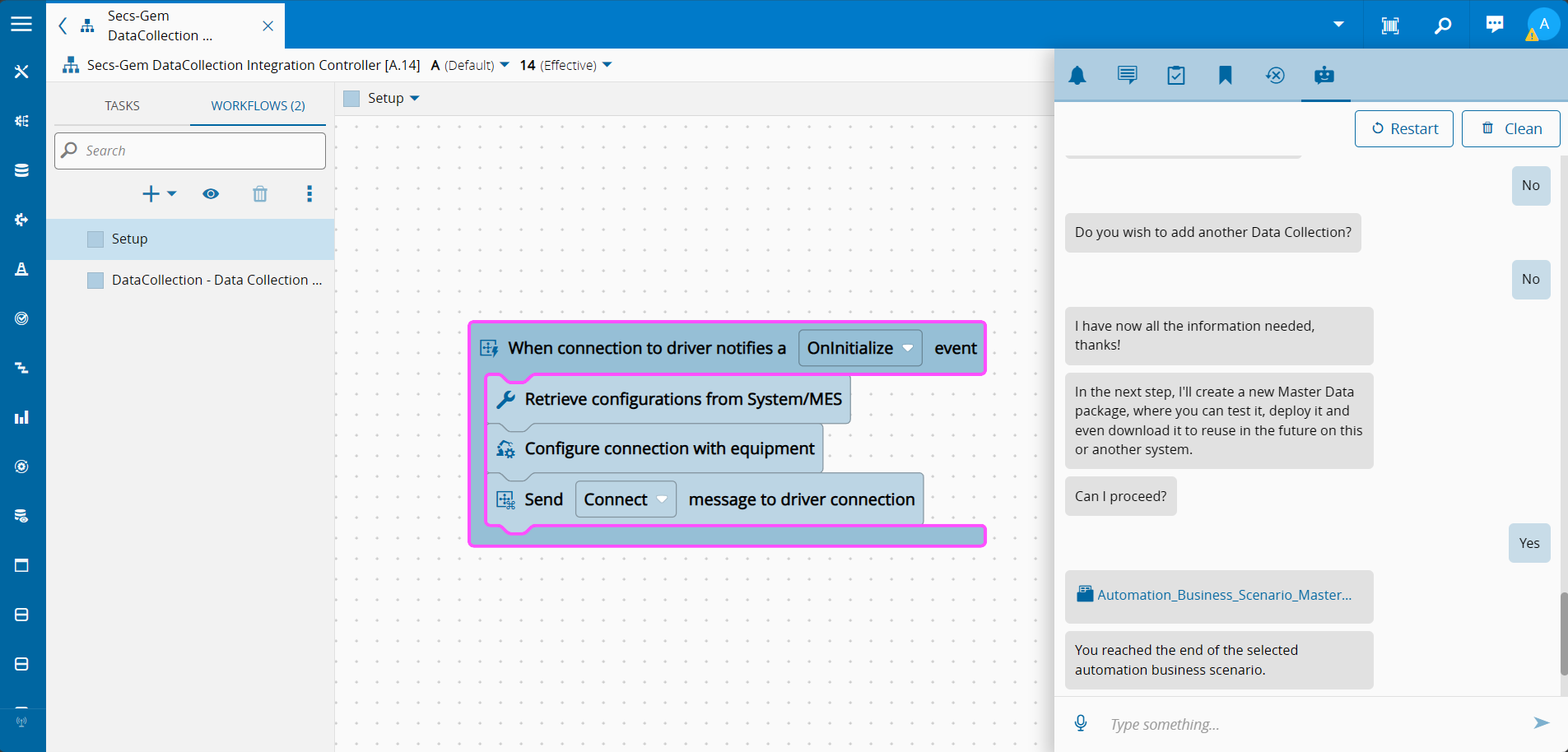
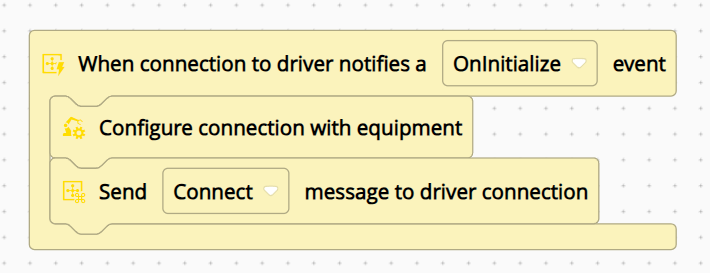
In a typical integration scenario the template setup would be to listen for an onInitialize event, configure our equipment connection and instruct the driver layer to connect.
To create the ephemeral pattern we will not want to configure and connect when the driver initializes. We want to only configure the connection and perform the connect when an external input is provided.
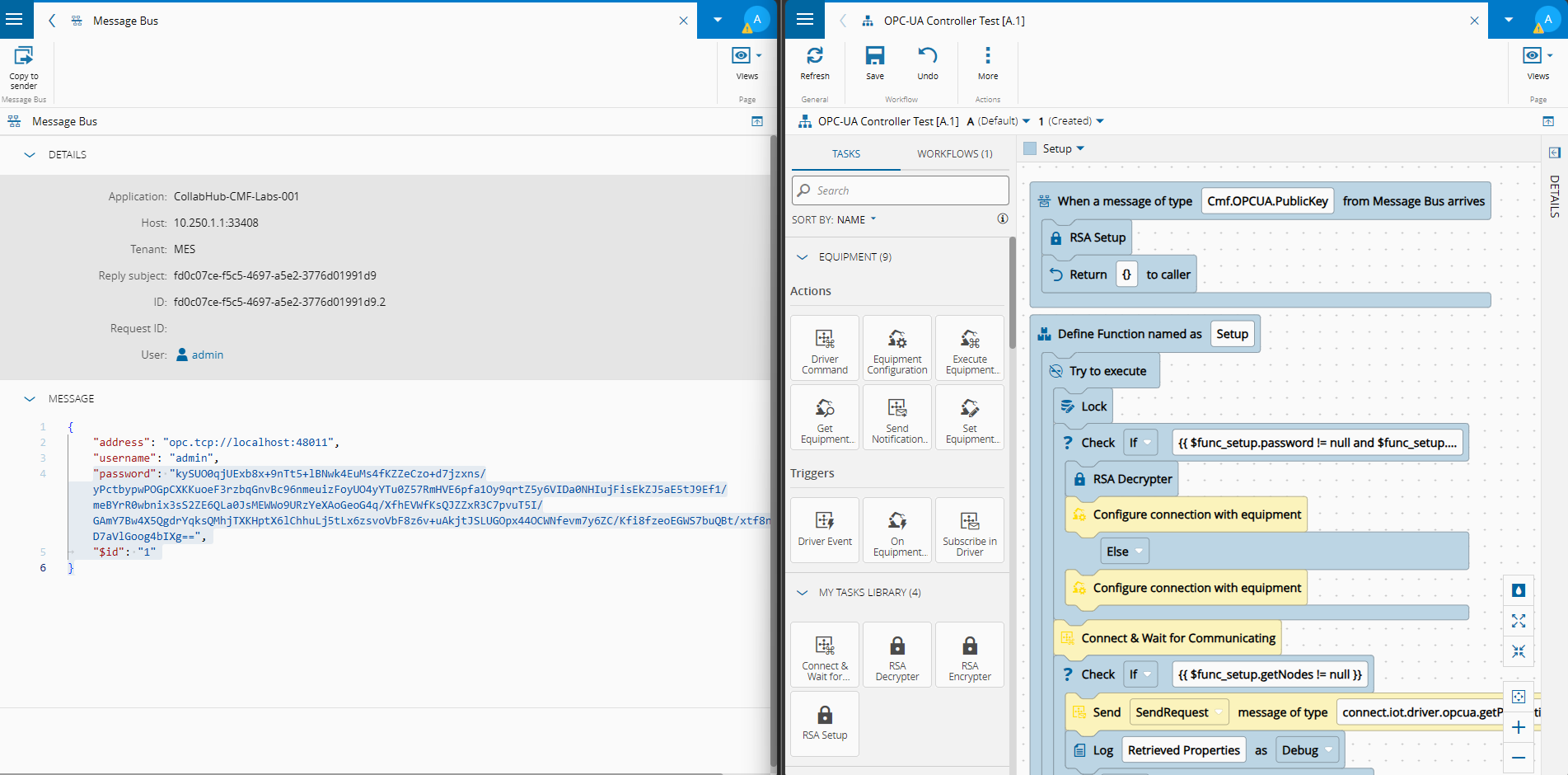
To do this we will need to change the workflow template. We will add a listener to an external message and on that message handle the configuration and connection.
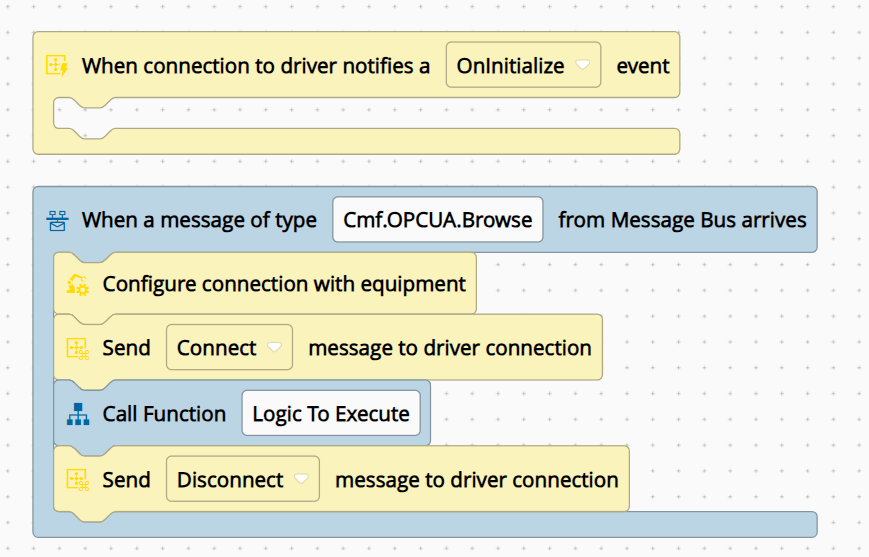
Still this is not enough. Notice that we are performing the command to connect, but this command does not guarantee the connection was actually established. Therefore, the function that would execute logic would assume the connection was done, before the connection was actually established.
In order to solve this problem we can create a new task that will not only send the connect command, but also only emit success when the state is actually changed to communicating.
The task will be split into two actions.
First, will request the driver to connect.
  this._logger.info("Requesting driver connection...");
  await this._driverProxy.connect();
  this._logger.debug(`Connect requested, waiting for 'Communicating' state (timeout: ${this.connectionTimeoutKey}ms)`);
Second, it will create a listener for the driver state change. When the driver reaches communicating it will emit success. The task will also need to handle the setup, in order to correctly handle the disconnect/connect cycle.
  const currentContext = this._executionContext.current;
  this._connectionTimer = setTimeout(() => {
      this._cleanup();
      const error = new Error(`ConnectionFail: Connection timeout: driver did not reach 'Communicating' state within ${this.connectionTimeoutKey}ms`);
      this._logger.error(error.message);
      this.error.emit(error);
  }, this.connectionTimeoutKey);
this._stateChangeHandler = (state: string) => {
      currentContext.run(() => {
          this._logger.debug(`Communication state change received: '${state}'`);
          if (state === "Setup") {
              this._logger.info("Driver reached 'Setup' state, sending SetupSuccess");
              this._driverProxy.setupResult(true);
          } else if (state === "Communicating") {
              this._cleanup();
              this._logger.info("Driver reached 'Communicating' state, emitting request");
              this.success.emit(true);
          }
      });
  };
(...)
  private _cleanup(): void {
      if (this._connectionTimer !== null) {
          clearTimeout(this._connectionTimer);
          this._connectionTimer = null;
      }
      if (this._stateChangeHandler !== null) {
          this._driverProxy.off("communicationStateChange", this._stateChangeHandler);
          this._stateChangeHandler = null;
      }
  }
If the timeout is reached it means that in the allotted time the driver did not reach the state communicating and we will throw an exception.
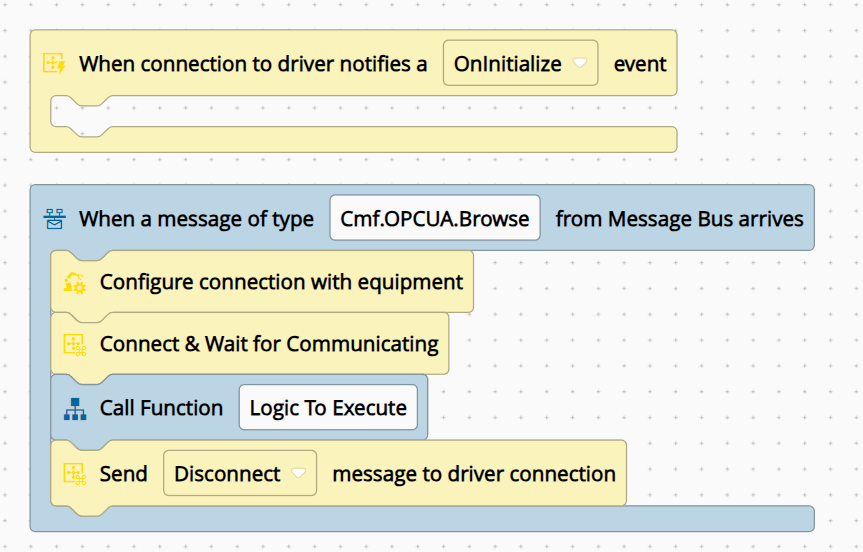
This is signals one of the issues with ephemeral connections. You pay the setup connection toll for each request. As the connection is not pre-established, the sequence will first do a new connection and only that is established will it perform the action you wish.
Managing Concurrency#
One of the advantages of not having an always on connection is using the same implementation for different connections, simply by changing the trigger message.
In our use case we wish to reuse the browse logic for any OPC-UA server. This way a user 1 can perform a browse for server 1 and user 2 in a different UI can perform the browser for server 2. Of course, this opens the question of concurrency on how to manage requests made almost at the same time from different UI instances.
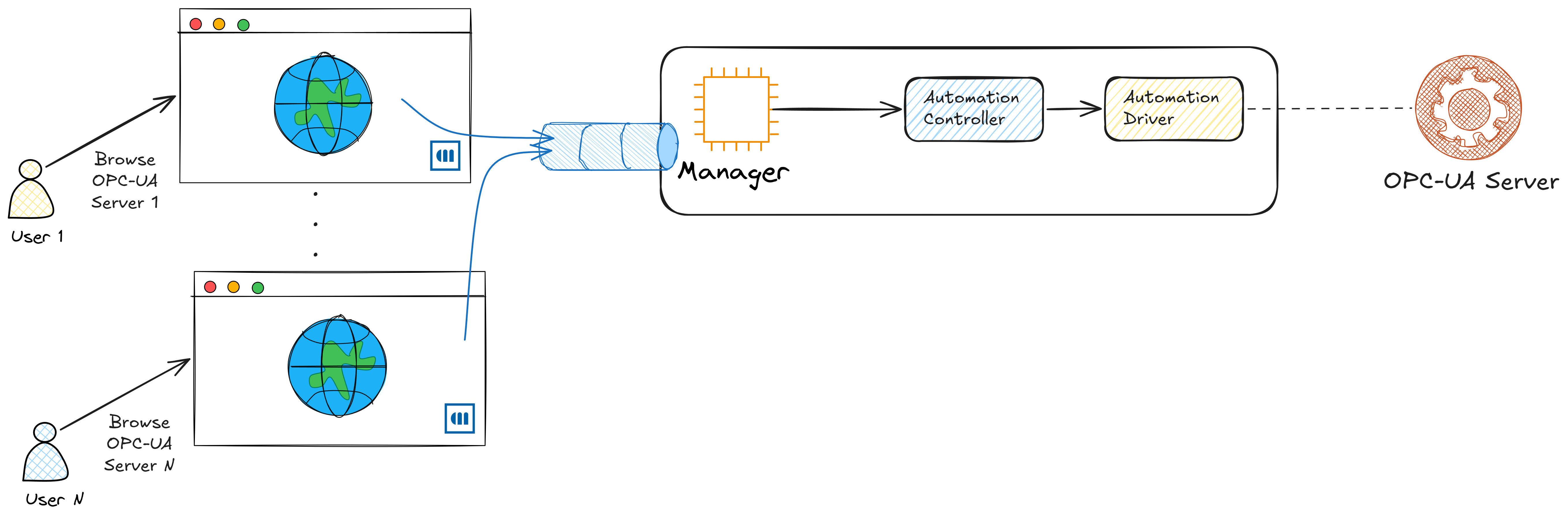
In order to address this use case we implemented a locking mechanism. Where the first request locks the implementation, this means that other requests will wait for the unlock to be able to execute. In a very high volume use case this method could face some hardship, but in a world of occasional user browsing is more than enough.
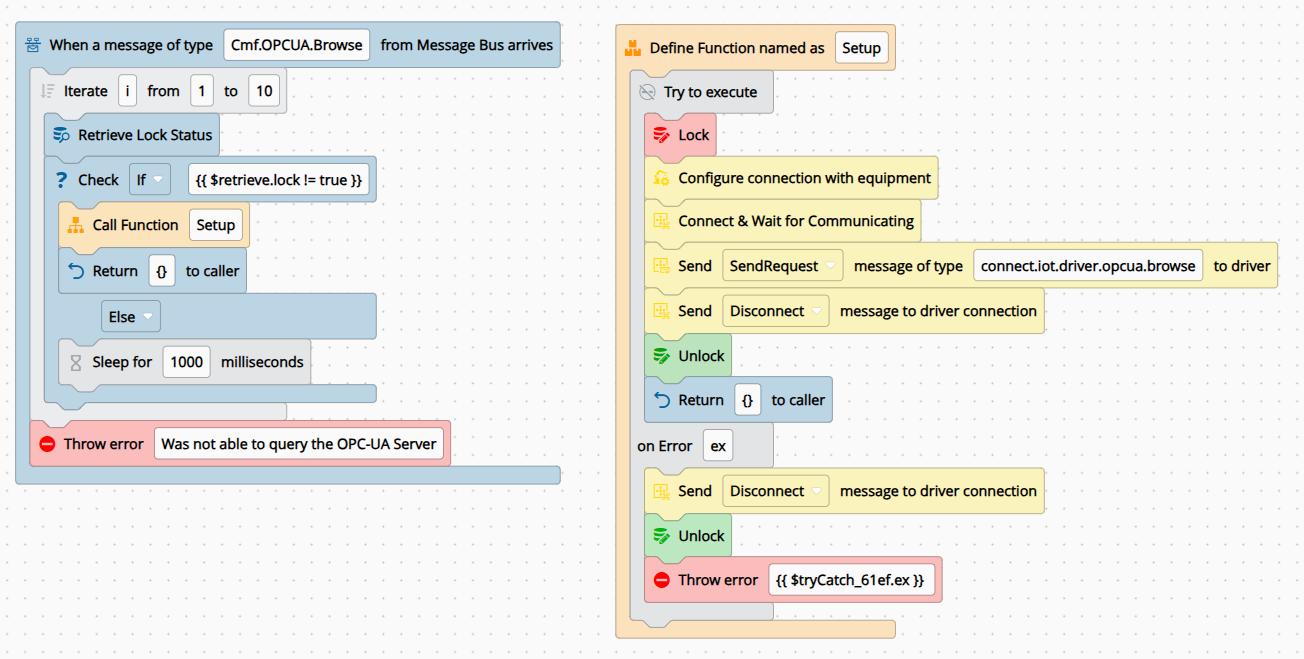
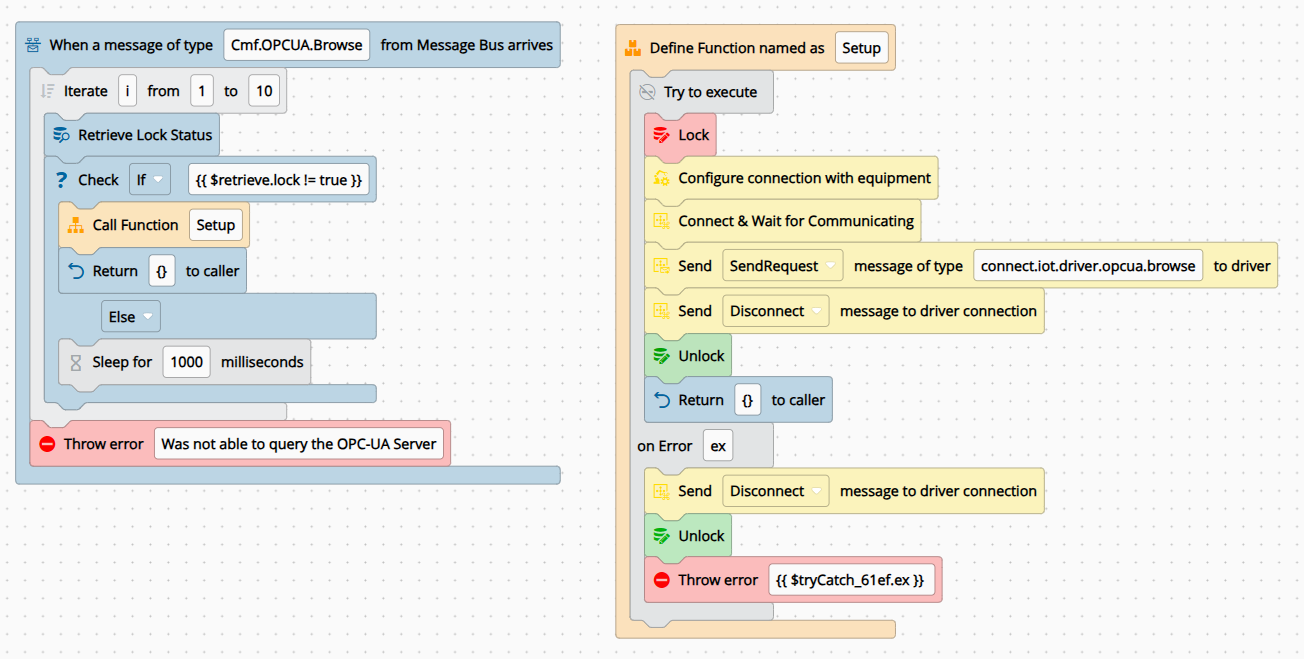
In this workflow when we receive a request for a browse, we will first retrieve the lock status.
If it’s locked we we will wait for 1 second and try again, after 10 attempts we will send back an error saying we were not able to query the OPC-UA Server.
If the status is unlocked we will execute a browse, wrapped in a try catch, this way we make sure that any unexpected scenario will not forever lock the browsing mechanism. The first action in the browse is changing the status to locked and the last thing is always unlocking the status.
Seeing it Run#
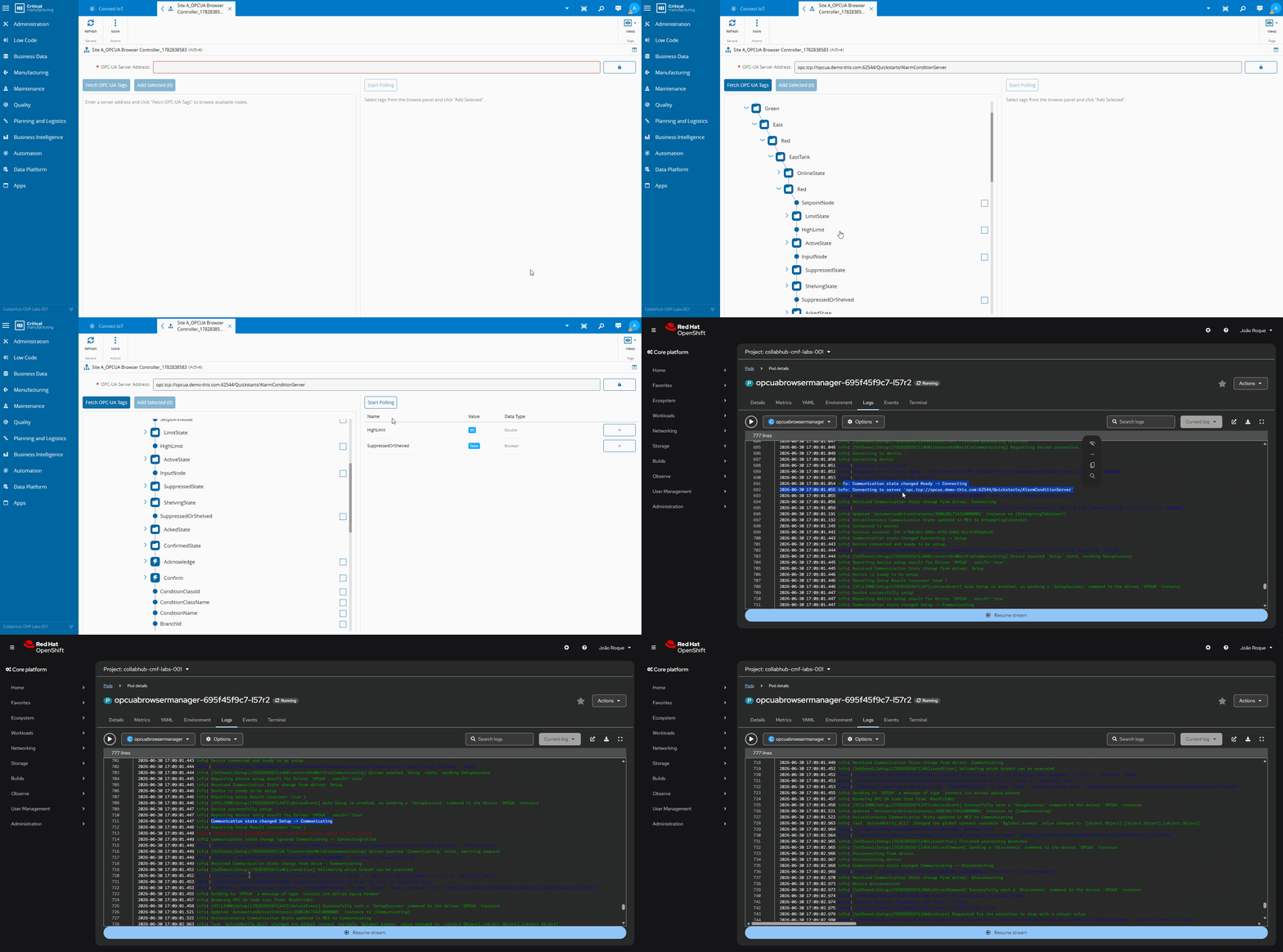
We can now use our ephemeral connection. We will pass on the OPC-UA endpoint, perform a browse and display in a tree the result.
Note how we can see that it starts from a ready state, it moves to communicating and then goes back to disconnected. This is the ephemeral lifecycle, it goes to communicating just enough time to perform the request logic and then it disconnects.
Final Thoughts#
The always-on pattern is right for MES control and monitoring: it provides a stable, long-lived connection where being disconnected is itself an error.
The ephemeral pattern fits ad-hoc requests — browsing, discovery, occasional queries — where the connection setup cost is acceptable and reusing one manager process across different targets saves significant resources. The constraint is connection overhead and lock contention: if request volume is high or setup latency is unacceptable, a persistent connection or session pool is the better answer.