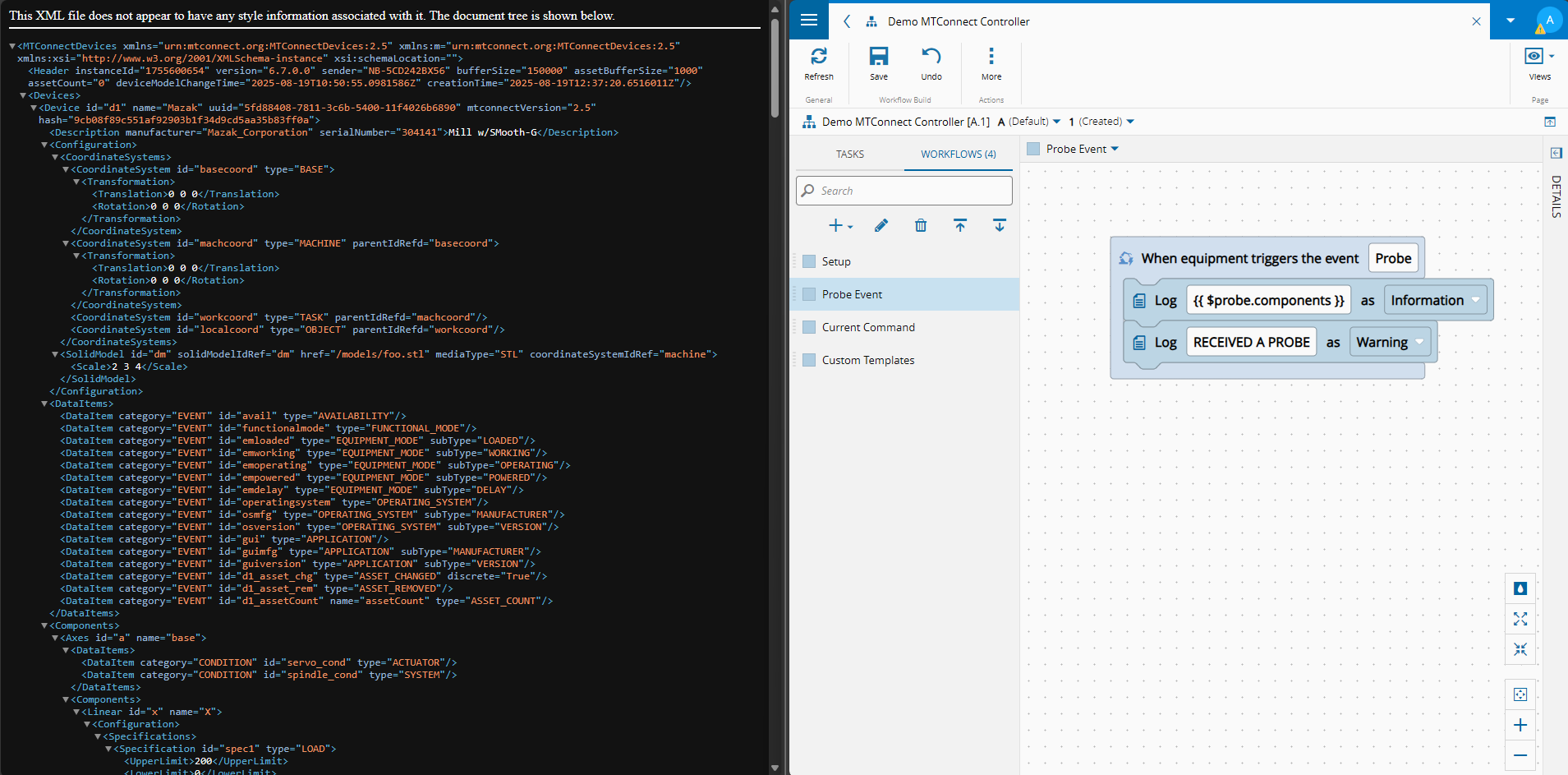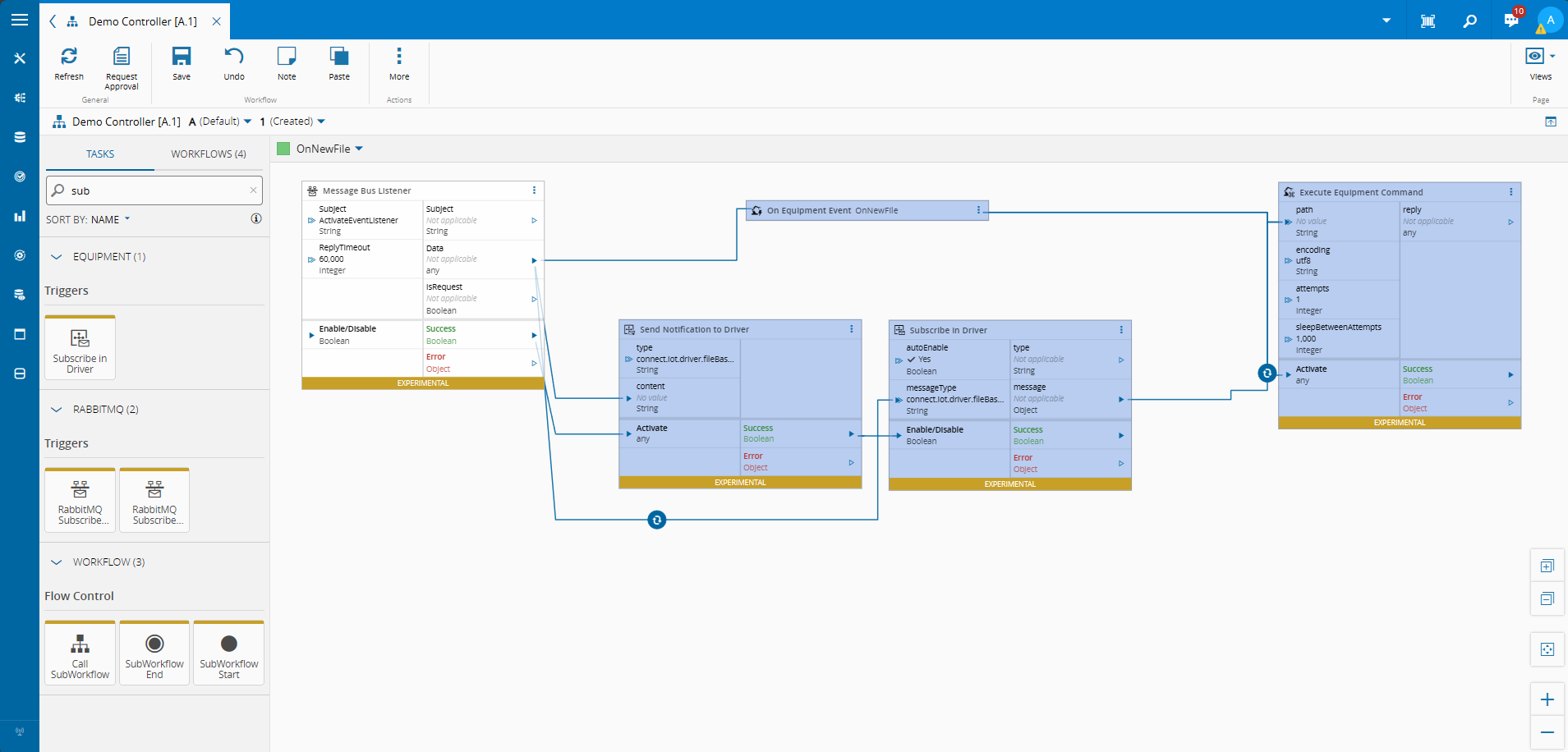
Shared secrets are a liability. Every device that holds a password is a device that can leak one. RSA flips that model — and in manufacturing environments where equipment outlives the engineers who deployed it, that difference matters.
Explaining RSA#
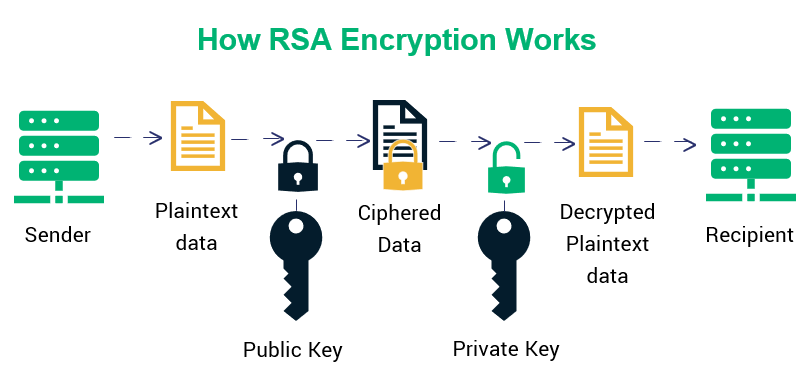
RSA (Rivest–Shamir–Adleman) is an asymmetric encryption algorithm. Unlike symmetric schemes where the same key encrypts and decrypts, RSA gives you a mathematically linked key pair: a public key you can hand out freely, and a private key you never share.
The security property is asymmetry: data encrypted with the public key can only be decrypted with the matching private key. The underlying hardness assumption is integer factorization — breaking a 2048-bit RSA key by brute force (without quantum computing) would take longer than the universe has existed.
 |
|---|
| How RSA encryption and decryption work — Image source: https://sectigostore.com/blog/ecdsa-vs-rsa-everything-you-need-to-know/ |
In practice, RSA is rarely used to encrypt bulk data directly — it’s expensive for large payloads. It shines for protecting small, high-value secrets: credentials, tokens, encryption keys for other ciphers.
UI Interaction Scenario#
A common scenario where we ask the user to provide a user and password in order to authenticate, like for example in an OPC-UA connection, can create some challenges. It requires communication between the UI and the edge process, this may comes with a security risk, where a listener placed in the communication layer could sniff the message with the password. Admittedly only people with high level access could hook that listener, but we eliminated a class of exposure without changing the user experience.
So we created this RSA flow. First, the UI is going to request the public key from the controller.
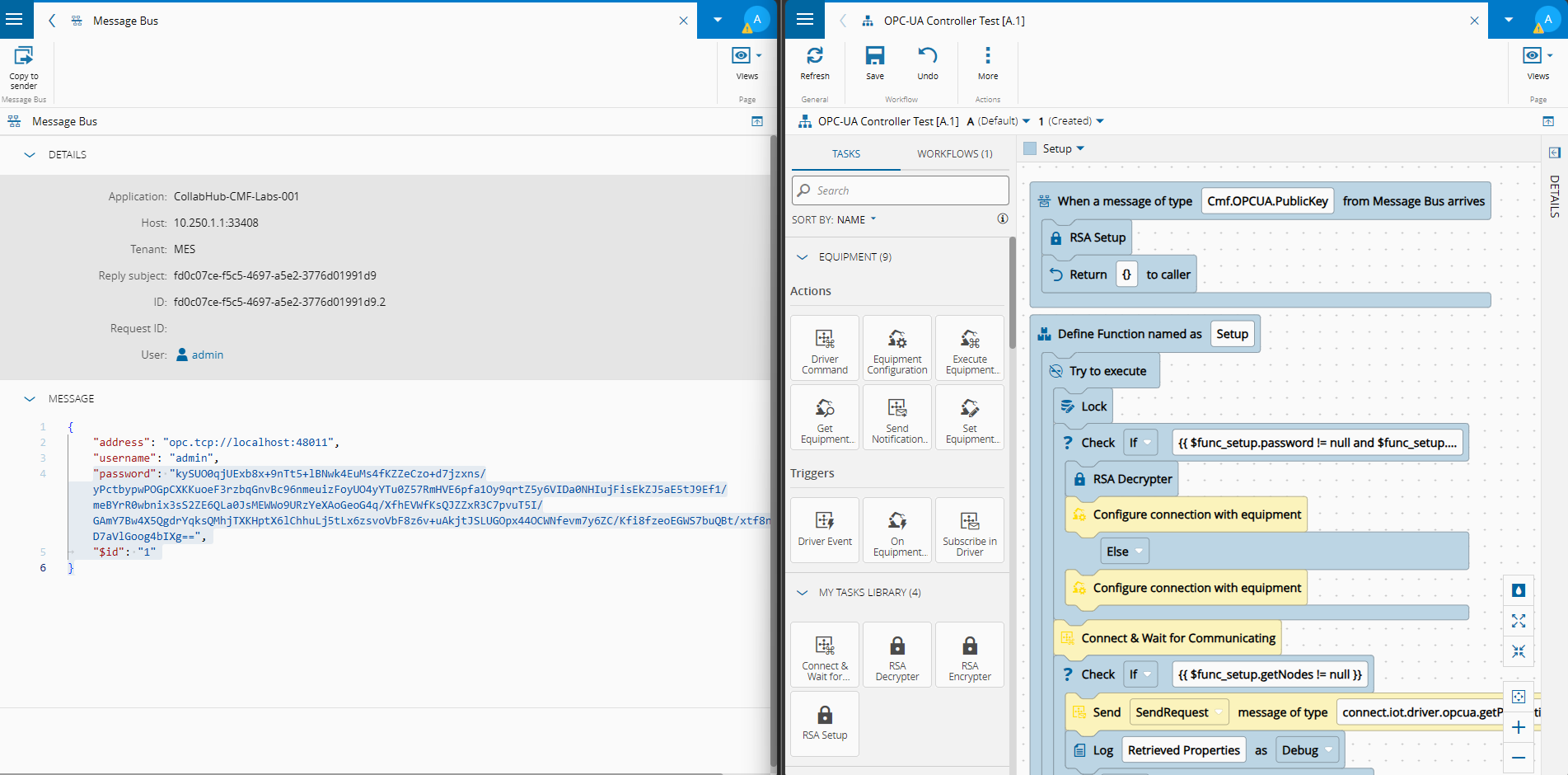
The controller exposes a messagebus listener for a topic to provide the public key.
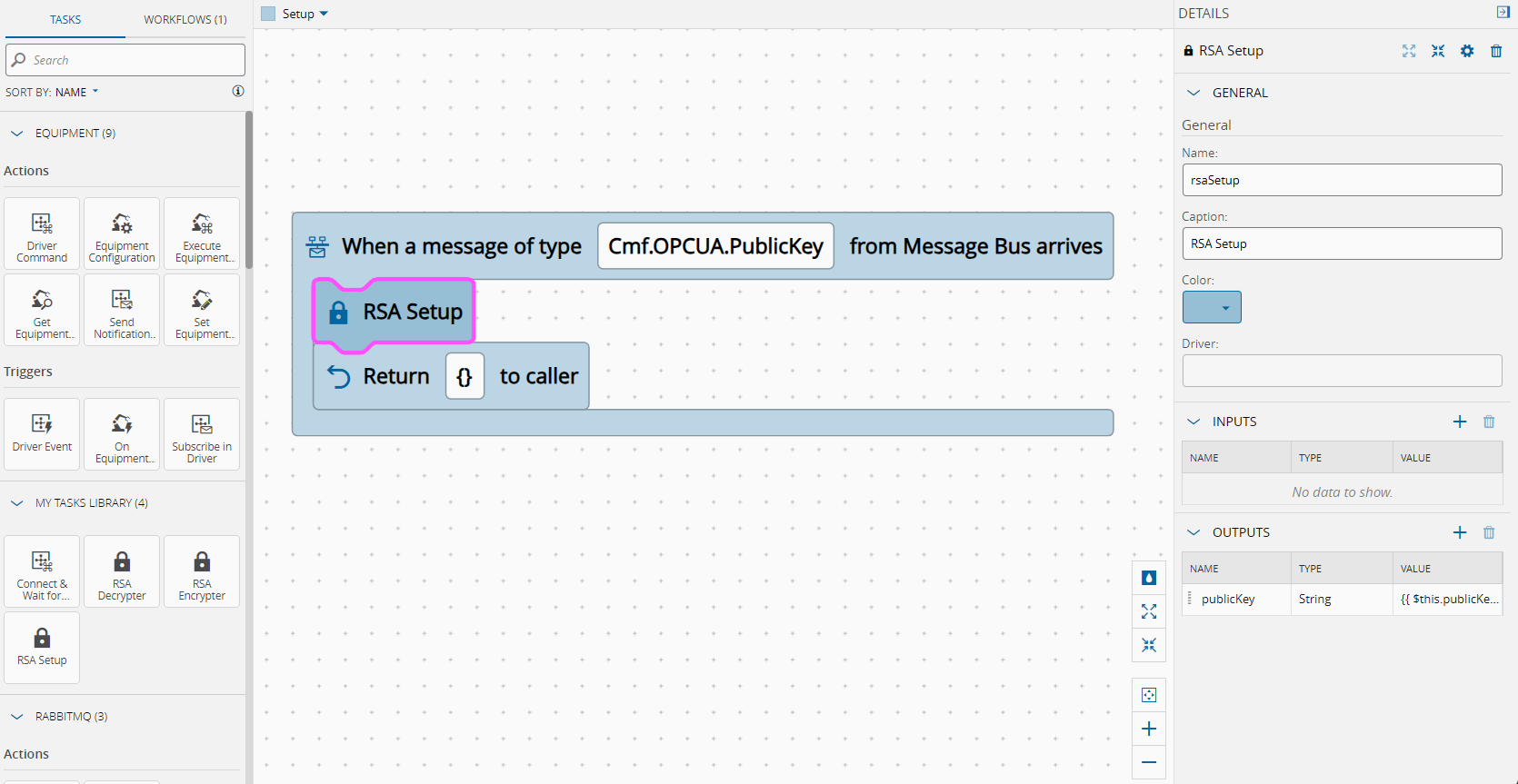
Let’s see an example of a custom UI.
We can inject the MessageBusService and exchange messages with the controller.
import {
    CustomizableComponent,
    HOST_VIEW_COMPONENT,
    MessageBusService,
    ConfigCacheService
} from 'cmf-core';
(...)
constructor(
      viewContainerRef: ViewContainerRef,
      private readonly messageBus: MessageBusService,
      private readonly ngZone: NgZone,
      private config: ConfigCacheService,
   ) {
      super(viewContainerRef);
} const response = await this.messageBus.sendRequest('Cmf.OPCUA.PublicKey', {}, 30000);Now that the custom UI has the public key it is able to encrypt the password.
this.password = await this.encryptPassword(this.password, this._publicKey); private async encryptPassword(password: string, publicKeyPem: string): Promise<string> {
// Import the PEM public key
const pemHeader = '-----BEGIN PUBLIC KEY-----';
const pemFooter = '-----END PUBLIC KEY-----';
const pemContents = publicKeyPem
.replace(pemHeader, '').replace(pemFooter, '').replace(/\s/g, '');
const binaryDer = Uint8Array.from(atob(pemContents), c => c.charCodeAt(0));
const cryptoKey = await window.crypto.subtle.importKey(
'spki',
binaryDer.buffer,
{ name: 'RSA-OAEP', hash: 'SHA-256' },
false,
['encrypt']
);
const encoded = new TextEncoder().encode(password);
const encrypted = await window.crypto.subtle.encrypt(
{ name: 'RSA-OAEP' },
cryptoKey,
encoded
);
// Return as base64 string — safe to send over message bus
return btoa(String.fromCharCode(...new Uint8Array(encrypted)));
}And can perform the connect request passing the user and password and the password will now be encrypted.
   const response = await this.messageBus.sendRequest('Cmf.OPCUA.Browse', {
      address: this.address,
      username: this.username,
      password: this.password,
   }, 30000);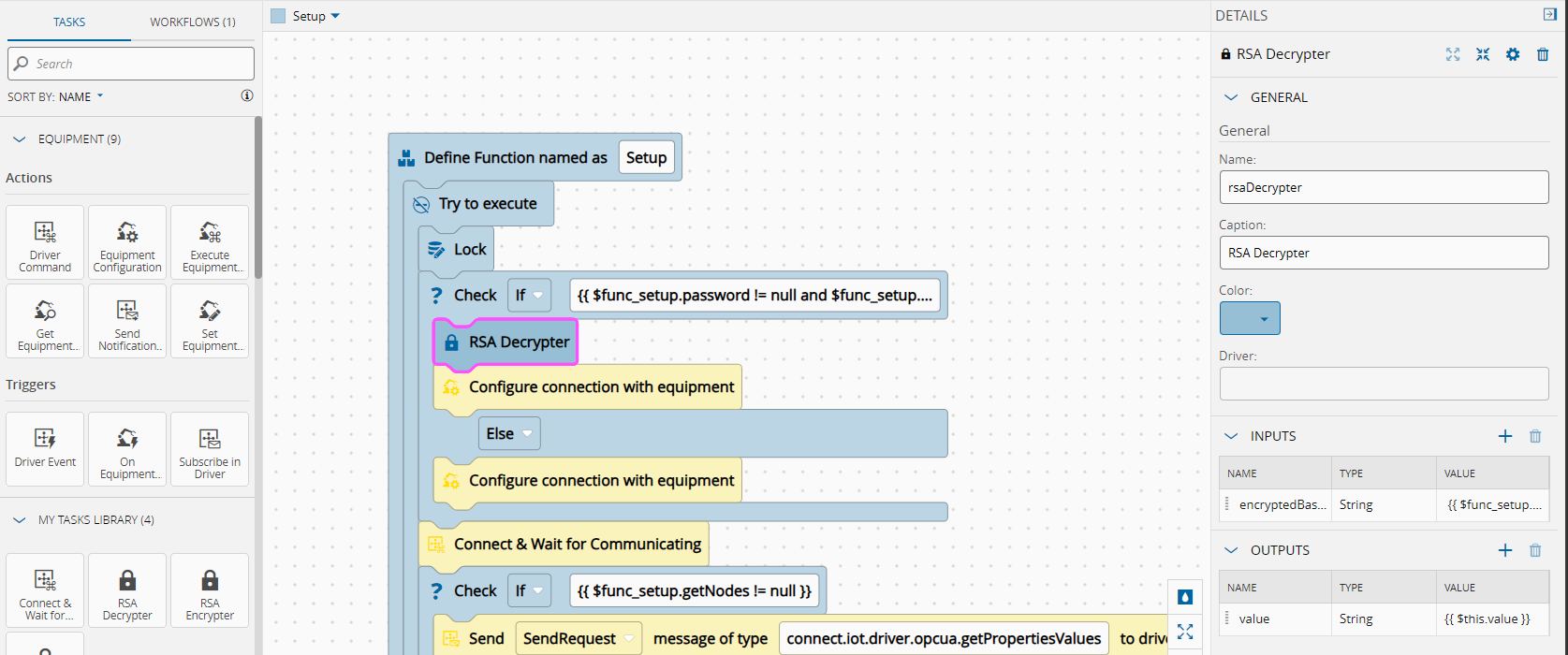
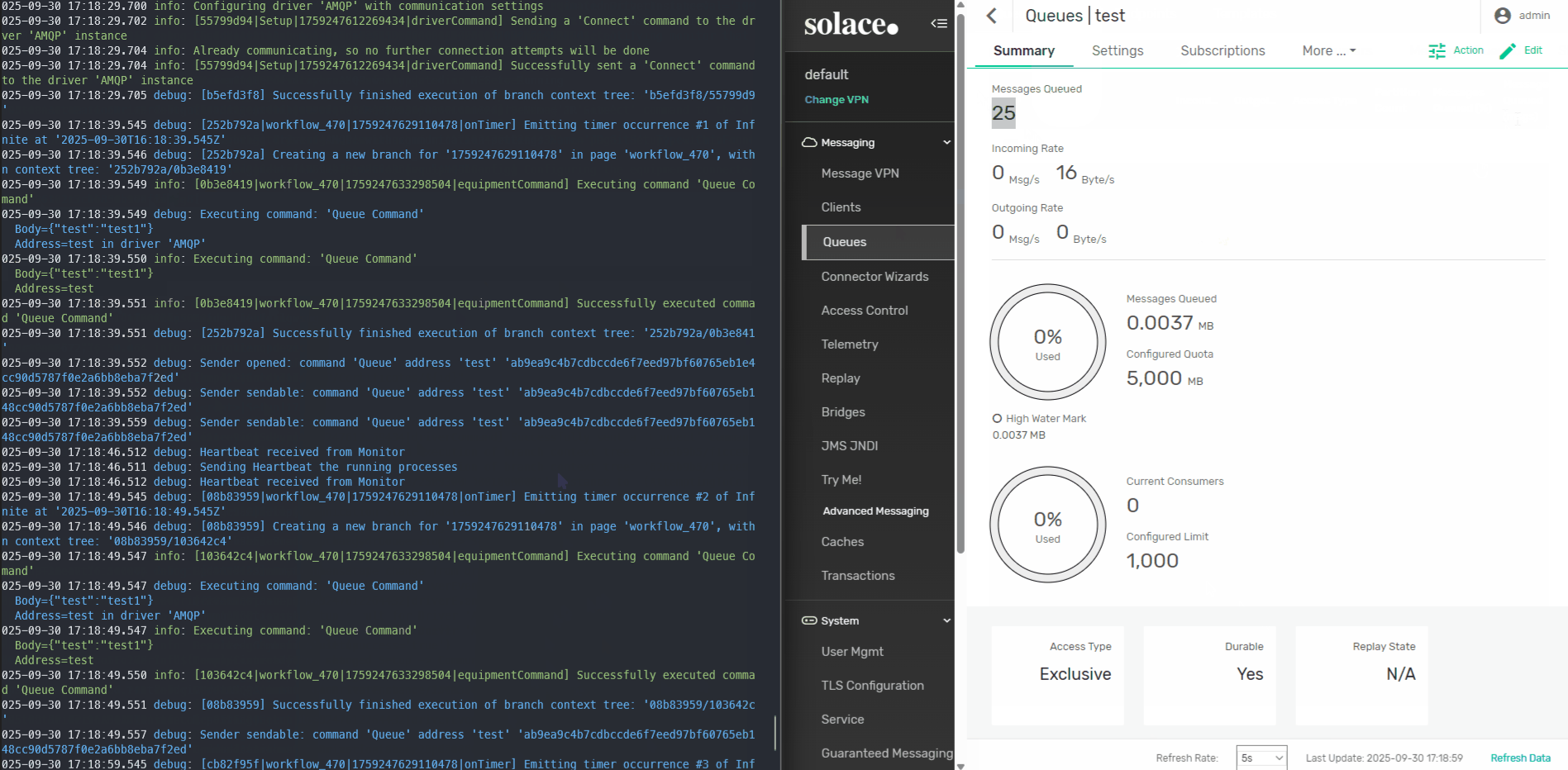
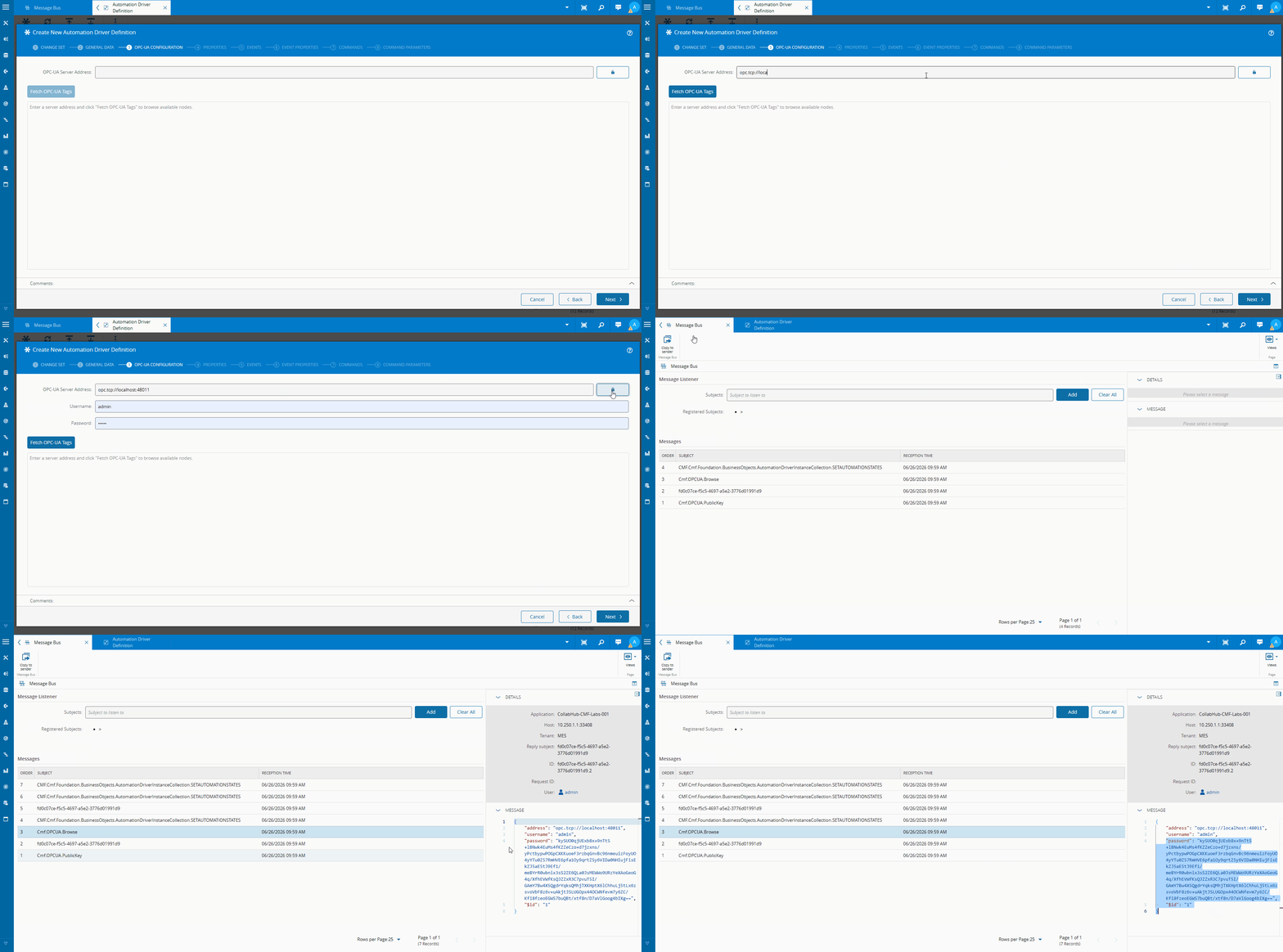
Now we can see the traffic is encrypted:
The Three-Task Architecture#
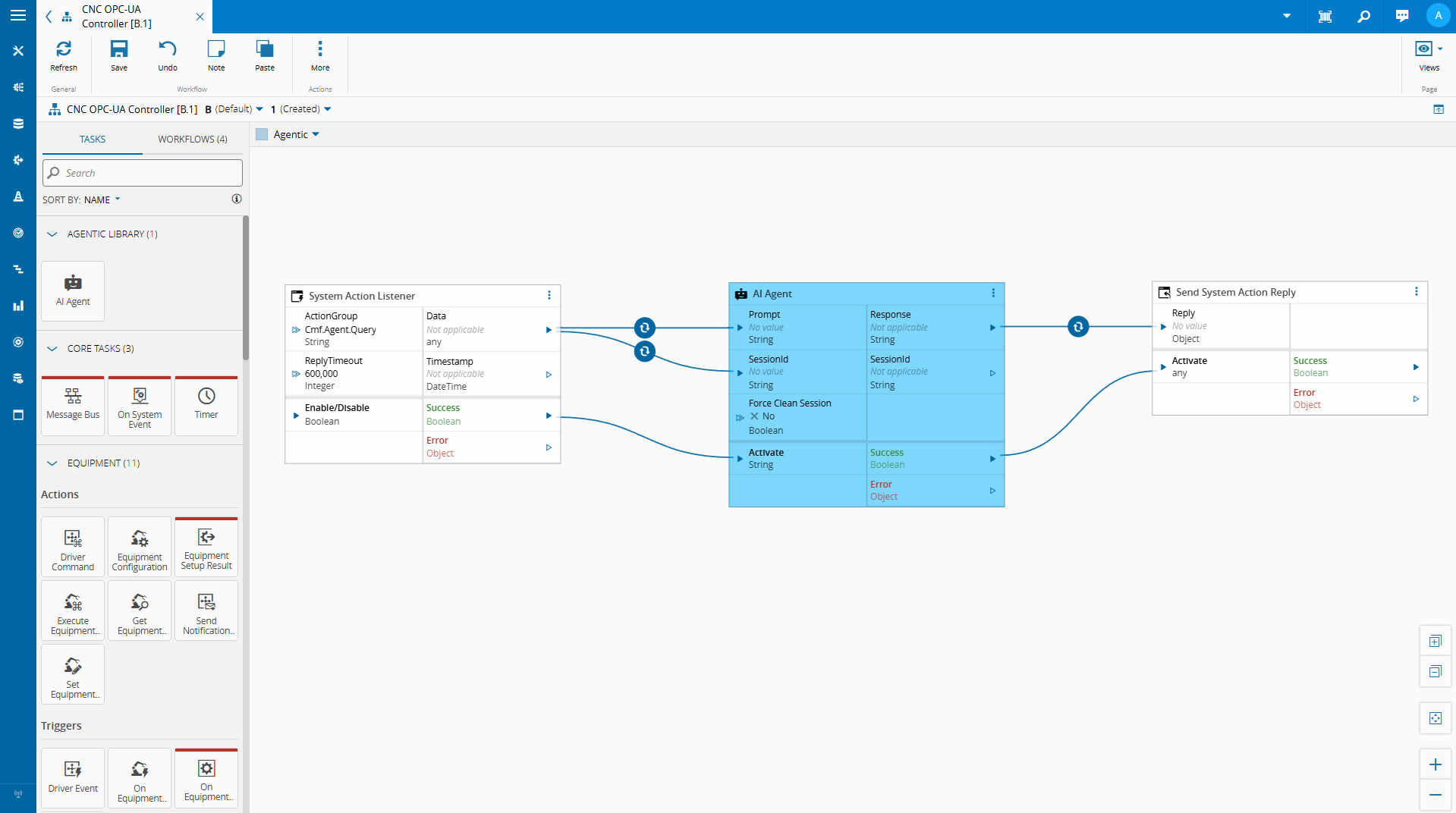
The Connect IoT implementation splits RSA into three focused tasks that compose together in a workflow:
| Task | Responsibility |
|---|---|
RsaSetupTask | Generate the key pair; persist the private key; emit the public key |
RsaEncrypterTask | Encrypt a plaintext string using the stored public key → base64 output |
RsaDecrypterTask | Decrypt a base64 ciphertext using the stored private key → plaintext output |
The public key leaves the system (shared with whoever needs to send encrypted data). The private key never does — it lives in Connect IoT’s persistent data store.
The Flow Step by Step#
1. Setup (runs once)
   RsaSetupTask generates a 2048-bit RSA key pair.
   Private key → stored in DataStore (Persistent).
   Public key → emitted as output, shared with external system.
2. Encryption (runs at the sender)
   External system (or another workflow) receives the public key.
   RsaEncrypterTask encrypts a sensitive value with that public key.
   Output: base64-encoded ciphertext — safe to transmit or store.
3. Decryption (runs when the secret is needed)
   RsaDecrypterTask receives the base64 ciphertext.
   Retrieves the private key from DataStore.
   Decrypts → emits the original plaintext.
In machine integration, it’s common to have the need for authentication. The MES already supports holding that encrypted information on a configuration entry. But for more dynamic scenarios this may not be enough.
RSA Setup#
The RSA setup is quite simple, it will use the node crypto library to create a public private key pair and store them locally.
   public override async onChanges(changes: Task.Changes): Promise<void> {
      if (changes["activate"]) {
         // It is advised to reset the activate to allow being reactivated without the value being different
         this.activate = undefined;
try {
               const privateKey = await this._dataStore.retrieve("rsa_privateKey", undefined);
               if (!privateKey) {
                  const { privateKey, publicKey } = crypto.generateKeyPairSync('rsa', {
                     modulusLength: 2048,
                     publicKeyEncoding: { type: 'spki', format: 'pem' },
                     privateKeyEncoding: { type: 'pkcs8', format: 'pem' }
                  });
                  await this._dataStore.store("rsa_privateKey", privateKey, System.DataStoreLocation.Persistent);
                  await this._dataStore.store("rsa_publicKey", publicKey, System.DataStoreLocation.Persistent);
               }
this.publicKey.emit(await this._dataStore.retrieve("rsa_publicKey", undefined));
               this.success.emit(true);
} catch (error) {
               this.logAndEmitError((error as Error)?.message);
         }
      }
   }
RSA Decrypter#
The RSA decrypter will receive a base64 encrypted string and will use the private key to decrypt the message.
    public override async onChanges(changes: Task.Changes): Promise<void> {
        if (changes["activate"]) {
            // It is advised to reset the activate to allow being reactivated without the value being different
            this.activate = undefined;
try {
                const buffer = Buffer.from(this.encryptedBase64, 'base64');
                const privatekey = await this._dataStore.retrieve("rsa_privateKey", undefined)
                const decrypted = crypto.privateDecrypt(
                    { key: privatekey, padding: crypto.constants.RSA_PKCS1_OAEP_PADDING, oaepHash: 'sha256' },
                    buffer
                ).toString('utf8');
this.value.emit(decrypted);
                this.success.emit(true);
            } catch (error) {
                this.logAndEmitError((error as Error)?.message);
            }
        }
    }
RSA Encrypter#
The RSA encrypter is similar to what we saw for the UI. It will leverage a public key and encrypt a string into an encrypted base64.
   public override async onChanges(changes: Task.Changes): Promise<void> {
      if (changes["activate"]) {
         // It is advised to reset the activate to allow being reactivated without the value being different
         this.activate = undefined;
try {
               if (this.publicKey == null) {
                  this.publicKey = await this._dataStore.retrieve("rsa_publicKey", undefined);
               }
this.encryptedBase64.emit(crypto.publicEncrypt(
                  { key: this.publicKey, padding: crypto.constants.RSA_PKCS1_OAEP_PADDING, oaepHash: 'sha256' },
                  Buffer.from(this.value, 'utf8')
               ).toString('base64'));
               this.success.emit(true);
} catch (error) {
               this.logAndEmitError((error as Error)?.message);
         }
      }
   }
Key Implementation Decisions#
OAEP padding with SHA-256. Both the encrypter and decrypter use RSA_PKCS1_OAEP_PADDING with oaepHash: 'sha256'. OAEP (Optimal Asymmetric Encryption Padding) is the current standard — it adds randomness to each encryption operation, so encrypting the same plaintext twice produces different ciphertexts. This defeats chosen-ciphertext attacks that the older PKCS#1 v1.5 padding is vulnerable to. Never use RSA_PKCS1_PADDING for new implementations.
SPKI/PKCS8 PEM format. The key pair is generated with type: 'spki' for the public key and type: 'pkcs8' for the private key. These are the standard, interoperable formats — any external system using OpenSSL, Java, Python’s cryptography library, or .NET can consume the public key without conversion.
Lazy key generation. RsaSetupTask checks the data store before generating:
const privateKey = await this._dataStore.retrieve("rsa_privateKey", undefined);
if (!privateKey) {
    const { privateKey, publicKey } = crypto.generateKeyPairSync('rsa', { ... });
    await this._dataStore.store("rsa_privateKey", privateKey, System.DataStoreLocation.Persistent);
    await this._dataStore.store("rsa_publicKey", publicKey, System.DataStoreLocation.Persistent);
}
this.publicKey.emit(await this._dataStore.retrieve("rsa_publicKey", undefined));
Run it ten times and you get the same key pair. The first run generates and persists; subsequent runs retrieve and emit. This means the public key you distribute stays valid across restarts and re-deployments — until you explicitly clear the data store and force regeneration.
No key rotation built in. This is a deliberate simplicity tradeoff. Rotation requires coordinating a new public key with every external system holding the old one. That’s a workflow concern, not a task concern.
Advantages#
Private key never leaves the runtime. The only copy of the private key is in Connect IoT’s on edge persistent data store. External systems only ever see the public key. A compromised network packet or log file can’t expose the secret.
Plaintext never stored. Sensitive values — passwords, tokens, API keys — can live in the system exclusively as ciphertext. The plaintext exists only transiently during decryption, in memory, for the duration of the operation.
Interoperable by default. SPKI/PKCS8 PEM with OAEP-SHA256 is understood by every modern crypto library. Any system that needs to encrypt data for this Connect IoT instance can do so without custom tooling.
Composable with Connect IoT’s task model. Each task does one thing. RsaSetupTask can run at controller startup; RsaDecrypterTask can run on demand inside any workflow that needs to resolve a secret. No global state beyond what’s explicitly stored.
Disadvantages#
Data store as key store. Connect IoT’s persistent data store is not a hardware security module. The private key is as protected as the underlying storage layer — encrypted at rest only if the runtime or OS provides that. For high-assurance environments, this is worth reviewing.
No ciphertext authentication. RSA-OAEP prevents chosen-ciphertext attacks, but it doesn’t authenticate the sender. Anyone who holds the public key can produce a valid ciphertext. If you need to verify that the encrypted message came from a specific source, you need signatures in addition to encryption — a separate concern.
Key rotation is a manual operation. Clearing the data store and re-running RsaSetupTask produces a new key pair, but every external system holding the old public key will be sending ciphertexts that the new private key can’t decrypt. Rotation requires out-of-band coordination.
Quantum threat (long horizon). Shor’s algorithm breaks RSA on a sufficiently capable quantum computer. This doesn’t affect current deployments, but equipment with 20-year lifespans installed today should at least acknowledge that post-quantum migration will be necessary eventually. We also have an interesting article on this topic Is your MES Quantum Safe?.
Final Thoughts#
Three tasks, roughly 100 lines of TypeScript, and you have a credible answer to “how can we dynamically send to the edge sensitive data.” That’s a meaningful improvement over the status quo in most IoT deployments.
The first way to increase security is making it easy to use.