
Overview#
The conversation around AI in manufacturing tends to gravitate toward the cloud: large models, large datasets, large infrastructure.
That narrative makes sense for strategic use cases: predictive maintenance trained on years of historian data, quality inspection powered by computer vision pipelines, demand forecasting fed by ERP exports. Those workloads belong in the cloud.
In fact, we had the chance to showcase exactly that:
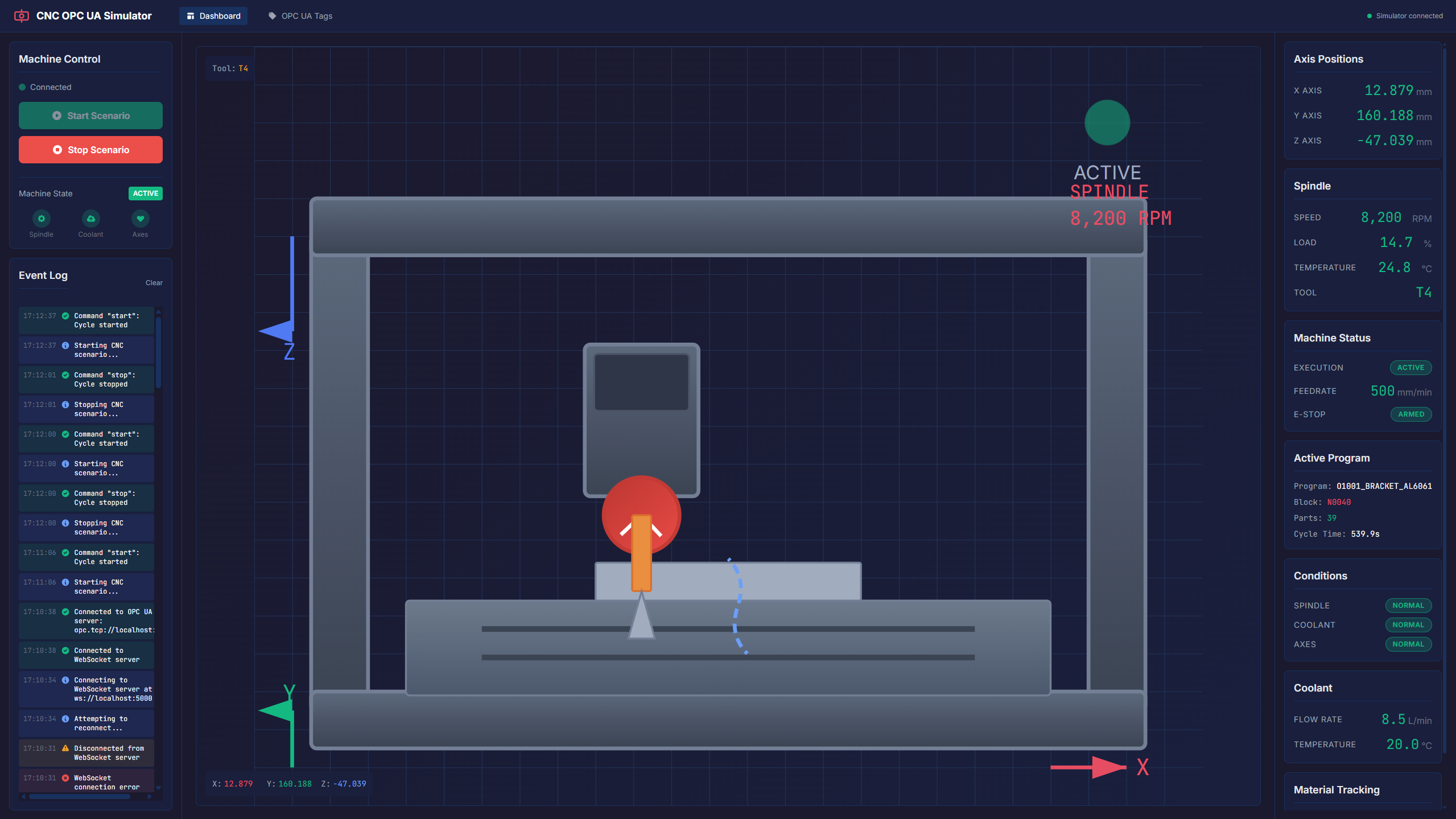
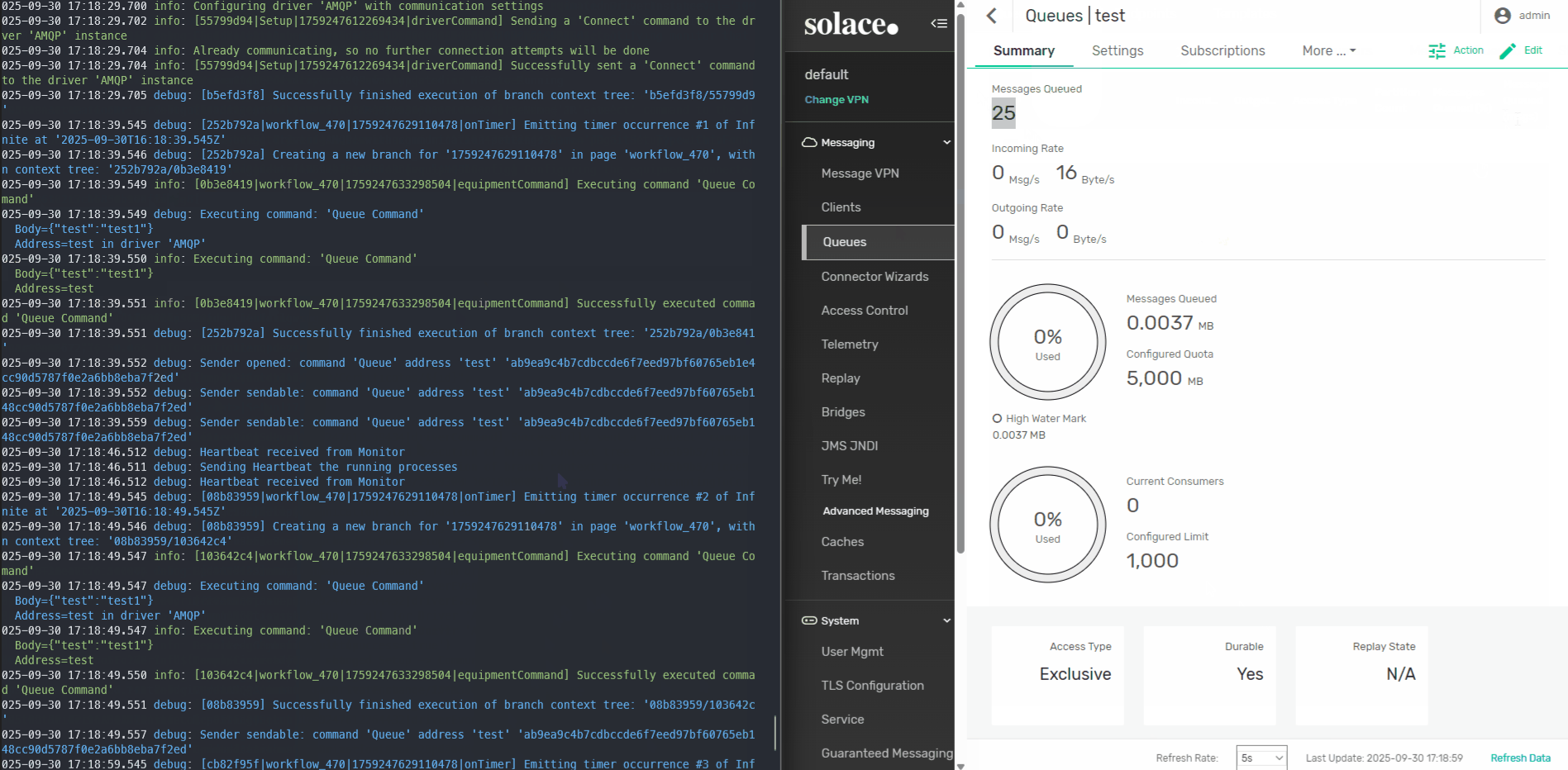
But there is a quieter, more immediate opportunity sitting right at the edge, inside the middleware layer that connects machines and third-party interfaces to the MES.
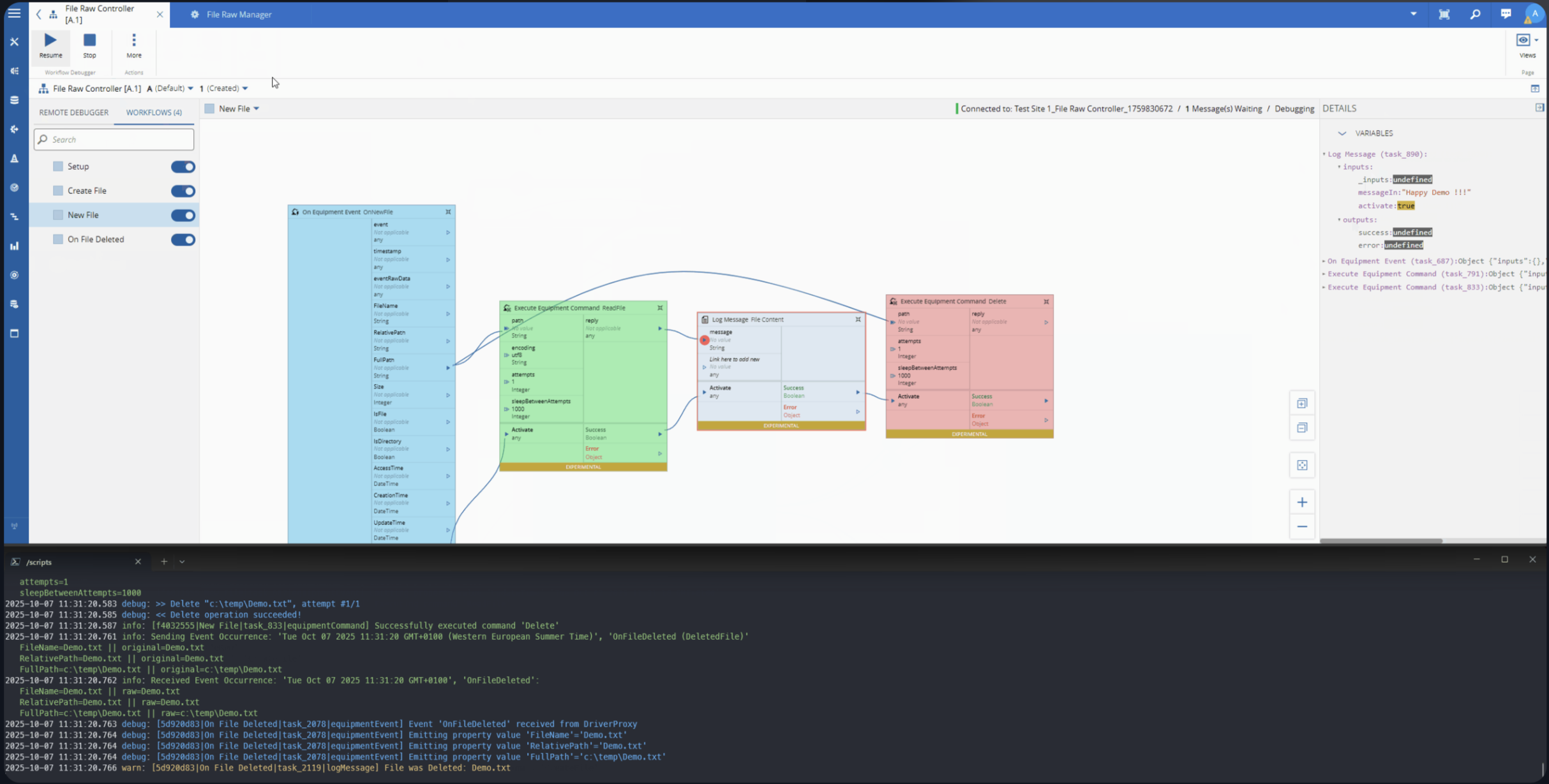
It is where OPC-UA tags become structured events, where protocol translations happen, where business rules fire in low-code tasks. The data is already there. The question is whether we can make it more accessible.
This post explores how Small Language Models (SLMs) can be embedded directly into Connect IoT to unlock natural language interaction with the edge runtime: without a cloud dependency, without a GPU, and without leaving the shopfloor network.
The goal is not to show a definitive approach, but to showcase a building block that can be used to create powerful agentic workflows.
Large Models vs Small Models#
To understand why SLMs are interesting at the edge, it helps to first understand what differentiates them from their larger counterparts.
Large Language Models (LLMs) — GPT-4, Claude, Gemini — are general-purpose models trained on vast datasets covering virtually every domain of human knowledge. They are remarkably capable and can reason across complex, multi-step problems. They also require significant compute: tens to hundreds of gigabytes of memory, often a GPU, and for hosted versions, a reliable internet connection. Running them locally on edge hardware is currently impractical in most industrial environments.
Small Language Models (SLMs) are a different trade-off. Models like Llama 3.2 3B, Phi-4 Mini, Gemma 3 4B, or Qwen2.5 3B fit comfortably in 2–4 GB of RAM, run acceptably fast on a standard CPU, and can be quantized to run efficiently on modest hardware. They sacrifice some general reasoning capability, but for a focused, well-scoped task they can perform remarkably well.
The key insight for manufacturing is that we do not need a model that can write poetry or explain philosophy. We need a model that can understand a question about what is currently happening on a machine, look at the available data, and give a useful answer. That is a narrower problem — and SLMs are well-suited for it.
The pace of innovation in large language models has been remarkable. Yet as frontier models grow more capable, a parallel trend is emerging: the rise of optimized, smaller models. These models sacrifice breadth and raw power for efficiency, and that trade-off is often exactly what a real-world problem demands.
A useful way to think about model selection is through the lens of problem scope.
At one extreme, narrow and well-defined problems are best served by classical mathematical algorithms, such as linear regression or decision trees, where the solution space is predictable and mappable. As problems grow more complex, with higher dimensionality and harder-to-formalize relationships, tailored machine learning models become the right tool. Move further still into problems that are semantic, contextual, or linguistic in nature, and language models enter the picture.
Within that last category, scope still matters. A model that needs to reason across domains as wide as gardening and astrophysics requires a large language model, trained on vast and diverse content. But a model operating within a specific domain, say, legal document review or industrial maintenance, can be a small, fine-tuned language model that is faster, cheaper, and often more accurate within its lane.
The key insight is that bigger is not always better. Matching model capability to problem scope is not a compromise, it is good engineering.
The LLMs are the Mainframe and the SLMs are the PCs.
Why the Edge Is the Right Place#
CM MES Connect IoT typically, runs as part of the edge infrastructure. In many deployments the Automation Manager runs on a server on the shopfloor network, close to the machines it integrates. Even in cases where the MES is deployed in the cloud. It has direct access to driver state, controller variables, event history, and everything flowing through its low-code tasks.
We had the opportunity to show case this scenario where we had the AutomationManager deployed in a on edge microshift cluster and the CM MES on cloud openshift cluster:
Keeping inference at the edge brings several concrete advantages:
Latency. A question about what a machine is currently doing deserves an answer in milliseconds, not in the round-trip time to a cloud endpoint. On a busy shopfloor network with intermittent connectivity, cloud inference is simply unreliable for operational queries.
Data sovereignty. Shopfloor data is often sensitive — process parameters, cycle times, quality results, equipment identifiers. Many customers operate under strict policies about what can leave the plant network. A locally running model never transmits that data anywhere.
Offline resilience. Machines do not stop running because the internet is down. An edge-deployed SLM is available whenever the Automation Manager is running, regardless of external connectivity.
Cost. Cloud LLM APIs are priced per token. For a conversational interface that operators might query dozens of times a shift across multiple lines, those costs accumulate quickly. Local inference has no marginal cost per query.
Connect IoT as the Context Provider#
The value of an SLM at the edge is entirely dependent on the quality of context it receives. A language model does not magically know what is happening on your shopfloor — it reasons over whatever information you provide in its prompt.
Connect IoT is already the system that aggregates that information. The Automation Manager holds in memory the current state of every variable defined across its controllers and drivers. Every tag read from OPC-UA, every message received over MQTT, every value written by a low-code task — all of it is accessible through the internal memory of the running manager.
With this as context, a natural language query like “What is the spindle doing and should I be concerned?” becomes a reasonable, answerable question.
Low-Code Tasks as the Integration Point#
One of the strengths of Connect IoT’s low-code model is its extensibility. Automation Controllers are composed of tasks — discrete units of logic that read variables, make decisions, call external services, and write outputs back into the controller state.
This extensibility is what makes SLM integration natural. We can implement a custom task that:
- Reads variables from the controller’s current state
- Serializes that state into a structured context payload
- Passes a user query and that context to a locally running SLM
- Returns the model’s response as a task output or controller variable
From the low-code editor’s perspective, this is just another task with an input and an output. The complexity of local model inference is encapsulated behind a clean API.
The model is not replacing the low-code logic — it is augmenting the operator’s ability to interact with it.
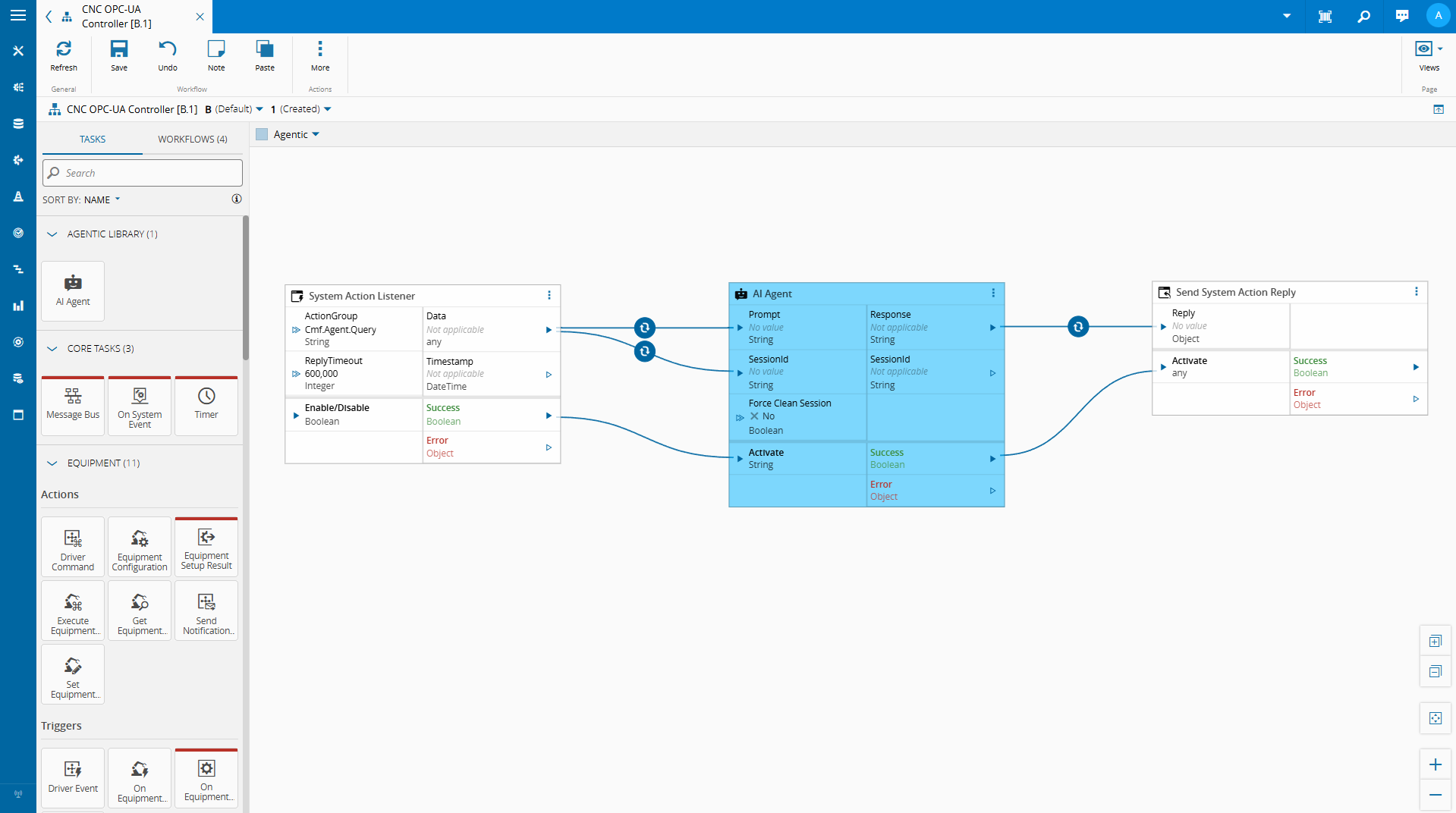
We are able with the low code integration and some metadata leverage what the MES provides out of the box to create a quick implementation where we can chat with our on edge integration.
Building the AI Agent Task#
The Role of node-llama-cpp#
Connect IoT’s extensibility layer runs on Node.js. Custom tasks are written in TypeScript and executed within the Node.js runtime of the Automation Manager. This means that any Node.js-compatible library is available for use in custom tasks.
node-llama-cpp is a Node.js binding for llama.cpp, the widely-used inference engine for running quantized GGUF models locally. It supports CPU inference across platforms, has a clean TypeScript API, and gives us the ability to load and query a local SLM directly from within a Connect IoT custom task — no external process, no sidecar service, no cloud API key.
The model file lives on the edge server. The inference runs in-process. The result comes back as a string that the task can publish to a controller variable or return as a response to whoever initiated the query.
This is what makes the implementation practical: we are not building a separate AI service and integrating it over HTTP. We are loading a model inside the same runtime where Connect IoT already executes business logic.
What This Enables#
The immediate use case is natural language querying of the edge runtime state. An operator, an engineer, or a support technician can ask a question in plain language and receive an answer grounded in the actual current state of the integration — without needing to know which OPC-UA node to look at, which controller variable holds the relevant value, or how to read a low-code task output.
Beyond direct Q&A, this pattern opens up a few other directions worth exploring:
Anomaly explanation. When a condition flag changes or a threshold is crossed, the model can be invoked automatically to produce a plain-language explanation of what changed and what the surrounding state looked like — a first-pass interpretation before an operator investigates.
Configuration assistance. A model with knowledge of the Connect IoT task library and variable conventions could help a developer draft low-code logic by describing the intent in natural language and having the model suggest a task sequence.
Agentic workflows. We can have autonomous agents that are able to make decision autonomously and provide meaningful reporting on the state of the integration.
Practical Considerations#
Running SLMs locally is feasible, but it requires some honest accounting of the constraints.
Hardware. A 3B–4B parameter model quantized to 4-bit precision needs at least 2–3 GB of RAM and will run inference in 1–5 seconds on a modern CPU. That is acceptable for an on-demand query interface. It is not acceptable for high-frequency polling — do not invoke a local SLM on every OPC-UA data change.
Model selection. Smaller models are less reliable on complex reasoning tasks. For a scoped use case — interpreting a JSON snapshot of machine state in response to a narrow question — a well-prompted 3B model can perform very well. Testing with representative queries before committing to a model is essential.
Prompt engineering. The quality of the output is directly tied to the quality of the prompt. A system prompt that clearly explains what the context payload contains, what the model’s role is, and what format the response should take will outperform a vague prompt with a larger model.
For this scenario I am using Phi-3.1-mini-4k, which is a very simple model. We could use more advanced models like the Qwen models, which would offer better results at the cost of being more resource heavy.
Building a Task#
We used our CM CLI to create a new Connect IoT Task . Full implementation here.
We created a DI container to deal with all the node-llama instantiation.
    import { resolve } from "path";
    import { createHash } from "node:crypto";
    import type { Dependencies } from "@criticalmanufacturing/connect-iot-controller-engine";
    import { TYPES, DI } from "@criticalmanufacturing/connect-iot-controller-engine";
    import type { LLamaChatPromptOptions, LlamaContext, LlamaModel } from "node-llama-cpp";
    import { getLlama, LlamaChatSession, resolveModelFile } from "node-llama-cpp";

    @DI.Injectable()
    export class SLMManager {

        @DI.Inject(TYPES.Dependencies.Logger)
        protected _logger: Dependencies.Logger;

        private _models: Map<string, { model: LlamaModel, context: LlamaContext }> = new Map();
        private _sessions: Map<string, LlamaChatSession> = new Map();

        public async loadModel(modelLocation: string, modelName: string, loadModelSettings: any = {}, contextSettings: any = {}) {
            const id = this.modelSessionId(modelLocation, modelName, loadModelSettings, contextSettings);

            if (!this._models.has(id)) {
                const llama = await getLlama();
                const modelPath = await resolveModelFile(modelName, resolve(modelLocation));
                const model = await llama.loadModel({ modelPath, ...loadModelSettings });
                const context = await model.createContext(Object.assign({
                    contextSize: { max: 4096 },
                    sequences: 2 // set max sequences here
                }, contextSettings));

                this._models.set(id, { model, context });

                this._logger.debug(`Model '${modelName}' loaded and cached with id ${id}`);
            } else {
                this._logger.debug(`Model '${modelName}' is already loaded, will not do anything ${id}`);
            }

            return id;
        }

        public getSession(modelId: string, systemPrompt: string = "", sessionId: string = ""): { id: string, session: any } {

            if (sessionId === "") {
                sessionId = createHash("sha1").update(modelId + systemPrompt).digest("hex");
            }

            if (this._sessions.has(sessionId)) {
                this._logger.debug(`Session with id ${sessionId} retrieved from cache`);
                return { id: sessionId, session: this._sessions.get(sessionId) };
            } else {
                if (!this._models.has(modelId)) {
                    throw new Error(`Model with id ${modelId} not found. Make sure to load the model before trying to get a session for it.`);
                }

                const { context } = this._models.get(modelId);

                if (context.sequencesLeft === 0) {
                    this._sessions.values().next().value.dispose({ disposeSequence: true });
                    this._sessions.delete(this._sessions.keys().next().value);
                    this._logger.debug(`No sequences left in context, disposed the oldest session to free up sequences`);
                }

                const session = new LlamaChatSession({
                    contextSequence: context.getSequence(),
                    systemPrompt
                });

                this._sessions.set(sessionId, session);
                return { id: sessionId, session };
            }
        }

        public disposeSession(sessionId: string): void {
            if (this._sessions.has(sessionId)) {
                this._sessions.get(sessionId).dispose({ disposeSequence: true });
                this._sessions.delete(sessionId);
                this._logger.debug(`Session with id ${sessionId} disposed and removed from cache`);
            }
        }

        public async promptSession(sessionId: string, prompt: string, schema: any = undefined, functions: any = undefined, options: LLamaChatPromptOptions<undefined> = {}): Promise<string> {

            if (!this._sessions.has(sessionId)) {
                throw new Error(`Session with id ${sessionId} not found. Make sure to get the session before trying to prompt it.`);
            }

            let grammar = undefined;
            if (schema) {
                const llama = await getLlama();
                grammar = await llama.createGrammarForJsonSchema(schema);
            }

            const session = this._sessions.get(sessionId);
            if (functions) {
                return await session.prompt(prompt, Object.assign({
                    onResponseChunk: (chunk) => this._logger.debug(`Received chunk from session ${sessionId}: ${JSON.stringify(chunk)}`),
                    functions
                }, options));
            } else if (grammar) {
                return await session.prompt(prompt, Object.assign({
                    onResponseChunk: (chunk) => this._logger.debug(`Received chunk from session ${sessionId}: ${JSON.stringify(chunk)}`),
                    grammar
                }, options));
            } else {
                return await session.prompt(prompt, options);
            }
        }

        private modelSessionId(
            modelLocation: string,
            modelName: string,
            loadModelSettings: any = {},
            contextSettings: any = {}
        ): string {
            const key = JSON.stringify({ modelLocation, modelName, loadModelSettings, contextSettings });
            return createHash("sha1").update(key).digest("hex");
        }
    }
We will make sure to load the model globally and try to minimize as possible the number of times we will need to load the model in order to save on resources. We will also keep a notion of sessions so when we query the model, if it’s important we can keep track of the session.
After we create our DI node llama container we can add it to our task. In order to depend on this global containers we need to add those providers to our task.
    @Task.TaskModule({
        task: AiAgentTask,
        providers: [
            {
                class: SLMManager,
                isSingleton: true,
                symbol: "GlobalSLMManagerHandler",
                scope: Task.ProviderScope.Controller,
            }
        ]
    })
    export class AiAgentModule { }
Then we import the AiAgentModule instead of directly the task.
Our task is now a wrapper on the SLMManager.
    /**
     * This is the representation of the SLM manager
     */
    @DI.Inject("GlobalSLMManagerHandler")
    private _slmManager: SLMManager;

    /**
     * When one or more input values is changed this will be triggered,
     * @param changes Task changes
     */
    public override async onChanges(changes: Task.Changes): Promise<void> {
        if (changes["activate"]) {
            // It is advised to reset the activate to allow being reactivated without the value being different
            this.activate = undefined;
            let sessionId = this.sessionId;
            try {

                // Load Model
                const modelId = await this._slmManager.loadModel(this.modelLocation, this.model, this.loadModelSettings, this.contextSettings);
                // Get Session
                const sessionValues = this._slmManager.getSession(modelId, this.systemPrompt, this.sessionId);
                sessionId = sessionValues.id;

                let functions: any = undefined;
                if (this.enablePersistencyAccess) {
                    (...)
                }

                const result = await this._slmManager.promptSession(sessionId, this.prompt, this.schema, functions, this.promptSettings);
                this.response.emit(this.stripLlamaFunctionMarkup(result.trim()));
                this.sessionIdOut.emit(sessionId);

                if (this.forceCleanSession === true) {
                    this._slmManager.disposeSession(sessionId);
                }

                this.success.emit(true);
            } catch (error) {
                this._slmManager.disposeSession(sessionId);
                this.logAndEmitError(`Error while executing the AiAgent task: ${error instanceof Error ? error.message : String(error)}`);
            }
        }
    }
Our code is actually quite simple, it loads the model, retrieves/creates the session and passes the prompt into the model.
With just this code we are already able to have a task able to respond to inputs.
An interesting feature that we saw in the video is the ability to surface internal APIs into the AI.
    functions = {
        listKeysFromPersistency: defineChatSessionFunction({
            description: "List all keys from the persistency layer.",
            handler: () => {
                return this._dataStore.listKeys(System.DataStoreLocation.Temporary);
            }
        }),
        retrieveFromStorePersistency: defineChatSessionFunction({
            description: "Retrieve information from the persistency layer.",
            params: {
                type: "object",
                properties: {
                    identifier: {
                        description: "The key to identify the data to be retrieved. Case insensitive.",
                        type: "string"
                    },
                    defaultValue: {
                        description: "The default value to return if the key is not found.",
                        type: "string"
                    },
                    maxSize: {
                        description: "The number of items to retrieve. e.g. 1 or 2",
                        type: "number"
                    },
                    offset: {
                        description: "Skip this many items from the end to start paginating backwards. 0 = most recent, 1 = second most recent, etc.",
                        type: "number"
                    }
                }
            },
            handler: async (params: any) => {
                let identifier = params.identifier;
                let defaultValue = params.defaultValue;
                let maxSize = params.maxSize || 2;
                let offset = params.offset || 0;

                let retrievedValue = await this._dataStore.retrieve(identifier, defaultValue);

                if (retrievedValue === defaultValue) {
                    identifier = identifier.toLowerCase();
                    defaultValue = defaultValue.toLowerCase();
                    retrievedValue = await this._dataStore.retrieve(identifier, defaultValue);
                }

                retrievedValue = retrievedValue.storage ? retrievedValue.storage.map((item: any) => item.value) : retrievedValue;

                if (Array.isArray(retrievedValue)) {
                    // Calculate start position: end - offset - maxSize
                    const startIndex = Math.max(0, retrievedValue.length - offset - maxSize);
                    const endIndex = retrievedValue.length - offset || undefined;
                    retrievedValue = retrievedValue.slice(startIndex, endIndex);
                }

                const formatForLLM = (value: any, totalLength: number): string => {
                    if (Array.isArray(value)) {
                        const showing = value.length;
                        const remaining = totalLength - showing;
                        const startIndex = Math.max(0, totalLength - showing - offset);
                        const lastValue = value.length > 0 ? JSON.stringify(value[value.length - 1]) : "none";

                        let result = `Array: Total ${totalLength} items | Showing ${showing} items (indices ${startIndex}-${startIndex + showing - 1}) | Remaining ${remaining} items\n`;
                        result += `Last shown value: ${lastValue}\n`;
                        result += `Data: `;

                        // Try to include full values, truncate individual items if needed
                        const processedItems = value.map((item: any, itemIndex: number) => {
                            let itemStr = typeof item === "string" ? item : JSON.stringify(item);
                            const arrayIndex = startIndex + itemIndex;

                            if (itemStr.length > 300) {
                                return `[Index ${arrayIndex}] ${itemStr.substring(0, 300)}...[truncated at position ${arrayIndex}]`;
                            }
                            return itemStr;
                        });

                        result += JSON.stringify(processedItems);
                        return result;
                    }

                    let str = typeof value === "string" ? value : JSON.stringify(value);

                    if (str.length > 500) {
                        return str.substring(0, 500) + "...[truncated - data too large]";
                    }

                    return str;
                };

                // Get total length from storage before slicing
                let originalLength = Array.isArray(retrievedValue) ? (retrievedValue.length + offset + maxSize) : 1;
                return formatForLLM(retrievedValue, originalLength);
            }
        }),
        storeInPersistency: defineChatSessionFunction({
            description: "Store information in the persistency layer.",
            params: {
                type: "object",
                properties: {
                    identifier: {
                        description: "The key to identify the data to be stored. Case insensitive.",
                        type: "string"
                    },
                    data: {
                        description: "The data to be stored.",
                        type: "string"
                    }
                }
            },
            handler: async (params: any) => {
                const identifier = params.identifier.toLowerCase();
                const data = params.data.toLowerCase();

                return await this._dataStore.store(identifier, data, System.DataStoreLocation.Temporary);
            }
        })
    };
For our example, I decided to surface the internal persistency API. We could surface all information that Connect IoT has access and all actions that controller is able to perform, from driver interaction to MES interaction.
Providing APIs must be a very intentional action as you can be surfacing protected information or you may allow the AI to perform actions that could be catastrophical.
Now we support grammar, functions, system prompts and surface all the settings that node-llama-cpp provides out of the box.
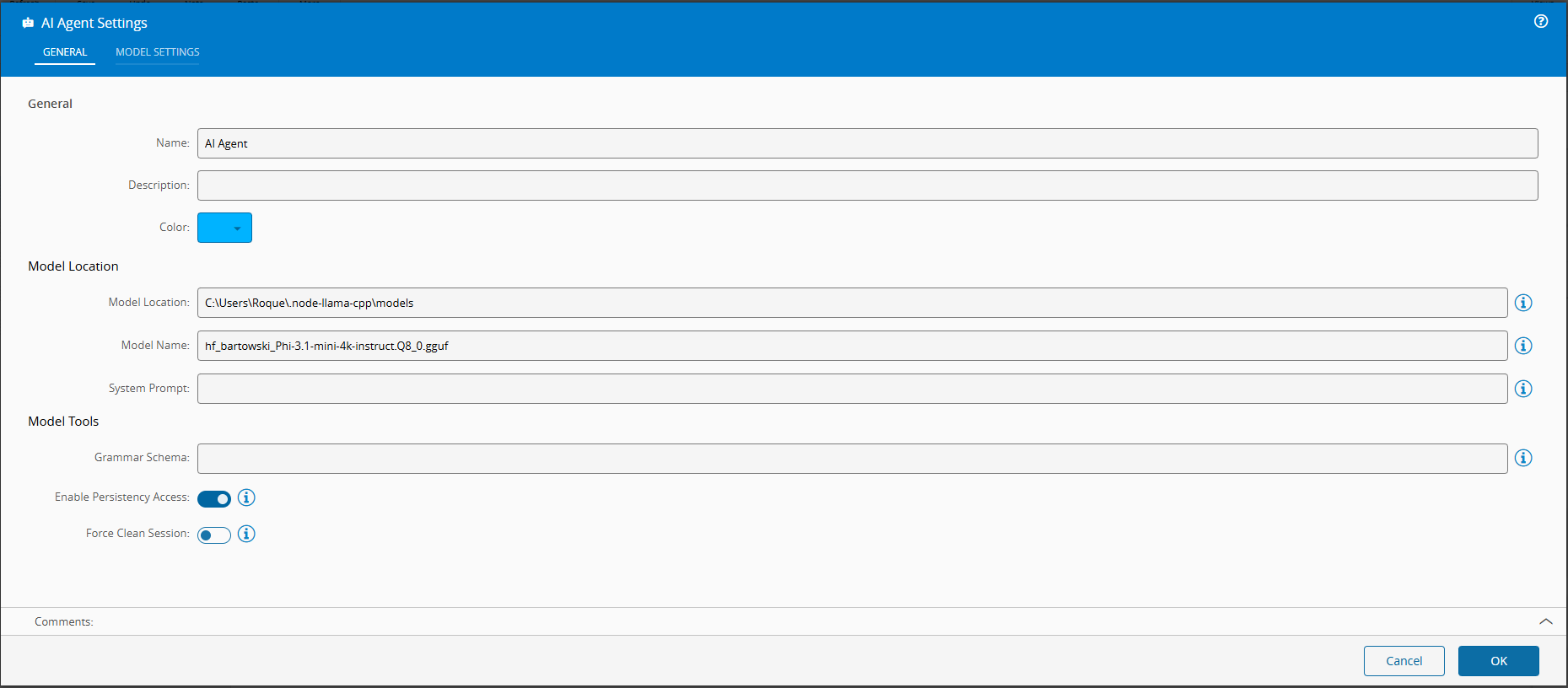
This is where low code really shines. You can use the SLM, but provide it with guarded use cases, where the actions are controlled by the low code workflow it is able to provide. You can also provide grammars, this allows to enforce the model to provide replies in a specific format, this allows for your workflows to have predictable outcomes that they can respond to.
Building a Chat Interface#
In version 11.1 of the CM MES a new feature was released called the Automation Business Scenarios.
This allows for the user to create deterministic workflows for the chat panel. The interactions we saw when using the chatbot were all controlled using this feature. Where we have a set of steps and possible actions.
graph TD
classDef startClass fill: #007ac9, color:#000000;
classDef finallyClass fill: #50b450, color:#000000;
classDef endClass fill: #3b8b3b, color:#000000;
    ControllersWithAgenticInstances["Script:
ControllersWithAgenticInstances
(controllersWithAgenticInstances)"] --> InstancesToTalkWith
    InstancesToTalkWith["Question:
InstancesToTalkWith
(instanceToTalkWith)"] --> AskQuestionsToInstanceWithMessage
    AskQuestionsToInstanceWithMessage["Question:
AskQuestionsToInstanceWithMessage
(question)"] --> EndConversationCondition
    EndConversationCondition["Condition:
EndConversationCondition"] -->
|"question != 'end'"|SendMessageToInstance
    SendMessageToInstance["Script:
SendMessageToInstance
(replyFromInstance)"] --> ReplyFromInstance
    ReplyFromInstance["Message:
ReplyFromInstance"] --> AskQuestionsToInstance
    AskQuestionsToInstance["Question:
AskQuestionsToInstance
(question)"] --> EndConversationCondition
    StartStep["Start Step"]:::startClass  --> ControllersWithAgenticInstances
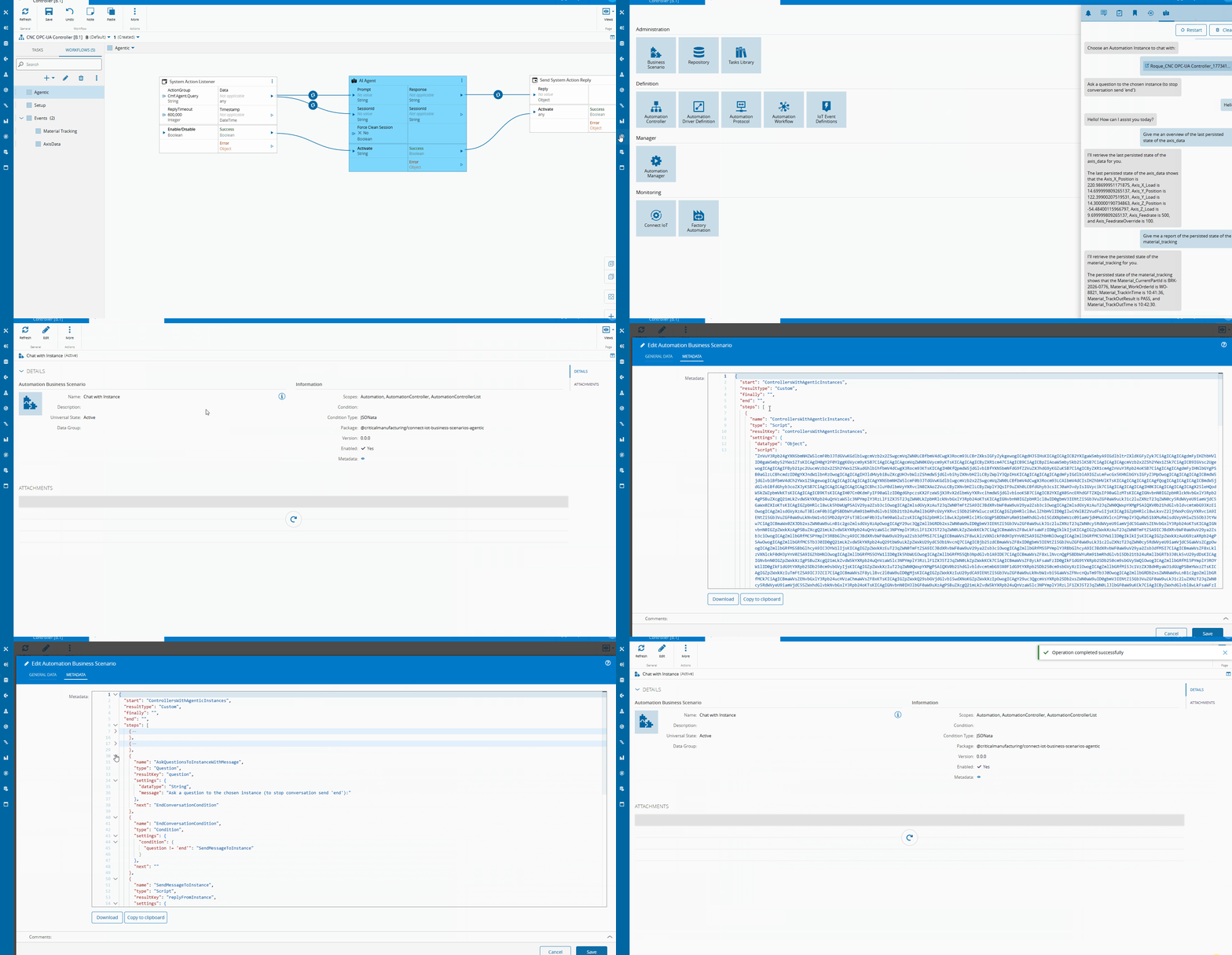
We have a step to filter all the Instances that have an AI Agentic Task. After the user chooses the instance he wants to communicate with, he is able to send messages and wait for replies. In the scenario we can also specify in what scopes should the scenario be accessible.
For the full implementation you can take a look at here
Looking Ahead#
In this example we were able to leverage the CM MES low code platforms to quickly create an implementation of edge AI that provides value. I want to create some more blog posts on this for agentic workflows, but I wanted to start with a small example.
The goal is to show that this is not a research experiment — it is a practical, deployable extension of the low-code model that Connect IoT already provides, achievable with a few hundred lines of TypeScript and a model file sitting on the edge server.
Edge AI does not have to mean complex infrastructure. Sometimes it means a small model, a structured prompt, and the right integration point.