Overview#
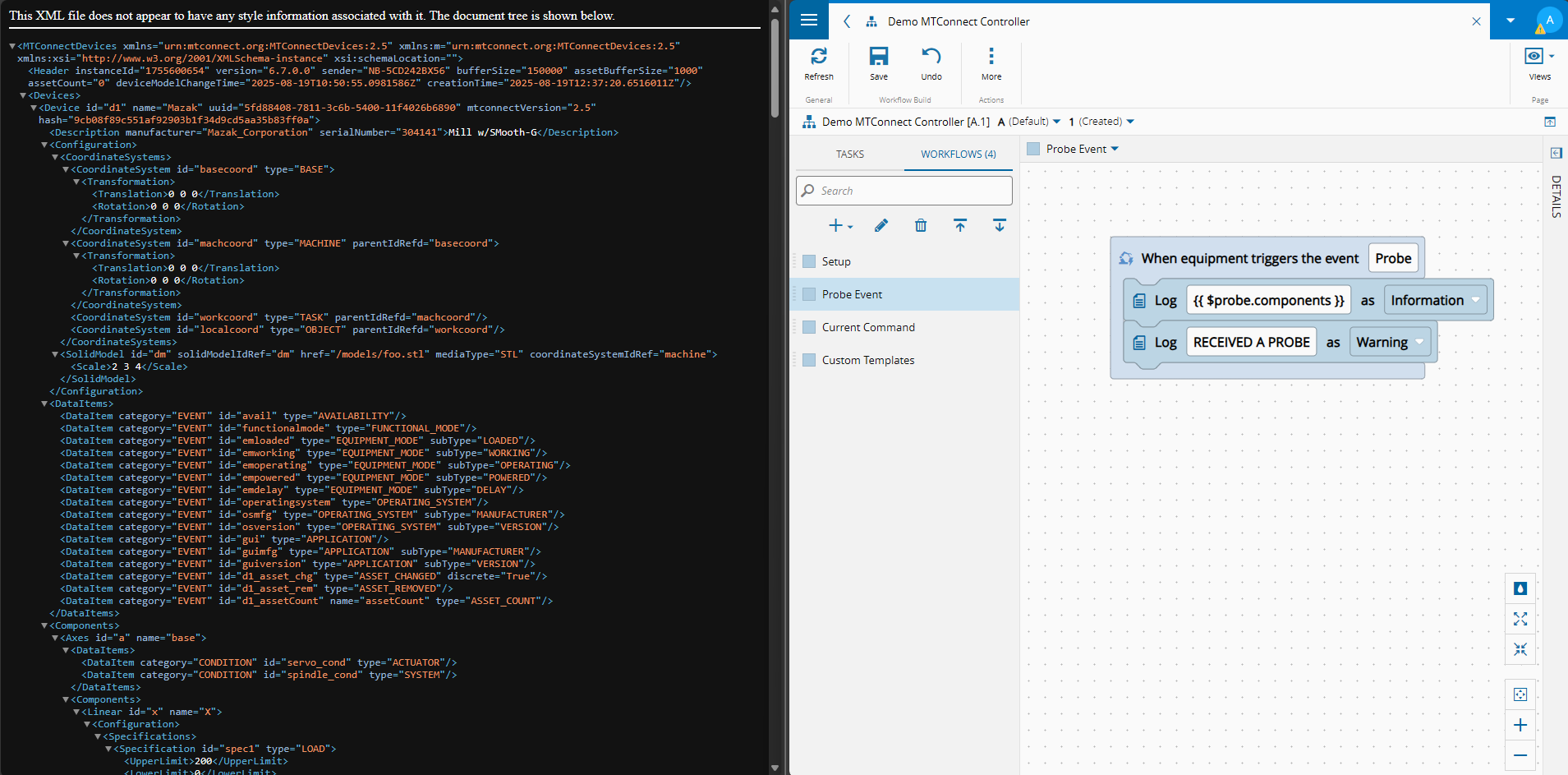
One of the hardest parts of an MES project is dealing with third-party integrations. Those integrations can involve not just equipment but all the other software that exists on the shopfloor.
Over the years, different industries have created different interfaces — some are open standards and protocols, others are vendor-specific.
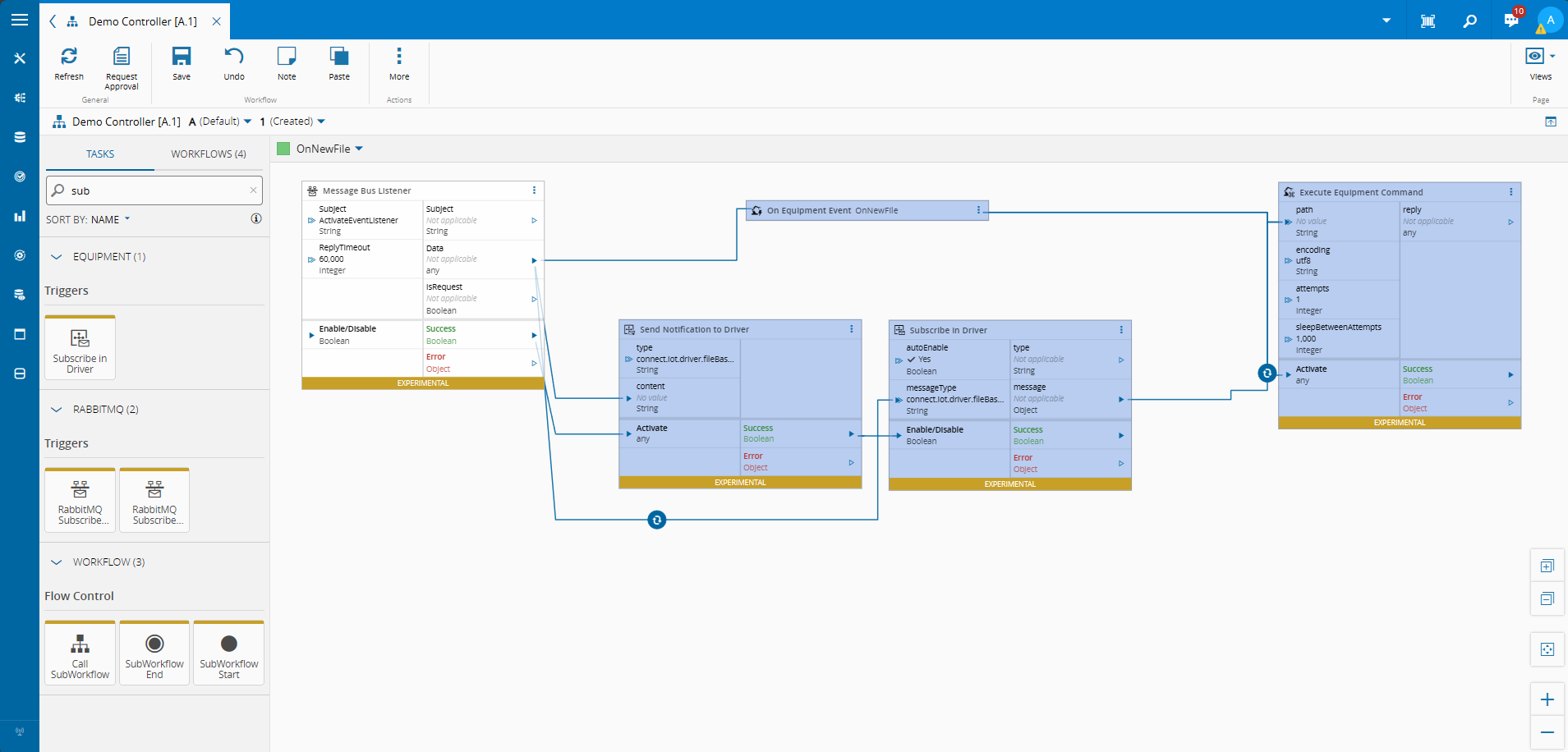
To address these integration challenges, Critical Manufacturing created the Connect IoT application.
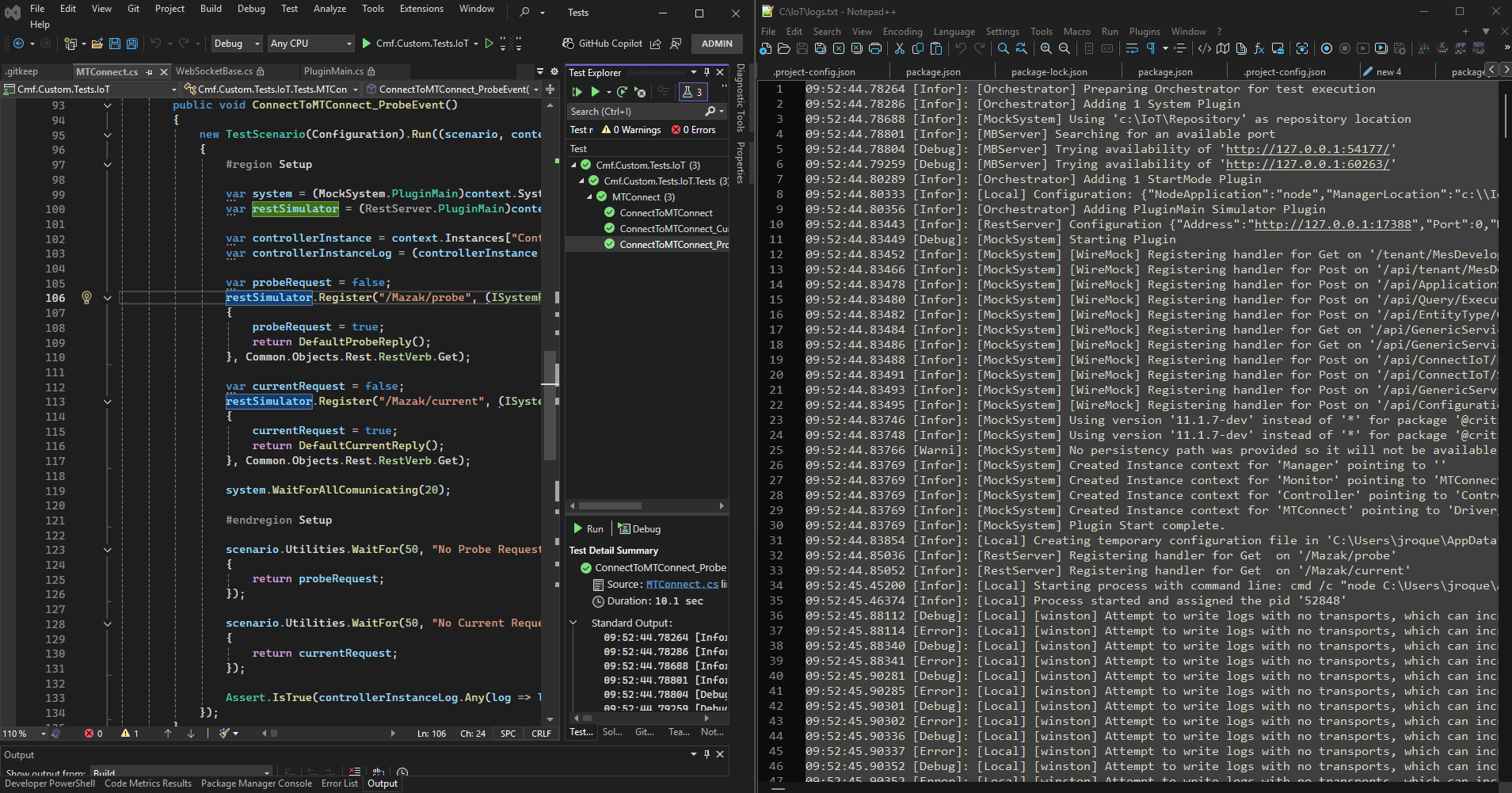
Over time we found it very cumbersome to build tests that covered the full path from machine to MES and back, so we developed a testing tool to speed up test development. In a previous blog post we already covered this tool in its typical use case: Test Orchestrator Tests.
For this post I want to explore a different use case.
The hard part of these integrations is not just implementing and automating them, but visualizing and communicating them to all stakeholders. In the past this was left as a best effort or an afterthought. In reality, creating small and simple UIs that let stakeholders interact with and validate the solution is crucial — it enables the transition from passive users to active solution owners.
Why Use the Test Orchestrator#
One of the obvious downsides of creating small demo or test applications is the proliferation of custom tools.
Using the same tool we already use for testing allows us to reuse our existing tests as a starting point, maintain a consistent codebase across all demos, and benefit from a framework that already supports multiple protocols out of the box.
Building a Simple OPC-UA Demo#
Let’s imagine a simple scenario where we integrate with a CNC machine.
We have a CNC machine with a set of OPC-UA tags. Let’s start by configuring the TestOrchestrator.
The configuration is straightforward — we add the Simulator Plugin for OPC-UA and declare all the tags, with their default values, that we want to simulate.
  var scenario = new ScenarioConfiguration()
      .ManagerId(ManagerName)
      .ConfigPath("C:/Users/Roque/Downloads/roque/config.downloaded.json")
      .AddSimulatorPlugin<IoTTestOrchestrator.OPCUA.PluginMain>(
          new IoTTestOrchestrator.OPCUA.Plugin.SettingsBuilder()
              .Address(OpcUaServer)
              .AddTag(new OpcTag { Name = "Controller.Execution", NodeId = "ns=2;s=cnc007.controller.execution", AccessMode = AccessMode.ReadAndWrite, Value = JsonSerializer.SerializeToElement("READY"), Type = "String" })
              .AddTag(new OpcTag { Name = "Controller.Program", NodeId = "ns=2;s=cnc007.controller.program", AccessMode = AccessMode.ReadAndWrite, Value = JsonSerializer.SerializeToElement("O1001_BRACKET_AL6061"), Type = "String" })
              .AddTag(new OpcTag { Name = "Controller.Block", NodeId = "ns=2;s=cnc007.controller.block", AccessMode = AccessMode.ReadAndWrite, Value = JsonSerializer.SerializeToElement("N0000"), Type = "String" })
              .AddTag(new OpcTag { Name = "Controller.EmergencyStop", NodeId = "ns=2;s=cnc007.controller.emergencyStop", AccessMode = AccessMode.ReadAndWrite, Value = JsonSerializer.SerializeToElement("ARMED"), Type = "String" })
              .AddTag(new OpcTag { Name = "Controller.PartCount", NodeId = "ns=2;s=cnc007.controller.partCount", AccessMode = AccessMode.ReadAndWrite, Value = JsonSerializer.SerializeToElement(0), Type = "Int32" })
              .AddTag(new OpcTag { Name = "Controller.CycleTime", NodeId = "ns=2;s=cnc007.controller.cycleTime", AccessMode = AccessMode.ReadAndWrite, Value = JsonSerializer.SerializeToElement(0.0), Type = "Float" })
              .AddTag(new OpcTag { Name = "Spindle.Speed", NodeId = "ns=2;s=cnc007.spindle.speed", AccessMode = AccessMode.ReadAndWrite, Value = JsonSerializer.SerializeToElement(0.0), Type = "Float" })
              .AddTag(new OpcTag { Name = "Spindle.Load", NodeId = "ns=2;s=cnc007.spindle.load", AccessMode = AccessMode.ReadAndWrite, Value = JsonSerializer.SerializeToElement(0.0), Type = "Float" })
              .AddTag(new OpcTag { Name = "Spindle.Override", NodeId = "ns=2;s=cnc007.spindle.override", AccessMode = AccessMode.ReadAndWrite, Value = JsonSerializer.SerializeToElement(100.0), Type = "Float" })
              .AddTag(new OpcTag { Name = "Spindle.Temperature", NodeId = "ns=2;s=cnc007.spindle.temperature", AccessMode = AccessMode.ReadAndWrite, Value = JsonSerializer.SerializeToElement(22.0), Type = "Float" })
              .AddTag(new OpcTag { Name = "Spindle.ToolNumber", NodeId = "ns=2;s=cnc007.spindle.toolNumber", AccessMode = AccessMode.ReadAndWrite, Value = JsonSerializer.SerializeToElement(0), Type = "Int32" })
              .AddTag(new OpcTag { Name = "Axis.X.Position", NodeId = "ns=2;s=cnc007.axis.x.position", AccessMode = AccessMode.ReadAndWrite, Value = JsonSerializer.SerializeToElement(0.0), Type = "Float" })
              .AddTag(new OpcTag { Name = "Axis.X.Load", NodeId = "ns=2;s=cnc007.axis.x.load", AccessMode = AccessMode.ReadAndWrite, Value = JsonSerializer.SerializeToElement(0.0), Type = "Float" })
              .AddTag(new OpcTag { Name = "Axis.Y.Position", NodeId = "ns=2;s=cnc007.axis.y.position", AccessMode = AccessMode.ReadAndWrite, Value = JsonSerializer.SerializeToElement(0.0), Type = "Float" })
              .AddTag(new OpcTag { Name = "Axis.Y.Load", NodeId = "ns=2;s=cnc007.axis.y.load", AccessMode = AccessMode.ReadAndWrite, Value = JsonSerializer.SerializeToElement(0.0), Type = "Float" })
              .AddTag(new OpcTag { Name = "Axis.Z.Position", NodeId = "ns=2;s=cnc007.axis.z.position", AccessMode = AccessMode.ReadAndWrite, Value = JsonSerializer.SerializeToElement(0.0), Type = "Float" })
              .AddTag(new OpcTag { Name = "Axis.Z.Load", NodeId = "ns=2;s=cnc007.axis.z.load", AccessMode = AccessMode.ReadAndWrite, Value = JsonSerializer.SerializeToElement(0.0), Type = "Float" })
              .AddTag(new OpcTag { Name = "Axis.Feedrate", NodeId = "ns=2;s=cnc007.axis.feedrate", AccessMode = AccessMode.ReadAndWrite, Value = JsonSerializer.SerializeToElement(0.0), Type = "Float" })
              .AddTag(new OpcTag { Name = "Axis.FeedrateOverride", NodeId = "ns=2;s=cnc007.axis.feedrateOverride", AccessMode = AccessMode.ReadAndWrite, Value = JsonSerializer.SerializeToElement(100.0), Type = "Float" })
              .AddTag(new OpcTag { Name = "Coolant.FlowRate", NodeId = "ns=2;s=cnc007.coolant.flowRate", AccessMode = AccessMode.ReadAndWrite, Value = JsonSerializer.SerializeToElement(0.0), Type = "Float" })
              .AddTag(new OpcTag { Name = "Coolant.Temperature", NodeId = "ns=2;s=cnc007.coolant.temperature", AccessMode = AccessMode.ReadAndWrite, Value = JsonSerializer.SerializeToElement(20.0), Type = "Float" })
              .AddTag(new OpcTag { Name = "Condition.Spindle", NodeId = "ns=2;s=cnc007.condition.spindle", AccessMode = AccessMode.ReadAndWrite, Value = JsonSerializer.SerializeToElement("NORMAL"), Type = "String" })
              .AddTag(new OpcTag { Name = "Condition.Coolant", NodeId = "ns=2;s=cnc007.condition.coolant", AccessMode = AccessMode.ReadAndWrite, Value = JsonSerializer.SerializeToElement("NORMAL"), Type = "String" })
              .AddTag(new OpcTag { Name = "Condition.Axes", NodeId = "ns=2;s=cnc007.condition.axes", AccessMode = AccessMode.ReadAndWrite, Value = JsonSerializer.SerializeToElement("NORMAL"), Type = "String" })
              .AddTag(new OpcTag { Name = "Material.CurrentPartId", NodeId = "ns=2;s=cnc007.material.currentPartId", AccessMode = AccessMode.ReadAndWrite, Value = JsonSerializer.SerializeToElement(""), Type = "String" })
              .AddTag(new OpcTag { Name = "Material.WorkOrderId", NodeId = "ns=2;s=cnc007.material.workOrderId", AccessMode = AccessMode.ReadAndWrite, Value = JsonSerializer.SerializeToElement(""), Type = "String" })
              .AddTag(new OpcTag { Name = "Material.TrackInTime", NodeId = "ns=2;s=cnc007.material.trackInTime", AccessMode = AccessMode.ReadAndWrite, Value = JsonSerializer.SerializeToElement(""), Type = "String" })
              .AddTag(new OpcTag { Name = "Material.TrackOutResult", NodeId = "ns=2;s=cnc007.material.trackOutResult", AccessMode = AccessMode.ReadAndWrite, Value = JsonSerializer.SerializeToElement(""), Type = "String" })
              .AddTag(new OpcTag { Name = "Material.TrackOutTime", NodeId = "ns=2;s=cnc007.material.trackOutTime", AccessMode = AccessMode.ReadAndWrite, Value = JsonSerializer.SerializeToElement(""), Type = "String" })
              .Build());

  _scenario = new TestScenario(scenario);
  var context = _scenario.Context();
With just this snippet we already have an OPC-UA server up and serving all these tags.
Now we can build our scenario. A scenario is a predetermined sequence of tag writes that we orchestrate to mimic the real behavior of the machine. It can be as complex or as simple as needed.
public async Task RunCyclesAsync(IoTTestOrchestrator.OPCUA.PluginMain opc, CancellationToken ct)
{
    var rng = new Random();
    int totalParts = 0;

    while (!ct.IsCancellationRequested)
    {
        string partId = $"BRK-2026-{_partCounter++:D4}";
        string trackInTime = DateTime.UtcNow.ToString("HH:mm:ss");
        bool coolantFault = rng.NextDouble() < 0.15;
        bool spindleWarning = rng.NextDouble() < 0.10;

        // ── TRACK IN ──────────────────────────────────────────────────
        _state.WriteTag(opc, "Material.CurrentPartId", partId);
        _state.WriteTag(opc, "Material.WorkOrderId", _currentWorkOrder);
        _state.WriteTag(opc, "Material.TrackInTime", trackInTime);
        _state.WriteTag(opc, "Material.TrackOutResult", "");
        _state.WriteTag(opc, "Material.TrackOutTime", "");

        await _broadcastAsync();

        // ── CYCLE START ───────────────────────────────────────────────
        _state.WriteTag(opc, "Controller.Execution", "ACTIVE");
        _state.WriteTag(opc, "Controller.Program", "O1001_BRACKET_AL6061");
        _state.WriteTag(opc, "Controller.Block", "N0010");
        _state.WriteTag(opc, "Spindle.ToolNumber", 4);
        _state.WriteTag(opc, "Spindle.Speed", 8200.0f);
        _state.WriteTag(opc, "Spindle.Load", 12.0f);
        _state.WriteTag(opc, "Axis.Feedrate", 500.0f);
        _state.WriteTag(opc, "Coolant.FlowRate", 8.5f);

        await _broadcastAsync();

        var cycleStart = DateTime.UtcNow;
        bool cycleInterrupted = false;

        for (int tick = 0; tick < 9 && !ct.IsCancellationRequested; tick++)
        {
            await Task.Delay(6000, ct);

            _state.WriteTag(opc, "Spindle.Temperature", (float)Math.Round(22.0 + tick * 0.8 + rng.NextDouble() * 0.4, 1));
            _state.WriteTag(opc, "Spindle.Load", (float)Math.Round(spindleWarning && tick == 4 ? 82.0 : 10.0 + rng.NextDouble() * 8.0, 1));
            _state.WriteTag(opc, "Axis.X.Position", (float)Math.Round(rng.NextDouble() * 300.0, 3));
            _state.WriteTag(opc, "Axis.Y.Position", (float)Math.Round(rng.NextDouble() * 200.0, 3));
            _state.WriteTag(opc, "Axis.Z.Position", (float)Math.Round(-20.0 - rng.NextDouble() * 60.0, 3));
            _state.WriteTag(opc, "Axis.X.Load", (float)Math.Round(5.0 + rng.NextDouble() * 10.0, 1));
            _state.WriteTag(opc, "Axis.Y.Load", (float)Math.Round(5.0 + rng.NextDouble() * 10.0, 1));
            _state.WriteTag(opc, "Axis.Z.Load", (float)Math.Round(8.0 + rng.NextDouble() * 15.0, 1));
            _state.WriteTag(opc, "Controller.Block", $"N{(tick + 1) * 10:D4}");

            if (spindleWarning && tick == 4)
            {
                _state.WriteTag(opc, "Condition.Spindle", "WARNING");
            }

            if (coolantFault && tick == 6)
            {
                _state.WriteTag(opc, "Condition.Coolant", "FAULT");
                _state.WriteTag(opc, "Coolant.FlowRate", 1.2f);
                _state.WriteTag(opc, "Controller.Execution", "INTERRUPTED");
                cycleInterrupted = true;
            }

            if (cycleInterrupted) break;
        }

        float cycleTime = (float)Math.Round((DateTime.UtcNow - cycleStart).TotalSeconds * 10, 1);
        string trackOutResult;

        if (cycleInterrupted)
        {
            trackOutResult = "SCRAPPED";
            _state.WriteTag(opc, "Material.TrackOutResult", trackOutResult);
            _state.WriteTag(opc, "Material.TrackOutTime", DateTime.UtcNow.ToString("HH:mm:ss"));

            await Task.Delay(2000, ct);

            _state.WriteTag(opc, "Condition.Coolant", "NORMAL");
            _state.WriteTag(opc, "Coolant.FlowRate", 8.5f);
            _state.WriteTag(opc, "Controller.Execution", "READY");
        }
        else
        {
            trackOutResult = "PASS";
            totalParts++;
            _state.WriteTag(opc, "Condition.Spindle", "NORMAL");
            _state.WriteTag(opc, "Controller.Execution", "PROGRAM_COMPLETED");
            _state.WriteTag(opc, "Controller.Block", "N9999");
            _state.WriteTag(opc, "Controller.CycleTime", cycleTime);
            _state.WriteTag(opc, "Controller.PartCount", totalParts);
            _state.WriteTag(opc, "Spindle.Speed", 0.0f);
            _state.WriteTag(opc, "Spindle.Load", 0.0f);
            _state.WriteTag(opc, "Axis.Feedrate", 0.0f);
            _state.WriteTag(opc, "Coolant.FlowRate", 0.0f);
            _state.WriteTag(opc, "Material.TrackOutResult", trackOutResult);
            _state.WriteTag(opc, "Material.TrackOutTime", DateTime.UtcNow.ToString("HH:mm:ss"));
        }

        _state.WriteTag(opc, "Controller.Execution", "READY");
        await Task.Delay(1500, ct);
    }
}
The scenario is intentionally simple — simulating a CNC machining cycle with a small random chance of a coolant fault or spindle warning to make it feel more realistic. Crucially, all we are doing at the scenario level is writing tags through the TestOrchestrator.
The simulation runs in a loop until a cancellation token is provided. A simple quality-of-life addition is to wire up a console keypress to trigger that cancellation.
  _cts = new CancellationTokenSource();

  Console.WriteLine("CNC Simulator");
  Console.WriteLine($"OPC-UA server       : {OpcUaServer}");
  Console.WriteLine("Press 'q' to quit");

  _ = Task.Run(() =>
  {
      while (true)
      {
          var key = Console.ReadKey(intercept: true);
          if (key.KeyChar is 'q' or 'Q')
          {
              Console.WriteLine("\nShutdown initiated…");
              _cts.Cancel();
              break;
          }
      }
  });

  var scenario = new ScenarioConfiguration()
  (...)
Now pressing q gracefully stops the simulation.
Interacting with the MES#
A common question is how to use the TestOrchestrator while still being able to make requests to the MES. Let’s look at how that works.
In our scenario there is an Automation Manager running and consuming this data. One key guard we want is ensuring the simulation only starts once we know the Automation Manager is actually communicating — not just leftover from a previous run.
To do that, we first incorporate the LBOs SDK in the simulator.
We can download it directly from the MES portal.
This produces a zip file with everything you need, including any project customizations.
We then need an appsettings.json file that points to the target environment.
{
  "AppSettings": {
    "HostAddress": "<your-environment>",
    "ClientTenantName": "<your-tenant>",
    "IsUsingLoadBalancer": "false",
    "ClientId": "<your-clientId>",
    "UseSsl": "true",
    "SecurityAccessToken": "<your-token>",
    "SecurityPortalBaseAddress": "<your-environment-securityportal>"
  }
}
Finally, we instantiate the LBOs client. After this block, any LBOs call will reach the configured MES environment.
  var config = new ConfigurationBuilder()
      .AddJsonFile("appsettings.json", optional: false, reloadOnChange: false)
      .Build();

  var appSettings = config.GetSection("AppSettings");

  ClientConfigurationProvider.ConfigurationFactory = () =>
  {
      return new ClientConfiguration()
      {
          HostAddress = appSettings["HostAddress"],
          ClientTenantName = appSettings["ClientTenantName"],
          IsUsingLoadBalancer = bool.Parse(appSettings["IsUsingLoadBalancer"]!),
          ClientId = appSettings["ClientId"],
          UseSsl = bool.Parse(appSettings["UseSsl"]!),
          SecurityAccessToken = appSettings["SecurityAccessToken"],
          SecurityPortalBaseAddress = new Uri(appSettings["SecurityPortalBaseAddress"]!)
      };
  };
Example request:
GetObjectByNameInput getObjectByName = new GetObjectByNameInput()
{
    Name = "MyMaterialName",
    Type = new Material()
};

var output = getObjectByName.GetObjectByNameSync();
Material outputMaterial = output.Instance as Material;
The LBOs SDK provides not just the ability to make requests but also full CM object type definitions.
As I mentioned, one utility I always include is a helper that waits until the Automation Manager is confirmed to be communicating before proceeding with the scenario.
  public static void WaitForConnection(TestScenario testRun, string managerName, int timeout = 60)
  {
      var automation = new GetFullAutomationStructureInput()
      {
          ManagerFilters = new Cmf.Foundation.BusinessObjects.QueryObject.FilterCollection()
          {
              new Cmf.Foundation.BusinessObjects.QueryObject.Filter()
              {
                  Name = "Name",
                  Value = managerName
              }
          }
      }.GetFullAutomationStructureSync();

      (var controllers, var drivers) = ParseDriverInstancesFromDataSet(automation.NgpDataSet);

      testRun.Log.Info("Forcing Restart of the instances");

      new RestartAutomationControllerInstancesInput()
      {
          AutomationControllerInstances = controllers,
          IgnoreLastServiceId = true
      }.RestartAutomationControllerInstancesSync();

      testRun.Log.Info("Restarted the instances");

      foreach (long controllerInstanceId in controllers.Select(x => x.Id))
      {
          testRun.Utilities.WaitFor(timeout, $"controller for '{managerName}' never connected", () =>
          {
              var entityInstance = new GetObjectByIdInput()
              {
                  Id = controllerInstanceId,
                  Type = typeof(Cmf.Foundation.BusinessObjects.AutomationControllerInstance)
              }.GetObjectByIdSync().Instance as AutomationControllerInstance;

              testRun.Log.Info("# {0}: controller systemstate={1}", managerName, entityInstance.SystemState.ToString());

              AutomationDriverInstanceCollection automationDriverInstanceCollection = new AutomationDriverInstanceCollection();

              foreach (var driverInstance in drivers.Where(x => x.AutomationControllerInstance.Id == controllerInstanceId).Select(x => x.Id))
              {
                  var reloadedDriverInstance = new GetObjectByIdInput()
                  {
                      Id = driverInstance,
                      Type = typeof(Cmf.Foundation.BusinessObjects.AutomationDriverInstance)
                  }.GetObjectByIdSync().Instance as AutomationDriverInstance;

                  automationDriverInstanceCollection.Add(reloadedDriverInstance);
              }

              bool doesNotHaveAnyDisconnected = !automationDriverInstanceCollection.Any(driverInstance =>
  driverInstance.SystemState != AutomationSystemState.Running && driverInstance.CommunicationState != AutomationCommunicationState.Communicating);

              return (entityInstance.SystemState == AutomationSystemState.Running && doesNotHaveAnyDisconnected);
          });
      }
  }
The logic is slightly complex because we force a restart of the controller instances first. This guarantees we are observing a fresh connection established during this run, not a stale one left over from a previous session. You can see the full implementation here.
This is also a good example of the benefits of a common platform — we are leaning on the TestOrchestrator’s built-in logging and WaitFor utilities rather than rolling our own.
Coding a UI#
I am not a frontend developer, but one of the advantages of having a solid scenario on the backend is that we can build a simple UI on top of it relatively quickly.
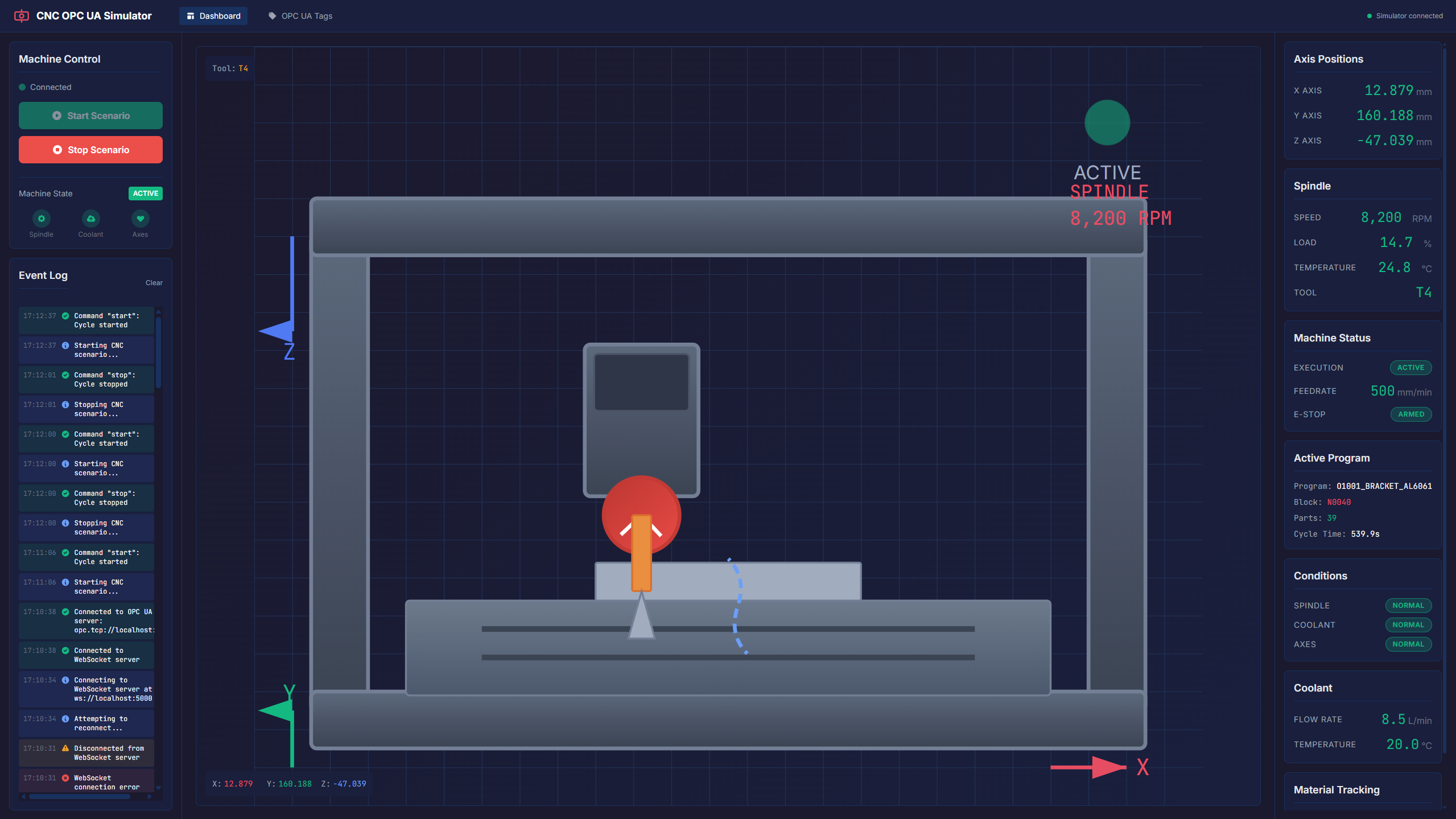
For this example I asked Claude to generate a CNC dashboard that interfaces with the simulator over WebSocket and provides a real-time visualization along with some quality-of-life features.
With this we already have a compelling representation of the integration that we can walk stakeholders through.
UI Backend#
To support the UI, the backend gains a few new classes: CncMachineState, CncWebSocketServer, and CncMessageBuilder.
  private async Task RunAsync(TestScenario scenario, ITestContext context)
  {
      var opc = context.Simulators["OPCUA"] as IoTTestOrchestrator.OPCUA.PluginMain;

      var machineState = new CncMachineState();
      var messageBuilder = new CncMessageBuilder(machineState, MachineId, OpcUaServer);
      var wsServer = new CncWebSocketServer(messageBuilder, _startSignal);
      var cycleSimulator = new CncCycleSimulator(machineState, wsServer.BroadcastAsync);

      Utilities.WaitForConnection(_scenario, ManagerName);

      _ = wsServer.RunAsync(_cts.Token);

      // Main loop: wait for Start from UI → run cycles → wait again
      while (!_cts.IsCancellationRequested)
      {
          await _startSignal.WaitAsync(_cts.Token);

          wsServer.CycleCts = new CancellationTokenSource();

          try
          {
              await cycleSimulator.RunCyclesAsync(opc, wsServer.CycleCts.Token);
          }
          catch (OperationCanceledException)
          {
              Console.WriteLine($"[{MachineId}] Cycle interrupted by Stop command");
          }

          // Reset machine to idle
          machineState.WriteTag(opc, "Controller.Execution", "READY");
          machineState.WriteTag(opc, "Spindle.Speed", 0.0f);
          machineState.WriteTag(opc, "Spindle.Load", 0.0f);
          machineState.WriteTag(opc, "Axis.Feedrate", 0.0f);
          machineState.WriteTag(opc, "Coolant.FlowRate", 0.0f);
          await wsServer.BroadcastAsync();
      }
  }
The original cycle logic is now encapsulated in CncCycleSimulator. The main loop simply waits for a start signal from the UI, runs cycles, and resets the machine to idle when done.
CncMachineState is the in-memory record keeper. Every tag write goes through it so that both the OPC-UA server and the WebSocket broadcast always reflect the same current state.
  internal class CncMachineState
  {
      private readonly Dictionary<string, object> _state = new()
      {
          ["Controller.Execution"] = "READY",
          ["Controller.Program"] = "O1001_BRACKET_AL6061",
          ["Controller.Block"] = "N0000",
          ["Controller.EmergencyStop"] = "ARMED",
          ["Controller.PartCount"] = 0,
          ["Controller.CycleTime"] = 0.0f,
          ["Spindle.Speed"] = 0.0f,
          ["Spindle.Load"] = 0.0f,
          ["Spindle.Override"] = 100.0f,
          ["Spindle.Temperature"] = 22.0f,
          ["Spindle.ToolNumber"] = 0,
          ["Axis.X.Position"] = 0.0f,
          ["Axis.X.Load"] = 0.0f,
          ["Axis.Y.Position"] = 0.0f,
          ["Axis.Y.Load"] = 0.0f,
          ["Axis.Z.Position"] = 0.0f,
          ["Axis.Z.Load"] = 0.0f,
          ["Axis.Feedrate"] = 0.0f,
          ["Axis.FeedrateOverride"] = 100.0f,
          ["Coolant.FlowRate"] = 0.0f,
          ["Coolant.Temperature"] = 20.0f,
          ["Condition.Spindle"] = "NORMAL",
          ["Condition.Coolant"] = "NORMAL",
          ["Condition.Axes"] = "NORMAL",
          ["Material.CurrentPartId"] = "",
          ["Material.WorkOrderId"] = "",
          ["Material.TrackInTime"] = "",
          ["Material.TrackOutResult"] = "",
          ["Material.TrackOutTime"] = "",
      };

      public void WriteTag(IoTTestOrchestrator.OPCUA.PluginMain opc, string name, object value)
      {
          opc.WriteTag(name, value);
          _state[name] = value;
      }

      public string S(string key) => _state.TryGetValue(key, out var v) ? v?.ToString() ?? "" : "";
      public float F(string key) => _state.TryGetValue(key, out var v) ? Convert.ToSingle(v) : 0f;
      public int I(string key) => _state.TryGetValue(key, out var v) ? Convert.ToInt32(v) : 0;
  }
CncMessageBuilder is responsible for serializing the current machine state into JSON messages. It covers three message types: a full telemetry snapshot, a connection status notification, and a command result acknowledgement.
  internal class CncMessageBuilder
  {
      private readonly string _machineId;
      private readonly string _serverEndpoint;
      private readonly CncMachineState _state;

      public CncMessageBuilder(CncMachineState state, string machineId, string serverEndpoint)
      {
          _state = state;
          _serverEndpoint = serverEndpoint;
          _machineId = machineId;
      }

      public string BuildTelemetryJson()
      {
          var payload = new
          {
              timestamp = DateTime.UtcNow.ToString("O"),
              machineId = this._machineId,
              controller = new
              {
                  execution = _state.S("Controller.Execution"),
                  program = _state.S("Controller.Program"),
                  block = _state.S("Controller.Block"),
                  emergencyStop = _state.S("Controller.EmergencyStop"),
                  partCount = _state.I("Controller.PartCount"),
                  cycleTime = _state.F("Controller.CycleTime"),
              },
              spindle = new
              {
                  speed = _state.F("Spindle.Speed"),
                  load = _state.F("Spindle.Load"),
                  @override = _state.F("Spindle.Override"),
                  temperature = _state.F("Spindle.Temperature"),
                  toolNumber = _state.I("Spindle.ToolNumber"),
              },
              axes = new
              {
                  x = new { position = _state.F("Axis.X.Position"), load = _state.F("Axis.X.Load") },
                  y = new { position = _state.F("Axis.Y.Position"), load = _state.F("Axis.Y.Load") },
                  z = new { position = _state.F("Axis.Z.Position"), load = _state.F("Axis.Z.Load") },
                  feedrate = _state.F("Axis.Feedrate"),
                  feedrateOverride = _state.F("Axis.FeedrateOverride"),
              },
              coolant = new
              {
                  flowRate = _state.F("Coolant.FlowRate"),
                  temperature = _state.F("Coolant.Temperature"),
              },
              conditions = new
              {
                  spindle = _state.S("Condition.Spindle"),
                  coolant = _state.S("Condition.Coolant"),
                  axes = _state.S("Condition.Axes"),
              },
              material = new
              {
                  currentPartId = _state.S("Material.CurrentPartId"),
                  workOrderId = _state.S("Material.WorkOrderId"),
                  trackInTime = _state.S("Material.TrackInTime"),
                  trackOutResult = _state.S("Material.TrackOutResult"),
                  trackOutTime = _state.S("Material.TrackOutTime"),
              },
          };

          return JsonSerializer.Serialize(new { type = "telemetry", payload },
              new JsonSerializerOptions { PropertyNamingPolicy = JsonNamingPolicy.CamelCase });
      }

      public string BuildConnectionStatusJson(bool connected) =>
          JsonSerializer.Serialize(new
          {
              type = "connection_status",
              payload = new { connected, serverEndpoint = this._serverEndpoint, machineId = this._machineId }
          });

      public static string BuildCommandResultJson(string command, bool success, string message) =>
          JsonSerializer.Serialize(new
          {
              type = "command_result",
              payload = new { command, success, message }
          });
  }
CncWebSocketServer handles all WebSocket communication with the UI. It listens on http://localhost:5000/ and supports three incoming commands: start, stop, and get_telemetry. On connect it immediately sends the current telemetry snapshot so the UI has data before the first cycle begins.
  internal class CncWebSocketServer
  {
      public const string WsUrl = "http://localhost:5000/";

      private readonly ConcurrentDictionary<Guid, WebSocket> _clients = new();
      private readonly CncMessageBuilder _messageBuilder;
      private readonly SemaphoreSlim _startSignal;

      public CancellationTokenSource? CycleCts { get; set; }

      public CncWebSocketServer(CncMessageBuilder messageBuilder, SemaphoreSlim startSignal)
      {
          _messageBuilder = messageBuilder;
          _startSignal = startSignal;
      }

      public async Task RunAsync(CancellationToken ct)
      {
          var listener = new HttpListener();
          listener.Prefixes.Add(WsUrl);
          try { listener.Start(); }
          catch (Exception ex)
          {
              Console.WriteLine($"[WS] Failed to start listener: {ex.Message}");
              return;
          }

          Console.WriteLine($"[WS] Listening on {WsUrl}");

          while (!ct.IsCancellationRequested)
          {
              HttpListenerContext ctx;
              try { ctx = await listener.GetContextAsync(); }
              catch { break; }

              if (ctx.Request.IsWebSocketRequest)
                  _ = HandleWebSocketClientAsync(ctx, ct);
              else
                  HandleHttpRequest(ctx);
          }

          listener.Stop();
      }

      public async Task BroadcastAsync()
      {
          var json = _messageBuilder.BuildTelemetryJson();
          foreach (var (id, ws) in _clients)
          {
              try { await SendToAsync(ws, json); }
              catch { _clients.TryRemove(id, out _); }
          }
      }

      private async Task HandleWebSocketClientAsync(HttpListenerContext ctx, CancellationToken ct)
      {
          var wsCtx = await ctx.AcceptWebSocketAsync(subProtocol: null);
          var ws = wsCtx.WebSocket;
          var id = Guid.NewGuid();
          _clients[id] = ws;

          Console.WriteLine($"[WS] Client connected ({id})");

          await SendToAsync(ws, _messageBuilder.BuildTelemetryJson());
          await SendToAsync(ws, _messageBuilder.BuildConnectionStatusJson(connected: true));

          var buf = new byte[1024];
          try
          {
              while (ws.State == WebSocketState.Open && !ct.IsCancellationRequested)
              {
                  var result = await ws.ReceiveAsync(buf, ct);
                  if (result.MessageType == WebSocketMessageType.Close) break;

                  var msg = JsonDocument.Parse(buf[..result.Count]);
                  var type = msg.RootElement.GetProperty("type").GetString();

                  switch (type)
                  {
                      case "start":
                          if (CycleCts == null || CycleCts.IsCancellationRequested)
                          {
                              if (_startSignal.CurrentCount == 0) _startSignal.Release();
                              await SendToAsync(ws, CncMessageBuilder.BuildCommandResultJson("start", true, "Cycle started"));
                          }
                          else
                          {
                              await SendToAsync(ws, CncMessageBuilder.BuildCommandResultJson("start", false, "Already running"));
                          }
                          break;

                      case "stop":
                          CycleCts?.Cancel();
                          await SendToAsync(ws, CncMessageBuilder.BuildCommandResultJson("stop", true, "Cycle stopped"));
                          break;

                      case "get_telemetry":
                          await SendToAsync(ws, _messageBuilder.BuildTelemetryJson());
                          break;
                  }
              }
          }
          catch (OperationCanceledException) { /* shutdown */ }
          catch (Exception ex) { Console.WriteLine($"[WS] Client error: {ex.Message}"); }
          finally
          {
              _clients.TryRemove(id, out _);
              Console.WriteLine($"[WS] Client disconnected ({id})");
              try { await ws.CloseAsync(WebSocketCloseStatus.NormalClosure, "bye", CancellationToken.None); } catch { }
          }
      }

      private void HandleHttpRequest(HttpListenerContext ctx)
      {
          ctx.Response.Headers.Add("Access-Control-Allow-Origin", "*");
          ctx.Response.ContentType = "application/json";

          var path = ctx.Request.Url?.AbsolutePath.TrimEnd('/');
          string body = path switch
          {
              "/health" => $"{{\"status\":\"ok\",\"clients\":{_clients.Count}}}",
              "/status" => $"{{\"running\":{(CycleCts != null && !CycleCts.IsCancellationRequested).ToString().ToLower()}}}",
              _ => "{\"error\":\"not found\"}"
          };

          ctx.Response.StatusCode = path is "/health" or "/status" ? 200 : 404;
          var bytes = Encoding.UTF8.GetBytes(body);
          ctx.Response.OutputStream.Write(bytes);
          ctx.Response.Close();
      }

      private static async Task SendToAsync(WebSocket ws, string json)
      {
          if (ws.State != WebSocketState.Open) return;
          var bytes = new ArraySegment<byte>(Encoding.UTF8.GetBytes(json));
          await ws.SendAsync(bytes, WebSocketMessageType.Text, endOfMessage: true, CancellationToken.None);
      }
  }
Notifying the UI after any state change is then just a single call:
  // Reset machine to idle
  machineState.WriteTag(opc, "Controller.Execution", "READY");
  machineState.WriteTag(opc, "Spindle.Speed", 0.0f);
  machineState.WriteTag(opc, "Spindle.Load", 0.0f);
  machineState.WriteTag(opc, "Axis.Feedrate", 0.0f);
  machineState.WriteTag(opc, "Coolant.FlowRate", 0.0f);

  await wsServer.BroadcastAsync();
FrontEnd#
The frontend is an Angular application built with standalone components and a feature-based folder structure. Styling is handled by Tailwind CSS with a custom dark industrial color palette, and anime.js drives the machine animations.
The project follows a single feature module pattern under src/app/features/cnc/, with a standard separation between components, services, and models.
src/app/features/cnc/
├── components/
│   ├── cnc-dashboard/        ← main layout container (three-column grid)
│   ├── cnc-visualization/    ← SVG-based animated CNC machine
│   ├── control-panel/        ← start/stop buttons, alarms, condition badges
│   ├── telemetry-panel/      ← real-time numeric data display
│   ├── event-log/            ← timestamped event history
│   └── tags-page/            ← OPC UA tag browser (separate route)
├── services/
│   ├── websocket.service.ts  ← WebSocket client + all reactive state signals
│   └── animation.service.ts  ← anime.js wrappers for axis and spindle movement
└── models/
    └── cnc.models.ts         ← TypeScript interfaces matching the JSON payload
The app has two lazy-loaded routes: /dashboard for the main three-panel view and /tags for the full OPC UA tag browser.
The WebSocketService is the single source of truth. It connects to ws://localhost:5000, receives JSON telemetry pushed by the backend on every state change, and exposes everything as Angular signals. Computed signals derive booleans like isRunning, hasAlarm, and isSpindleRunning so each component reacts automatically without manual subscription management. The service also handles sending commands (start, stop, get_telemetry) back to the simulator.
The centerpiece of the dashboard is the CncVisualizationComponent, which renders the machine as an SVG. The spindle head, work table, and tool holder are all independent SVG elements whose positions are driven by computed signals that map the machine’s real millimeter coordinates into pixel offsets. Spindle rotation and axis travel are animated through the AnimationService, which wraps anime.js — so when a new telemetry update arrives with a different X/Y/Z position, the component animates smoothly to the new coordinates rather than jumping.
The TelemetryPanel and ControlPanel are straightforward display components. The telemetry panel surfaces all numeric values — axis positions, spindle speed and load, feedrate, coolant flow, cycle time, and material tracking — with conditional color coding that highlights warnings and faults. The control panel shows the current execution state, condition badges for spindle, coolant, and axes, and the start/stop buttons whose enabled state is derived from the current execution value.
The TagsPage provides a searchable and filterable table of all 30+ OPC UA tags organized by group. Values flash briefly when they change, making it easy to see which tags are active during a cycle. This view is particularly useful during integration debugging since it mirrors exactly what the OPC UA server is serving.
Final Thoughts#
The TestOrchestrator was built for testing, but as this example shows, it is equally well suited for creating living demos of shopfloor integrations. The same scenario code that drives an automated test can drive a realistic simulation, complete with fault injection and MES interaction — with a UI layered on top to make it accessible to everyone involved.
This combination of a reusable simulator framework, MES connectivity, and a lightweight dashboard can be a meaningful tool for testing, validation, and onboarding stakeholders onto new integrations.
Also, with the help of coding assistants this becomes very easy to implement.